
TOPIC
What Injured Pedestrians Should Know About Nevada Injury Claims

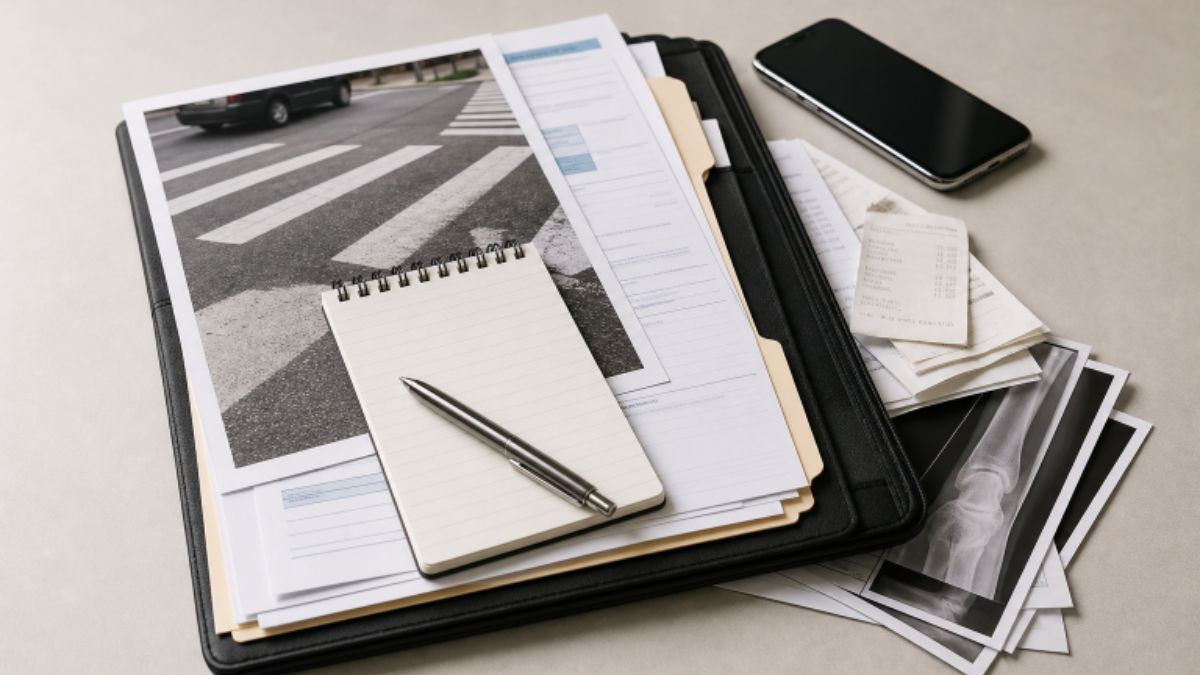
A pedestrian crash can turn an ordinary walk through Las Vegas, Henderson, Reno, or a smaller Nevada community into a medical and financial emergency. Whether the collision occurred at a marked crossing, in a parking lot, near a bus stop, or on a road with limited sidewalks, the first priority is health and safety. After urgent needs are addressed, Brian Boyer Injury Lawyer’s pedestrian accident resources can help injured pedestrians and their families understand the practical issues that may arise after a crash in Nevada.
Injury claims are fact-specific. The driver’s actions matter, but so do lighting, traffic signals, vehicle speed, visibility, road design, witness accounts, and the pedestrian’s location. An early insurance decision should not overshadow treatment, recovery, or the need to preserve information before it disappears.
Start With Medical Care and Clear Documentation
Call 911 when there is bleeding, severe pain, loss of consciousness, breathing trouble, confusion, weakness, or another urgent symptom. Even when an injured pedestrian feels capable of leaving the scene, a medical evaluation can identify injuries that may not be obvious immediately, including concussion symptoms, soft-tissue injuries, or internal injuries.
Attend follow-up appointments, take prescribed medication as directed, and keep a simple recovery log. Record pain levels, headaches, dizziness, sleep disruption, mobility limits, missed work, and activities that have become harder. This information can assist medical providers and create a more accurate picture of how the injury has affected daily life.
Create a Nevada Pedestrian Crash File
Keep a single paper or digital file for records connected to the incident. Include the police report number, photographs of injuries and the location, medical records, bills, prescription receipts, insurance letters, claim numbers, and contact details for witnesses. If clothing, shoes, a phone, eyeglasses, a mobility device, or other personal property was damaged, photograph it and retain the photograph before discarding or repairing it.
Employment records can also matter. Save missed-work notices, pay records, and communications about changed job duties. For a child or student, preserve school absence records, communications with teachers, and documentation of activity restrictions or counseling needs.
Preserve Evidence Before It Is Lost
Evidence often has a short life. Nearby businesses, residences, transit vehicles, and other cars may have surveillance, dashcam, or doorbell-camera footage. Make a timely written request to preserve potentially relevant video when appropriate, and note the names and locations of places that may have recorded the area. Do not trespass or interfere with law enforcement while gathering information.
Photograph the street from several safe angles, including crosswalk markings, traffic lights, signs, parked vehicles, debris, weather conditions, and nighttime lighting where relevant. Nevada’s pedestrian rules require drivers to exercise due care to avoid collisions, and the state’s traffic law guidance for drivers and pedestrians also explains duties regarding crosswalks and visually impaired pedestrians. Those rules are important, but liability still depends on the full circumstances.
How Fault May Be Evaluated
A civil claim is not decided by one fact alone. Investigators and insurers may examine vehicle speed, braking, turning movements, distraction, impairment, phone use, traffic-control signals, sightlines, and the point of impact. A driver turning through a crosswalk, entering from a driveway, or traveling near schools, resorts, parking areas, and busy commercial corridors may have circumstances that deserve close review.
Crossing outside a marked crosswalk does not automatically end a pedestrian’s claim, just as being in a crosswalk does not automatically establish every element of fault. Nevada applies comparative negligence principles. In general, an injured person’s share of responsibility may affect recovery, and recovery is barred if that person’s negligence exceeds the combined negligence of the parties sued.
Insurance Issues to Handle Carefully
The at-fault driver’s bodily injury liability coverage may be one potential source of payment. Depending on the policy language and household circumstances, an injured pedestrian may also need to review personal auto coverage, medical payments coverage, or uninsured and underinsured motorist coverage. Coverage questions can become more complicated when multiple vehicles, commercial drivers, rideshare vehicles, or work-related travel are involved.
Provide truthful basic information to insurers, but do not speculate about medical recovery or accept a settlement before the extent of treatment is reasonably understood. A settlement can require a release of future claims. Before agreeing to one, consider whether it accounts for follow-up visits, therapy, surgery, medication, transportation, lost income, permanent limitations, and pain or emotional effects supported by the evidence.
Deadlines and Government-Related Claims
Many Nevada personal injury actions are subject to a two-year limitations period, but the correct deadline depends on the legal claim and its facts. A claim involving a minor, a deceased person, a public employee, road maintenance, a government vehicle, or a dangerous public condition may be subject to additional rules. For example, Nevada law addresses tort claims against the State and political subdivisions separately. Confirm the applicable deadline promptly rather than relying on general information or an insurer’s assurances.
Common Mistakes to Avoid
- Delaying medical care because injuries appear minor at the scene.
- Throwing away damaged clothing or other physical evidence.
- Assuming the police report contains every relevant fact.
- Posting detailed crash opinions, photographs, or accusations on social media.
- Giving a recorded statement without first organizing the known facts.
- Accepting a fast settlement while future medical needs remain uncertain.
When Professional Guidance May Help
Consider seeking timely local legal guidance when injuries are serious, fault is disputed, an insurer requests a recorded statement, evidence may be lost, or a public agency or commercial vehicle is involved. Prompt advice may also be useful when the injured pedestrian needs ongoing care, cannot return to work, or faces a settlement offer that does not clearly address future needs.
Final Checklist
- Seek appropriate medical evaluation and follow-up care.
- Report the crash and obtain the report number.
- Photograph injuries, property damage, and the surrounding scene.
- Save records, receipts, witness details, and insurance communications.
- Preserve available video and physical evidence quickly.
- Review insurance options without rushing into a release.
- Confirm Nevada deadlines as soon as possible.
An injured pedestrian does not need to solve every insurance and legal question on the day of a crash. A careful approach begins with treatment, organized records, preserved evidence, and timely attention to Nevada’s claim rules. Those steps can protect an injured person’s ability to make informed decisions while recovery remains the central focus.
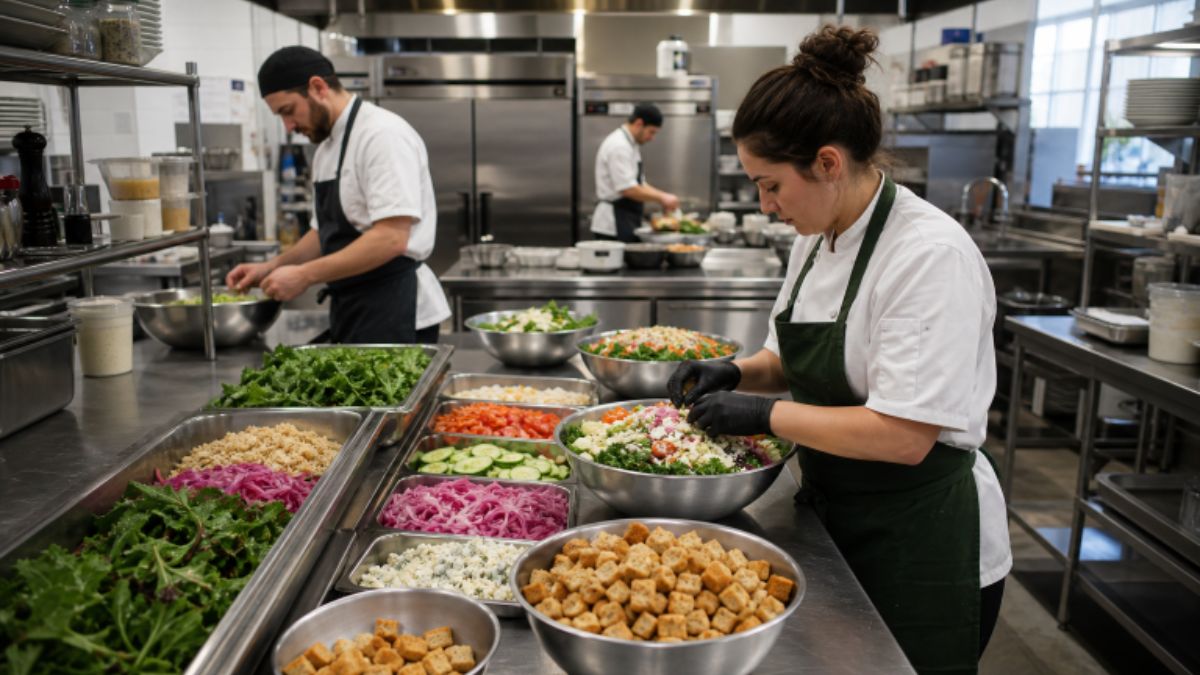
A satisfying salad is more than a collection of fresh ingredients. It needs contrast in every forkful, with enough crispness, creaminess, tenderness, and juiciness to keep the guest interested from the first bite to the last. For operators, working with a dependable commercial croutons manufacturer can make it easier to add a consistent crunchy element while maintaining portion control across locations and dayparts. Texture also gives a salad a clearer sense of value. A bowl of soft greens, vegetables, and dressing may taste good, but it can feel one-dimensional. When foodservice teams deliberately combine contrasting ingredients and protect those textures through prep and service, salads can feel more complete without becoming overly complicated.
Why Texture Matters In Salad Design
Flavor, aroma, temperature, and appearance all shape the dining experience, but texture often determines whether a salad feels memorable or merely adequate. A crisp topping against creamy dressing, tender greens, and juicy produce creates variation that makes each bite more engaging. As texture takes center stage on restaurant menus, operators have more reason to treat it as a core part of recipe development rather than as an afterthought.
Texture can also support presentation. A finished salad with visible layers and distinct ingredients looks intentional, which helps guests understand what they are ordering. The goal is not to make every bite busy. The goal is to give the bowl a recognizable rhythm of soft, fresh, crisp, and substantial elements.
Build Balance With Five Texture Types
A practical way to review a salad is to identify the textures it delivers. Most successful builds use two or three clear contrasts, while heartier composed salads may use more.
- Crisp: Raw vegetables, toasted bread toppings, fried onions, or crunchy finishing pieces provide immediate bite.
- Creamy: Avocado, cheese, hummus, yogurt-based sauces, and richer dressings soften sharper ingredients.
- Chewy: Whole grains, dried fruit, roasted mushrooms, and legumes add a denser, more substantial chew.
- Juicy: Tomatoes, citrus segments, berries, apples, and other ripe produce add moisture and brightness.
- Tender: Greens, roasted vegetables, cooked grains, chicken, seafood, and other proteins form the foundation of the bite.
A tender kale base, creamy goat cheese, juicy apples, and a crisp crouton are already a balanced structure. Adding several more toppings may increase food cost and prep time without improving the guest experience.
Choose The Right Salad Base
The base should fit the dressing, toppings, and expected holding time. Delicate greens, such as spring mix, work well for salads dressed just before service. Romaine, cabbage, kale, and hearty grain blends can better withstand stronger dressings, travel time, or buffet placement. For catering, takeout, and high-volume service, sturdy foundations are often the safer choice. Teams can also use mixed bases to create contrast without adding too many components. For example, romaine can bring crispness to a bowl, while quinoa or farro adds a satisfying chew and helps the salad feel more like a meal.
Add Crunch Without Overloading The Bowl
Crunch should have a purpose. One primary crunchy element, such as croutons, tortilla strips, toasted seeds, or crispy chickpeas, is usually enough to establish contrast. A smaller accent, such as a sprinkle of toasted pepitas or fried shallots, can add another note when it matches the flavor profile.
Keep Size And Placement Intentional
- Match the size of the topping to the greens and other ingredients so guests can get a balanced forkful.
- Use larger pieces for a bold, distinct bite and crumbs for more even distribution.
- Keep crunchy toppings separate if a salad will be held, delivered, or displayed before eating.
- Account for nut, seed, wheat, and other common allergens in recipes, labels, and service procedures.
Match Crunch With Flavor
The best crisp topping reinforces the salad’s main flavor direction. In a Mediterranean build, a savory crunch can complement cucumber, tomato, feta, olives, and lemon vinaigrette. A Southwest salad may benefit from corn-based crunch alongside beans, peppers, smoky seasoning, and a creamy dressing. Classic Caesar salads rely on the familiar balance of crisp romaine, savory cheese, rich dressing, and toasted bread. Seasonal harvest salads can pair roasted vegetables, grains, fruit, and tangy vinaigrette with a crunchy topping that adds contrast without competing with the produce.
Protect Texture During Prep And Service
Even a well-designed recipe can fail if ingredients are combined too early. Cool cooked items before they reach the greens, drain washed produce and wet ingredients thoroughly, and keep dressings away from the base until close to service. Delicate toppings should be added last. Consider a salad prepared for a lunch buffet. It may taste lively immediately after assembly, but dressing can soften the greens and crunchy toppings over the service period. Holding the dressing and crisp garnish separately allows staff to finish smaller batches as needed and maintain a better final bite.
Use Texture Across More Than Salads
These principles apply beyond traditional salad bowls. Grain bowls can use crisp vegetables and a toasted garnish to balance tender grains and proteins. Soup benefits from a crunchy finish, while wraps, sandwiches, pasta salads, and roasted vegetable plates can all gain definition from a texture contrast. Flexible, ingredient-rich stations also allow guests to build bowls to suit their preferences. The shift toward more intentional salad station experiences highlights the value of offering a dependable core selection alongside rotating ingredients, sauces, and toppings.
Test Each Build Before Launch
Before a salad reaches the menu, test it under realistic operating conditions:
- Prepare it exactly as the team will portion and plate it during service.
- Taste it immediately, then taste it again after 10 to 15 minutes.
- Check whether salt, acid, richness, freshness, and crunch remain balanced.
- Remove toppings that do not improve flavor, texture, or appearance.
- Document portions, assembly order, and finishing steps for consistent execution.
Common Texture Mistakes To Avoid
- Adding too many crunchy items can make the salad difficult to eat.
- Using only soft ingredients with a heavy dressing.
- Adding crisp toppings too early in the prep process.
- Ignoring delivery time, buffet holding, or other service realities.
- Selecting visually appealing toppings that do not suit the flavor profile.
- Overlooking allergen communication and ingredient separation.
A Better Salad Starts With Contrast
A memorable salad needs more than fresh ingredients. It needs thoughtful contrast that holds up through prep, service, and the final bite. By planning texture alongside flavor, portioning, and operational needs, foodservice teams can build salads that feel fuller, more balanced, and more satisfying for guests in 2026.
Conclusion
A satisfying salad is built through thoughtful balance rather than simply adding more fresh ingredients. Combining crisp, creamy, juicy, chewy, and tender elements can create contrast that keeps the eating experience varied from the first bite to the last. For foodservice operators, the right texture choices should also work within practical requirements such as portion control, ingredient storage, preparation time, holding conditions, delivery, and service speed. Crunchy toppings should be selected to complement the salad’s flavor profile and added at the appropriate stage to help preserve their texture. Keeping dressings and delicate garnishes separate when necessary can also help maintain the intended quality during holding or delivery. Testing each salad under realistic operating conditions allows teams to identify weak points before launch and establish consistent portions and assembly procedures. By treating texture as an important part of recipe development alongside flavor, appearance, cost, and execution, foodservice teams can create salads that feel balanced, practical, and satisfying without adding unnecessary complexity.
Why Data Center Design Is Changing
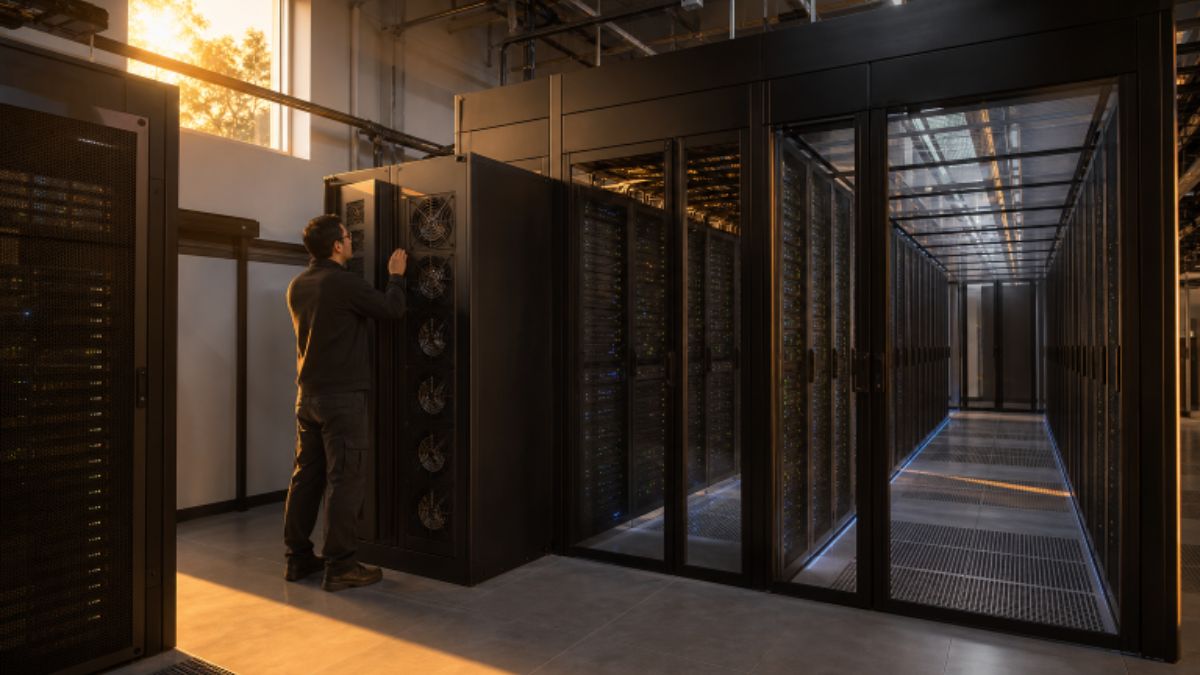
Artificial intelligence, cloud platforms, and high-performance computing are increasing the demands placed on data center buildings. Modern facilities may need to support concentrated power loads, more heat removal, and faster equipment turnover while continuing to protect people and critical systems. That makes physical infrastructure decisions more important, from cooling layouts and enclosure design to the selection of thermoplastic materials for data center applications, such as protective barriers, panels, and equipment-adjacent spaces. Industry conditions also affect how projects are planned. The 2026 data center reliability findings from Uptime Institute identify rising peak rack densities alongside continuing concerns about costs, power availability, supply chains, and staffing. A design that works only for the equipment installed on opening day can quickly become a constraint. Higher-density racks concentrate heat in smaller areas, and their cooling needs can differ from those of conventional server rows. Construction schedules can also be affected by the availability of electrical, mechanical, and IT equipment. Design teams, therefore, need a clear view of present workloads, expected growth, available utility capacity, and practical options for future expansion.
Start With Thermal Planning
Thermal planning belongs at the earliest stage of a project. Cooling cannot be treated as an isolated system added after rack layouts and electrical pathways have been finalized. Equipment placement influences airflow, power delivery produces heat, cooling equipment requires service access, and sensors provide the information operators need to respond before conditions become critical. General room cooling may be suitable for lower-density areas, while concentrated computing loads can require a dedicated zone and targeted cooling approach. For example, a facility might group high-performance racks in a defined area with added cooling capacity, clear liquid-cooling infrastructure where applicable, and wider access routes for technicians. The important point is to match the cooling strategy to the expected load profile rather than assuming every rack will have identical needs.
Thermal Planning Questions
- Where will the highest heat loads be located?
- Can cooling capacity be added in stages as computing demand grows?
- What is the operational response if a cooling unit, pump, or control component is unavailable?
- Can technicians safely reach valves, filters, sensors, and controls?
- How will temperature conditions be measured across rooms, aisles, and racks?
Build Better Airflow Control
Uncontrolled air movement can reduce cooling effectiveness and contribute to hot spots. Hot-aisle and cold-aisle arrangements help direct supply air along the path to equipment and exhaust air away from it. Containment systems, rack doors, blanking panels, ceiling strategies, and properly located returns can all help preserve that intended path. Small gaps can undermine a well-planned airflow pattern. Open rack spaces, cable penetrations, service doors, and poorly fitted partitions can allow supply and exhaust air to mix. Airflow should be reviewed after construction changes, equipment moves, or cable additions, not just during original commissioning. Storage and temporary equipment should also be kept clear of vents and access paths.
Common Airflow Mistakes
- Leaving unused rack openings unsealed.
- Blocking supply or return paths with equipment, tools, or stored materials.
- Adding partitions without checking pressure relationships and circulation.
- Allowing cable clutter to obstruct underfloor or overhead air movement.
- Failing to validate airflow after layout changes.
Treat Fire Safety as a Full-System Issue
Fire protection should be planned as a connected system that includes detection, suppression, fire-rated assemblies, protected openings, cable pathways, electrical rooms, battery areas, evacuation routes, and emergency access. The objective is not only to control an incident. It is also to limit the spread of fire and smoke, protect occupants, reduce damage, and support a controlled recovery. The AI data center design framework developed by ASHRAE, NEMA, and PNNL reflects this integrated approach by addressing planning, thermal efficiency, resilient design, commissioning, operations, and retrofit considerations. Fire protection choices should always be coordinated with the applicable building, fire, electrical, and local code requirements.
Fire Safety Topics to Review
- Early smoke and heat detection appropriate to the room and equipment.
- Protected openings, fire-rated assemblies, and correctly managed penetrations.
- Separation and access considerations for electrical and mechanical systems.
- Clear routes for evacuation, inspection, and emergency response.
- Routine testing, inspection, documentation, and staff training.
Choose Materials for the Real Environment
Material selection is a safety and operations decision, not simply a visual one. Panels, guards, dividers, enclosures, and protective barriers may be exposed to repeated handling, vibration, moisture, cleaning chemicals, heat, and accidental impact. Their properties can influence installation effort, cleaning practices, replacement needs, and long-term performance. Before specifying a material, designers should review technical information for the exact use and location. Relevant considerations can include flame and smoke performance, impact resistance, weight, dimensional stability, resistance to moisture or chemicals, ease of cleaning, and compatibility with surrounding systems. A material suitable for a nonstructural partition may not be suitable for an electrical enclosure, ceiling assembly, or elevated-temperature location.
Design for Reliability and Easy Maintenance
Reliability comes from multiple connected decisions. Redundant power and cooling paths can be important, but redundancy alone does not solve problems created by poor access, unclear labeling, incomplete procedures, or limited visibility into operating conditions. Monitoring temperature, humidity, pressure, and power quality helps operators identify abnormal conditions before they escalate. Maintenance access deserves the same attention as equipment capacity. A narrow service clearance can turn a routine filter change, sensor replacement, or valve inspection into a longer and riskier task. Critical equipment areas should provide sufficient space for technicians, tools, and replacement parts, and for safe movement, without disrupting adjacent systems.
Plan for Future Changes
Computing equipment can evolve faster than the building that supports it. A room designed for one rack density, power architecture, or cooling method may require costly modifications if demand changes. Future-ready planning does not mean installing every possible system immediately. It means preserving realistic options for change. Useful strategies include modular cooling zones, reserved electrical and mechanical space, removable panels, adaptable partitions, accessible cable pathways, and layouts that permit rack changes without major construction. Designers should also consider whether new monitoring devices, controls, or service connections can be added with limited operational disruption.
Use a Practical Design Checklist
- Map current and anticipated heat loads.
- Review supply, exhaust, and bypass airflow paths.
- Coordinate fire protection with room layout and equipment types.
- Confirm material performance for the intended environment and application.
- Verify access for inspection, cleaning, repair, and replacement.
- Review power, cooling, and monitoring redundancy requirements.
- Reserve practical space for future equipment and higher-density racks.
- Test systems before full operation and after significant changes.
- Keep drawings, labels, and operating procedures current.
Final Thoughts
Strong data center design depends on coordination across heat control, airflow, power distribution, fire safety, materials, physical security, maintenance, and future capacity. Each decision can affect other parts of the facility, so planning should consider how equipment, cooling systems, electrical infrastructure, access routes, and monitoring systems will operate together over time. In 2026, changing computing requirements will also make flexibility an important consideration, particularly as facilities accommodate higher-density equipment and evolving workloads. A well-planned environment should provide sufficient space for safe maintenance, organized cabling, equipment replacement, inspections, and future upgrades without creating unnecessary disruption to ongoing operations. Materials and building systems should also be selected with durability, serviceability, and applicable safety requirements in mind. The most resilient facilities will not merely fit more equipment into a building. They will provide clean, safe, adaptable environments that support changing workloads, enable effective maintenance, allow infrastructure to evolve, and help protect the systems and services that organizations depend on every day. Careful documentation and regular review can further help facility teams keep the design aligned with operational needs as conditions change.

Streaming boxes, compact disc transports, televisions, converters, and network players still need clean signal paths between components. While wireless playback is convenient, many serious listening rooms depend on wired links for stable timing and lower noise exposure.
A coaxial connection can be simple, affordable, and precise when the source and converter both support it. That makes it worth another look for anyone refining a two-channel system or home theater rack this year.
The Case for Coaxial Audio
A proper 75-ohm connection helps move encoded sound from one device to another with controlled impedance. That matters because timing errors can affect how a converter rebuilds the analog signal. For systems using a disc transport, streamer, or television output, an audio coaxial cable can provide a direct electrical path that avoids some limits of optical links.
Coaxial audio uses voltage rather than light. That gives it different strengths than fiber optical formats. It can support strong bandwidth, firm connector contact, and reliable transfer across typical room distances. The result is not magic; it is basic signal management, where geometry, shielding, plugs, and impedance all shape performance.
Why Timing Still Matters
Digital sound is built from samples. Each sample must reach the converter in a steady sequence. If clock recovery becomes less stable, the converter may produce subtle distortion, softer edges, or flatter imaging. This issue is often called jitter, and it remains relevant in modern playback chains.
A better cable cannot repair a weak source or poor converter design. Still, it can reduce one source of stress in the link. Lower noise pickup and consistent impedance help the receiving device interpret the stream with less correction. In revealing systems, those small gains can accumulate.
Coaxial Versus Optical
Optical cables have real advantages. They provide electrical isolation, which can help break ground loops. They also work well for televisions, soundbars, and simple media setups. For many casual rooms, optical audio is practical and clean.
Coaxial links are different. They often use stronger connectors, and their electrical format can be friendlier to some converters. Many listeners prefer coaxial between a transport and a separate converter because it can sound firmer and more open. The better choice depends on the equipment, cable length, and noise conditions near the rack.
Build Quality Counts
The term “coaxial” describes a structure, not a quality level. A basic cable and a carefully built one can both carry the same signal format. Their behavior may still differ under real use.
Shielding is a key factor. It helps block interference from power cords, wireless routers, amplifiers, and nearby screens. Conductor material, insulation, plug fit, and internal geometry also matter. A loose connector or poorly controlled impedance can weaken an otherwise capable link.
Length deserves attention as well. Very long runs can add loss. Very short runs may create reflection issues in some systems. For most home setups, a sensible length that reaches without strain is the right choice.
Where Coaxial Fits Best
Coaxial audio is useful between a compact disc transport and a converter. It also suits streamers, media players, televisions, and some professional-style interfaces. Many integrated amplifiers and receivers include a coaxial input because the format remains dependable.
It is also helpful during upgrades. A listener can keep a familiar source, then add a better converter later. The cable becomes the bridge between old and new gear. That keeps the system flexible without forcing a full replacement.
Practical Buying Tips
Check the connectors first. Most consumer gear uses RCA-style coaxial sockets. Some equipment may use BNC, which offers a tighter impedance match when both components support it.
Next, look for a true 75-ohm rating. Ordinary analog interconnects may fit the jacks, but they are not always built for this signal type. Cable routing also matters. Keep the line away from power strips, wall adapters, and bundled mains cords.
Finally, match the purchase to the system. Entry-level setups do not need exotic spending. More revealing systems can justify better shielding, tighter construction, and higher-grade connectors. The goal is balance, not excess.
Conclusion
Digital coaxial cables still matter because audio quality depends on more than file resolution or streaming service choice. The link between source and converter affects timing, noise exposure, and system flexibility.
Optical, USB, and network options all have a place, but coaxial remains a practical wired format for many rooms. With correct impedance, solid shielding, and sensible length, it can support cleaner playback without making the setup harder to use.
-

 NEWS1 year ago
Historical Churches in Manila
-

 TOPIC2 months ago
Unveiling AvTub: Your Ultimate Guide to the Best AV Content
-

 TOPIC1 year ago
Symbols of Hope: The 15th Belenismo sa Tarlac
-

 TOPIC1 year ago
RIZAL at 160: a Filipino Feat in Britain
-

 TOPIC1 year ago
“The Journey Beyond Fashion” – Ditta Sandico
-

 TOPIC1 month ago
Understanding Fascisterne: Origins and Ideological Roots
-

 TOPIC1 year ago
Simbang Gabi and Kakanin
-

 TOPIC1 year ago
5 Must-Have Products From Adarna House to Nurture Your Roots