
TOPIC
The Ultimate Guide to Choosing Large Plant Pots for Your Garden


Selecting the right container for plants is an essential aspect of gardening, especially when it comes to large plant pots. Large pots not only accommodate the root systems of substantial plants but also contribute to the overall aesthetic and health of a garden. This guide provides comprehensive information to aid gardeners in making informed decisions when choosing large plant pots for their outdoor spaces.
Understanding the purpose and benefits of using large plant pots is the first step in the selection process. Large containers allow sufficient room for roots to expand and growth to occur, leading to healthier and stronger plants. Moreover, they provide better moisture retention and stability, particularly important for plants that are top-heavy or exposed to windy conditions.
Types of Materials for Large Plant Pots
Choosing the right material for large plant pots impacts durability, weight, and insulation properties. The most common types of materials include terracotta, ceramic, plastic, metal, and fiberglass.
Terracotta
Terracotta pots are made from natural clay and offer excellent breathability, allowing air and moisture to move through the walls. They have a classic appearance and add a rustic charm to gardens. However, they tend to be heavier and can be prone to cracking in freezing temperatures.
Ceramic
Ceramic pots are glazed, providing a decorative finish and making them less porous than terracotta. This glazing reduces water evaporation and retains moisture longer. They are visually appealing but can also be heavy and fragile.
Plastic
Plastic pots are lightweight and affordable. They retain moisture well and are generally resistant to weather damage. While they may not have the aesthetic qualities of natural materials, modern designs often replicate traditional styles effectively.
Metal
Metal pots, such as those made from aluminium or steel, bring a contemporary look to gardens. They are durable but may heat up rapidly in sunlight, potentially harming plant roots. Metal pots might require liners and coatings to prevent rusting.
Fiberglass
Fiberglass pots combine durability with light weight and can imitate various finishes like stone or wood. They resist weathering well and are easy to move, making them suitable for large plants needing occasional relocation.
Considerations When Selecting Large Plant Pots
Size and Volume
The size of a large plant pot is critical to accommodate both the plant and its root system adequately. Too small a pot inhibits growth and requires frequent repotting, while too large a container can retain excessive water, leading to root rot. It is vital to calculate the expected growth of the plant and choose a pot accordingly.
Drainage
Proper drainage is fundamental in large plant pots to prevent waterlogging. Most quality pots have drainage holes to allow excess water to escape. When selecting pots without holes, gardeners must ensure to create a drainage system or use a suitable layering technique inside the container.
Weight and Mobility
Large pots, depending on their material and whether they are filled with soil and plants, can be extremely heavy. Consideration should be given to the location and whether the pot needs to be moved periodically. Lightweight materials or pots with integrated wheels can improve mobility.
Climate and Exposure
The climate and environmental exposure of the garden area influence the choice of pot material. For example, terracotta and ceramic may not be ideal for areas with frost, whereas plastic or fiberglass are more resistant to temperature fluctuations.
Styling and Placement of Large Plant Pots
Large plant pots serve as focal points and contribute significantly to the garden’s design. Placement should enhance the aesthetic and functional aspects of the space. Aligning pots with architectural features, pathways, or seating areas can create harmonious scenes.
Colour and texture of pots also play a role in garden design. Neutral colours blend with most settings, while bright or patterned pots add accents. Matching pots with plant types, like tropical with vibrant containers or succulents with minimalist designs, enhances visual appeal.
Maintenance of Large Plant Pots
Maintaining large plant pots involves routine cleaning, checking for damage, and refreshing potting media. Non-porous pots require less frequent cleaning, while porous pots such as terracotta benefit from periodic scrubbing to prevent algae and mineral deposits.
Ensuring proper drainage is maintained implies clearing blocked holes and replacing or supplementing the potting mix to balance moisture retention and aeration. Regular inspections of the pot’s structural integrity prevent accidents or damage to plants.
Environmental and Cost Considerations
Environmental impact is an emerging concern in gardening. Choosing pots made from sustainable or recycled materials can contribute positively to ecological goals. Considering the longevity of the material reduces waste over time.
Cost varies widely among materials and sizes. While plastic pots are generally budget-friendly, natural or decorative options may involve higher initial investments but offer durability and aesthetic value.
Conclusion
In summary, selecting the ideal large plant pots requires weighing factors such as material, size, drainage, weight, climate suitability, styling, and maintenance. An informed choice ensures sustainable plant growth and enhances the beauty of the garden. Gardeners are encouraged to explore a variety of options and consider their specific needs and garden conditions to make a fitting selection.


Road safety remains a critical concern across Australia, with authorities continually seeking effective measures to reduce incidents involving impaired driving. One such measure that has gained prominence is the alcohol interlock program, a targeted initiative designed to prevent individuals under the influence of alcohol from operating vehicles. This article explores the mechanisms, benefits, and impact of the alcohol interlock program in enhancing road safety throughout the country.
Understanding the Alcohol Interlock Program
The alcohol interlock program involves the installation of a breathalyzer device integrated with a vehicle’s ignition system. Prior to starting the engine, drivers must provide a breath sample to determine if their blood alcohol concentration (BAC) is below the legally prescribed limit. If the measured BAC exceeds this limit, the ignition remains disabled, preventing the vehicle from being operated.
Primarily targeted at offenders convicted of driving under the influence, the program often forms part of a conditional license framework, requiring participants to use these devices to regain or retain driving privileges. This approach emphasizes accountability while allowing individuals to maintain mobility under monitored conditions.
Legislative Framework and Implementation
Different Australian states and territories have adopted the alcohol interlock program with varying legislative requirements. For instance, New South Wales mandates the use of these devices for repeat DUI offenders or individuals caught with high BAC levels. Installation periods and operational requirements vary according to the severity of the offence and judicial decisions.
Authorities collaborate with certified service providers to ensure proper installation, maintenance, and calibration of the devices, thereby securing the integrity of the program and compliance with legal standards.
Enhancing Road Safety Through Behavioral Change
The introduction of an alcohol interlock serves not only as a technological deterrent but also promotes behavioral change. By restricting vehicle operation when alcohol is detected, offenders become more conscious of their consumption patterns and the legal consequences.
This monitoring acts as a constant reminder, encouraging greater responsibility and reducing the likelihood of repeated offences. Long-term engagement with the program has demonstrated reductions in recidivism rates among participants, contributing to safer roads.
Impact on Reducing Road Accidents
Statistical analyses conducted by road safety authorities reveal that the alcohol interlock program has significantly decreased alcohol-related vehicle accidents. Territories implementing these programs report fewer crashes involving intoxicated drivers, thereby protecting not only the individuals involved but also other road users.
These outcomes highlight the program’s effectiveness in mitigating risks associated with impaired driving and outline its essential role within broader road safety strategies.
Technological Aspects of Alcohol Interlocks
The devices employed in the alcohol interlock program incorporate advanced sensor technology, ensuring accurate detection of alcohol levels in the breath. Features often include real-time data recording, tamper-resistant configurations, and remote reporting capabilities to relevant authorities.
Such technological robustness guarantees reliable enforcement and transparency, facilitating seamless operation within the legal framework.
Challenges and Considerations
Despite its successes, the alcohol interlock program faces certain challenges, including participant compliance, costs associated with device installation and maintenance, and the potential for circumvention attempts. Addressing these requires comprehensive support systems, public education, and ongoing technological enhancements.
Collaboration between government agencies, service providers, and community organizations remains vital in overcoming these hurdles and optimizing the program’s reach and efficiency.
Community and Economic Benefits
Beyond direct safety improvements, the alcohol interlock program contributes positively to community wellbeing. Reduced accident rates lessen the strain on emergency services, healthcare systems, and reduce economic losses related to accidents and legal proceedings.
Moreover, safer roads promote public confidence in transportation infrastructure, fostering a healthier society and supporting economic growth.
Future Directions in Alcohol Interlock Programs
Emerging technologies such as mobile breathalyzer integrations and enhanced analytics are poised to advance the alcohol interlock program further. Expanding eligibility criteria and integrating with other impaired driving detection methods may also strengthen overall road safety frameworks.
Continuous research and development will underpin these innovations, ensuring the program remains adaptive to evolving societal needs and technological capabilities.
Conclusion
The alcohol interlock program represents a significant advancement in Australia’s efforts to combat impaired driving and enhance road safety. Through technological innovation, legislative support, and behavioral influence, it effectively reduces alcohol-related incidents on the roads.
Widespread adoption and ongoing refinement of the program promise to reinforce these benefits, safeguarding lives and promoting responsible driving behavior across the nation.
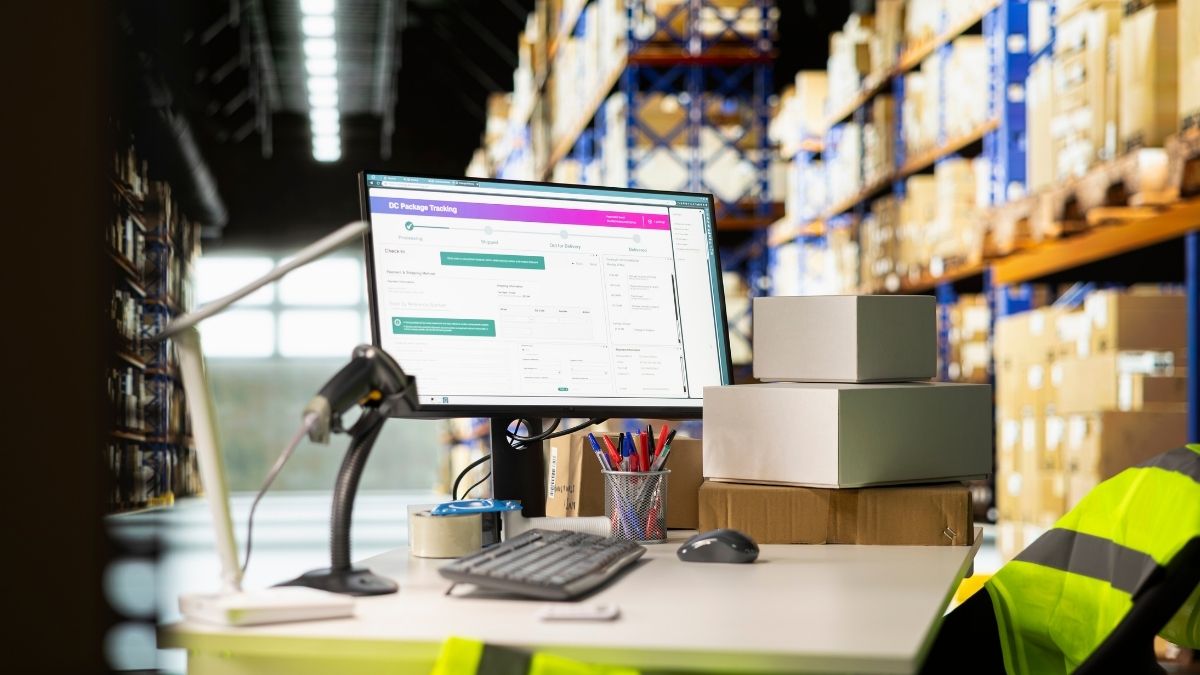
Growth can expose weaknesses in warehouse processes that were easy to overlook when order volumes and inventory levels were lower. A small operation may function effectively with spreadsheets, manual stock checks, and employees who know where most products are stored. As the business expands, those informal systems become harder to maintain.
More products, orders, employees, storage locations, and customer expectations create additional operational complexity. Using enterprise warehouse management software can help businesses manage that complexity by creating structured inventory records, improving stock visibility, standardizing workflows, and reducing repetitive administration.
The goal is not simply to process more orders. Scalable warehouse management allows a business to increase activity without increasing operational complexity at the same rate.
Growth Makes Informal Warehouse Processes Harder to Sustain
Many growing businesses initially manage inventory through simple systems. Stock quantities may be recorded in spreadsheets, storage locations may be understood by experienced employees, and supervisors may coordinate tasks directly.
This approach can work when the warehouse is relatively small.
Growth changes the equation. A broader product range creates more inventory records. Higher order volumes generate more picking and packing activity. Additional employees need consistent instructions, while larger premises introduce more storage locations.
Processes that depend on individual knowledge become increasingly difficult to scale.
If only a few experienced employees know where certain products are stored, for example, new team members may spend unnecessary time searching for inventory. Similarly, if stock movements are recorded inconsistently, purchasing and fulfillment teams may be working with outdated information.
Warehouse management software creates a framework for replacing these informal processes with repeatable digital workflows.
Scalable warehouse operations depend on making inventory and processes visible to the organization, rather than keeping critical knowledge in individual employees’ heads.
Centralized Inventory Visibility Supports Expansion
Inventory visibility is one of the foundations of scalable warehouse operations.
Employees need to know what stock is available, where it is located, and how inventory changes as goods move through receiving, storage, picking, and dispatch.
When information is distributed across spreadsheets or manually maintained records, keeping that picture current becomes more difficult as transaction volumes increase.
A warehouse management system can centralize inventory information and create more structured records of stock movements. Barcode scanning and other identification methods can further support inventory tracking by reducing reliance on manual data entry.
Better visibility helps employees locate goods and gives managers more useful information when investigating discrepancies.
It can also support other functions. Purchasing teams, customer service employees, and operations managers all benefit when warehouse information is more accessible and consistent.
Standardized Workflows Make Growth Easier to Manage
Scaling a warehouse is not simply a matter of adding more employees.
If every employee follows a different process, increasing headcount can introduce additional inconsistency. Growing businesses therefore need workflows that can be understood and repeated across teams and shifts.
Warehouse management software can provide structure around common activities such as receiving, putaway, picking, packing, inventory movements, and dispatch.
The difference becomes clearer when manual and system-supported operations are compared:
| Warehouse Area | Informal Growth Model | Software-Supported Growth |
| Inventory records | Multiple spreadsheets or manual records | Centralized digital information |
| Stock locations | Relies heavily on employee knowledge | Searchable location records |
| Receiving | Processes may vary by employee | Standardized digital workflow |
| Picking | Paper lists or informal instructions | Structured picking process |
| Inventory updates | Manual or delayed entry | Updates integrated into workflows |
| Training | Knowledge transferred informally | Consistent processes for new employees |
| Reporting | Data compiled from several sources | Operational information available centrally |
Standardization becomes increasingly important when businesses introduce new warehouse areas, additional shifts, or multiple facilities.
Reducing Administrative Work Creates Capacity for Growth
Warehouse growth usually means more transactions. Every incoming delivery, stock movement, order, and dispatch can generate administrative work alongside the physical handling of goods.
If that administration remains heavily manual, workload can rise rapidly as the business expands.
Employees may spend time entering the same information into different records, preparing paper picking lists, checking stock manually, or compiling operational reports.
Appropriate warehouse automation can reduce some of these repetitive tasks.
For example, scanning inventory during a defined process can update its digital record as part of the physical workflow. Centralized information can also reduce the need for employees to search across separate files before completing routine activities.
Automation should support warehouse teams rather than simply be viewed as a way to replace them. Employees remain essential for managing damaged inventory, resolving discrepancies, handling unusual orders, maintaining safety, and responding to other exceptions.
Better Location Management Becomes Essential at Scale
Knowing that inventory exists is not enough. Employees also need to know where to find it.
In a small warehouse, experienced staff may remember where most products are located. As the number of storage locations increases, relying on memory becomes less practical.
Warehouse management software can associate inventory with defined storage locations, making stock easier to locate through digital records.
This can support receiving and putaway by providing a more consistent way to record where goods have been placed. It also assists picking because employees can work from location information rather than searching the warehouse.
Accurate location data depends on staff consistently following the process. If goods are physically moved without the corresponding system update, the digital record can become unreliable.
Technology therefore works best alongside clear procedures and appropriate employee training.
Warehouse Data Helps Managers Identify Scaling Problems
Growth can create operational problems gradually.
Picking may become slower as inventory spreads across a larger area. Certain storage locations may become congested. Stock discrepancies may occur repeatedly in a particular workflow. Supervisors may not immediately recognize these patterns when information is fragmented.
Digital warehouse records create opportunities for more structured operational review.
Managers can use available information to examine inventory movements, warehouse activity, exceptions, and other relevant trends. The objective is to identify where processes are creating friction as the operation expands.
Data should not replace observation. Warehouse managers still need to understand what employees are experiencing on the floor.
Used together, operational data and employee knowledge can provide a stronger basis for deciding where processes, layouts, training, or technology need to change.
Software Can Support Multiple Locations and Teams
Growth may eventually extend beyond a single warehouse.
Businesses can add overflow facilities, regional distribution locations, or specialized storage areas. Without centralized systems, each location may develop its own spreadsheets, naming conventions, and working practices.
That fragmentation makes it harder to establish consistent inventory visibility across the organization.
Cloud-based warehouse management software can provide a shared digital environment for supported locations and authorized users. Standard processes can then be applied more consistently while still allowing businesses to account for legitimate differences between facilities.
Centralization also makes it easier to introduce new employees to established workflows rather than rebuilding operating procedures as the business expands.
Scalability Depends on People as Well as Software
Technology alone does not create a scalable warehouse.
Employees need to understand how digital workflows fit into their everyday responsibilities. Training should cover accurate inventory recording, scanning procedures, location management, exception handling, and any automated processes used by the organization.
Businesses should also avoid introducing unnecessary complexity.
A growing warehouse needs software that supports its operational requirements, not the greatest possible number of features. Processes should remain understandable to the employees responsible for executing them.
Successful scaling therefore combines appropriate technology with clear procedures, training, and regular operational review.
Building Warehouse Operations That Can Grow With the Business
Warehouse management software helps growing businesses move from processes that depend heavily on spreadsheets, manual administration, and individual knowledge toward more structured operations.
Centralized inventory visibility makes stock easier to understand. Digital location records help employees find goods. Standardized workflows support consistent receiving, picking, and dispatch, while appropriate automation reduces repetitive administrative work.
These capabilities do not remove the challenges of growth. Businesses still need sufficient space, trained employees, effective inventory policies, and strong operational management.
Warehouse management software provides a digital foundation for managing increasing complexity. By establishing accurate inventory tracking and repeatable workflows before manual processes become overwhelmed, growing businesses can build warehouse operations that are better prepared to scale alongside demand.
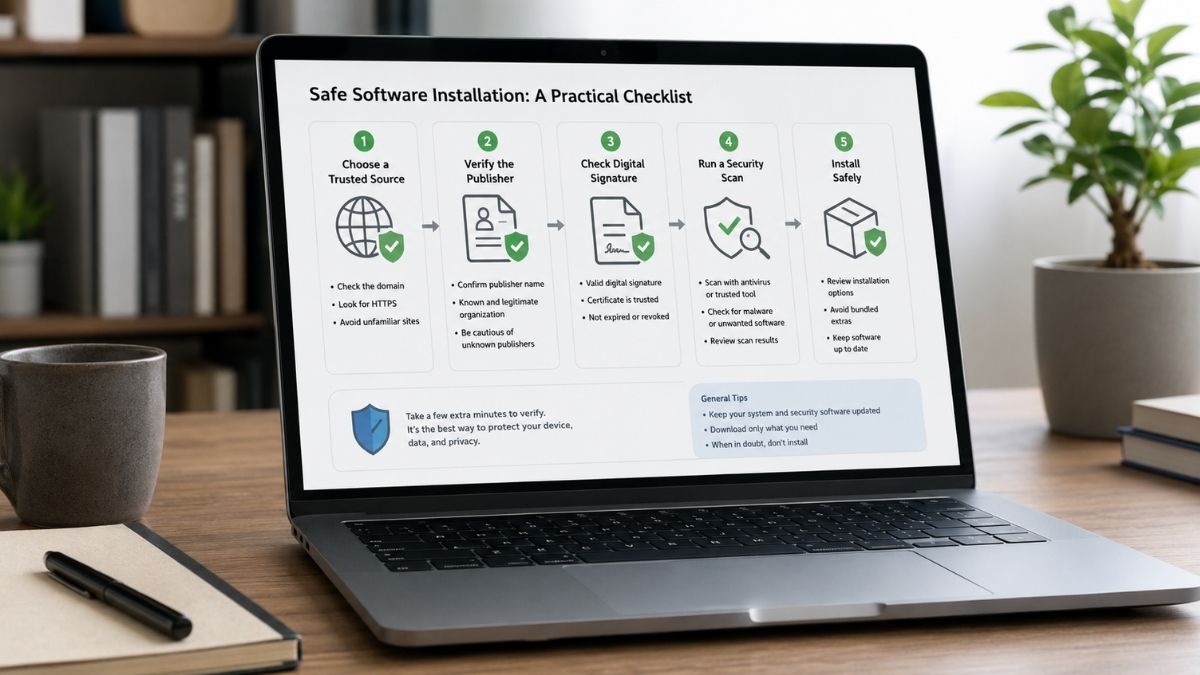
Searching for a Windows messaging client often looks straightforward: type the product name into a search engine, choose a download page and run the installer.
The problem is that several pages can look equally convincing.
One may be a software directory. Another may be an independent tutorial. A third may promote a modified installer. Search advertisements can appear beside ordinary results, while pages using familiar branding may have no official relationship with the software developer at all.
For Windows users, the safest time to ask questions is before an installer runs.
A useful pre-installation check does not need to be highly technical. It should answer a few basic questions: Where did the file come from? Does it match the computer? Who published it? Does Windows report anything unusual? And how will the application receive future updates?
Start With the Download Source
The first thing to verify is not the download button. It is the page delivering it.
A search engine can help users discover software, but search position should not be treated as proof of ownership or authenticity.
A page can rank well because it is:
- popular;
- optimized for search;
- frequently linked;
- advertised;
- relevant to a particular keyword.
None of those factors establishes that the site is operated by Telegram.
Read the complete domain
Before downloading anything, inspect the browser address bar.
Do not rely only on:
- the page title;
- a familiar icon;
- screenshots;
- a large “Download” button;
- phrases such as “official version.”
A domain can include a recognizable product name without belonging to the company behind that product.
Understand what type of page you are viewing
Official property: operated by the software provider.
Independent guide: explains installation, settings or troubleshooting.
Software directory: lists or redistributes programs from multiple publishers.
File-sharing page: hosts downloadable files without necessarily providing reliable publisher context.
These pages serve different purposes. A tutorial may be genuinely useful while still not being the official distribution source.
Know the Difference Between a Guide and a Distribution Channel
This distinction becomes particularly important for users searching in Chinese.
A Windows user in Hong Kong or Taiwan may search for terms such as:
- Telegram 電腦版;
- Telegram 电脑版下载;
- Telegram Windows;
- Telegram PC;
- Telegram Desktop.
Search results can mix English, Traditional Chinese and Simplified Chinese pages.
Users who want Chinese-language context when comparing Windows download routes can use the Telegram Windows 下载指南 as a supplementary reference. The key is to keep the page’s role clear: an independent guide can provide context, while the actual software source should still be verified separately before an installer is executed.
That distinction reduces one of the most common mistakes in software installation: assuming that a helpful tutorial and the official product source are automatically the same thing.
Check That the Installer Matches Your Windows Environment
Once the source is understood, confirm that the package fits the computer.
Most current consumer PCs run modern 64-bit versions of Windows, but users should still avoid downloading an installer simply because the filename contains “Windows.”
Questions worth checking include:
- Is this intended for Windows rather than macOS or another platform?
- Is it designed for a standard desktop installation?
- Does the package match the system architecture?
- Is it an installer, portable build or something else?
- Is the version appropriate for the operating system?
The exact version requirements can change over time, so current compatibility information matters more than screenshots from an old tutorial.
Desktop, App Store or Browser?
Windows users may encounter more than one way to access a messaging service.
| Route | Best Suited To | Main Consideration |
| Desktop installer | Regular PC use | Verify the package and source |
| Application store | Managed installation | Check current store availability |
| Browser version | Temporary or lightweight access | Review browser and session security |
These options are not necessarily interchangeable. A user who handles large numbers of files may prefer a desktop client. Someone using a temporary computer may prefer browser access. The right option depends on the workflow, not merely which button appears first in search results.
Avoid “Special Edition” Downloads
Modified software is frequently marketed by promising convenience. Examples may include claims such as:
- “premium unlocked”;
- “no verification required”;
- “special Chinese edition”;
- “optimized version”;
- “portable unlocked client”;
- “exclusive desktop build.”
These descriptions deserve additional scrutiny. A user who wants a Chinese interface should first determine whether the standard application already supports an appropriate language configuration.
Language preference and software authenticity are different issues. Downloading a modified client simply because it claims to offer Traditional Chinese can introduce unnecessary risk.
For Hong Kong and Taiwan users, this distinction is particularly useful because Chinese search results may contain pages written for different markets and character systems.
Inspect the Installer Before Running It
Review the filename and extension
A filename alone cannot prove authenticity, but unexpected or misleading names are worth investigating. Be especially cautious if a supposed application installer is delivered through an unusual archive or unrelated executable package.
Check publisher information
Windows may display publisher details when an installer requests permission. If the publisher is unexpected or cannot be identified, do not automatically proceed.
Review digital signature information
Where available, a digital signature can help confirm that the package has been signed by an identified publisher and has not been altered after signing. It is useful evidence, though it should be considered alongside the source and other information.
Pay attention to Windows Security
A security warning is not something users should automatically bypass because a website tells them to. If instructions begin with “Disable antivirus first,” that is a reason to stop and investigate. The correct question is why the system raised the warning.
What a Digital Signature Can—and Cannot—Tell You
Digital signatures are useful because they help establish two things:
- who signed the software;
- whether the signed file has been changed since signing.
That makes them valuable during installer verification. However, a signature does not answer every question.
It does not automatically prove that:
- the application is the one you intended to download;
- the website is official;
- the software is appropriate for your organization;
- the program will behave exactly as expected.
Think of a digital signature as one piece of evidence. Good verification combines source + publisher + signature + operating-system checks + expected behavior.
Watch for Installation Red Flags
The site asks you to disable antivirus protection
Legitimate troubleshooting sometimes involves resolving false positives, but disabling protection should not be the default installation procedure.
The download starts without a clear action
Unexpected executable downloads deserve caution.
The installer requires unrelated browser extensions
A messaging application should not normally need to bundle unrelated extensions or utilities.
The page promises modified premium functionality
Claims of unlocked or exclusive functions often indicate that the package differs from the standard client.
The publisher information does not match expectations
Investigate before approving system changes.
The file comes from an unfamiliar file host
A direct software source is generally easier to verify than an anonymous upload.
The page asks for account credentials before installation
Downloading desktop software should not require giving an unrelated website your login code or authentication information.
Install First, Then Review the Account Environment
After a legitimate client has been installed, a few account-level checks are worthwhile.
Confirm the correct account
Users who manage more than one number or identity should make sure the intended account is active.
Review authorized devices
Check whether old computers, browsers or phones remain signed in unnecessarily.
Review privacy and security
Additional authentication and session controls can provide another layer of account protection.
Review notification permissions
Windows and the application may each have their own notification controls.
Identify the download location
Knowing where files are stored makes later file management easier.
This article does not need to turn into a storage-management tutorial—the important point is simply to understand the default behavior before months of files accumulate.
Keep Updates on a Predictable Path
Installing the correct application is only the first software-source decision. Future updates matter too.
Users should be cautious when random websites or pop-ups claim: “Your Telegram version is outdated—download the latest installer now.”
A predictable update route is safer than repeatedly searching for new installers.
After the source and installer have been verified, the Telegram 电脑版安装指南 can serve as a supplementary walkthrough for desktop installation and post-install checks. The installation decision should still be based on a verified source and the user’s actual Windows environment.
The same principle applies to updates: avoid replacing a known update process with an unfamiliar download simply because a webpage promises a “newer” version.
Hong Kong and Taiwan Users: Language Is Not a Security Signal
Multilingual search results create one additional source of confusion. A Traditional Chinese website is not automatically safer for a Taiwan or Hong Kong user. An English page is not automatically more official. A Simplified Chinese tutorial is not automatically malicious.
Language tells you who the page may be trying to help. It does not authenticate ownership.
Users should judge pages by:
- domain;
- publisher;
- download source;
- installer behavior;
- security signals.
That approach is more reliable than assuming that a page written in the user’s preferred language must be the correct place to obtain software.
A 60-Second Pre-Installation Checklist
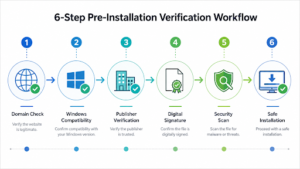
- Check the complete domain.
- Confirm that the package is intended for Windows.
- Verify the installer type and architecture.
- Review publisher information.
- Check the digital signature where available.
- Pay attention to Windows Security warnings.
- Avoid unexplained modified or “special” builds.
- Make sure future updates will come through a predictable route.
The process takes far less time than recovering from an incorrect installation.
Safe Installation Is Mostly About Verification
Windows makes software installation easy. That convenience is useful, but it also means users can run an unfamiliar program within seconds of finding it.
A better habit is: Find → verify → inspect → install → review → update through a known path.
Users do not need to become cybersecurity specialists. They simply need to separate search results from official ownership, tutorials from distribution channels and language preferences from software authenticity. Those distinctions make desktop software decisions considerably safer.
Frequently Asked Questions
Is Telegram Desktop available for Windows?
Telegram provides desktop access for Windows users. Current compatibility and distribution options should be checked before installation.
How can I tell whether a Windows installer is trustworthy?
Evaluate the source domain, publisher information, digital signature where available, Windows security prompts and whether the installer behaves as expected.
Does HTTPS prove that a download site is official?
No. HTTPS encrypts the connection to a site, but it does not establish that the site is owned by the software developer.
Do I need a separate Chinese Telegram installer?
Interface language should be treated separately from installer authenticity. Check the language options available in a legitimate standard client before considering unknown modified packages.
What should I do if Windows warns about an installer?
Do not automatically disable security protection. Investigate the source, publisher and reason for the warning before continuing.
Is Telegram Web the same as Telegram Desktop?
No. A web version runs in the browser, while a desktop client is installed on the computer. Each has different workflow and security considerations.
-

 NEWS1 year ago
Historical Churches in Manila
-

 TOPIC1 year ago
Symbols of Hope: The 15th Belenismo sa Tarlac
-

 TOPIC1 month ago
Unveiling AvTub: Your Ultimate Guide to the Best AV Content
-

 TOPIC1 year ago
RIZAL at 160: a Filipino Feat in Britain
-

 TOPIC1 year ago
“The Journey Beyond Fashion” – Ditta Sandico
-

 TOPIC1 year ago
5 Must-Have Products From Adarna House to Nurture Your Roots
-

 TOPIC2 weeks ago
Understanding Fascisterne: Origins and Ideological Roots
-

 TOPIC1 year ago
Filipino, alternative language course at Moscow State University