
HEALTH
How to Prepare for Dental Implant Surgery and Recovery

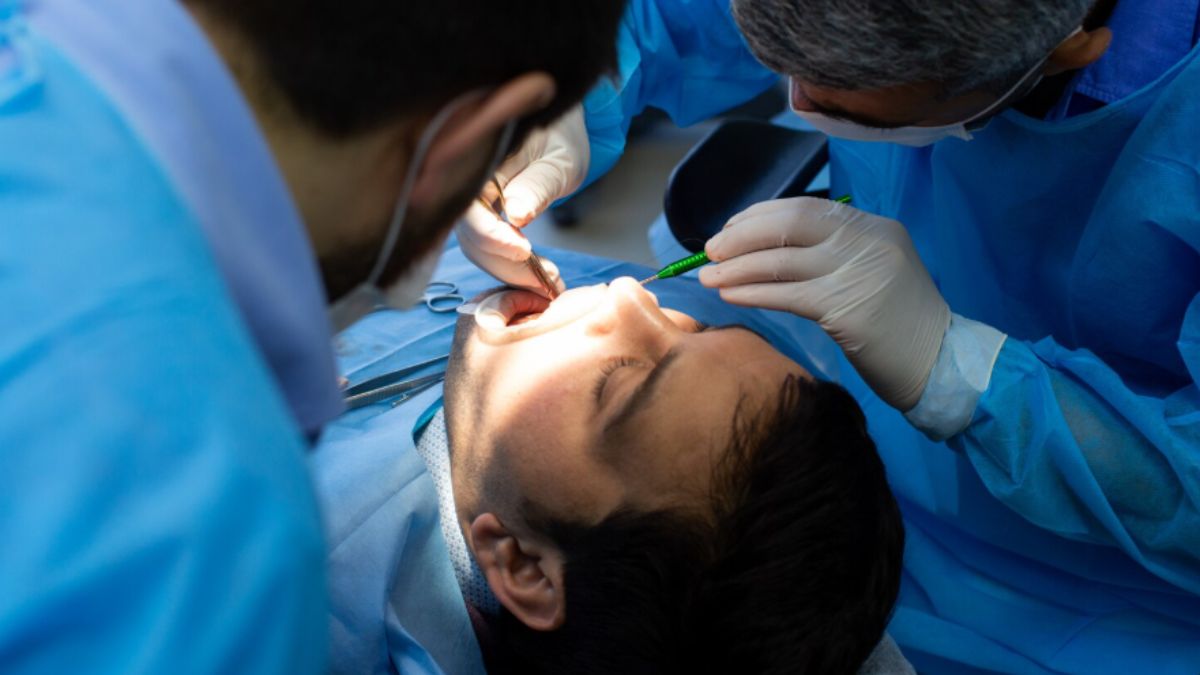
Dental implant surgery can feel like a major step, especially when you are not sure what to expect before or after the procedure. Whether your treatment involves a single tooth implant or a more extensive approach, preparation can make the entire experience feel much more manageable. Knowing how to get ready, what the first few days may look like, and how to support the healing process can help you approach treatment with greater confidence. While every treatment plan is different, there are several practical steps that can make the process smoother from the initial consultation through recovery.
Start with a thorough consultation
Preparation begins well before the day of surgery. Your dental professional will usually review your medical history, examine your mouth, and evaluate the condition of your teeth, gums, and jawbone.
Imaging may also be used to determine the amount of available bone and help plan the position of the implant. In some cases, additional procedures may be recommended before implant placement if the jawbone needs extra support.
This is also the right time to ask questions. Find out what type of anesthesia or sedation may be used, how long the procedure is expected to take, and what your recovery plan will involve. Understanding these details ahead of time removes much of the uncertainty.
Prepare for the day of the procedure
Follow any instructions provided by your dental professional carefully. Depending on the type of anesthesia being used, you may be asked to avoid eating or drinking for a certain amount of time before your appointment.
It is also worth planning the practical details in advance. Arrange transportation if you will be receiving sedation, prepare a comfortable place to rest at home, and make sure you have any recommended medications or supplies ready.
Stocking the kitchen beforehand can also help. Soft foods that require minimal chewing are usually easier to manage during the early stages of recovery.
Know what the first few days may feel like
Some swelling, tenderness, and minor bleeding can occur after implant surgery. These symptoms are generally part of the normal healing process, although your dental professional should explain which symptoms require additional attention.
Rest is particularly important during the first day or two. Strenuous exercise and activities that increase blood pressure may make discomfort or bleeding worse, so giving your body time to recover is usually the better approach.
Cold packs may help with swelling when used according to professional instructions. Any prescribed or recommended medication should also be taken exactly as directed.
Choose foods that support recovery
Eating may require a little creativity during the first few days. Soft foods can provide nutrition without placing unnecessary pressure on the surgical area.
Options might include yogurt, scrambled eggs, mashed vegetables, soups that have cooled to a comfortable temperature, smoothies eaten with a spoon, and other foods that do not require heavy chewing.
Very hot, hard, crunchy, or sticky foods are generally best avoided during the early healing stage. Drinking through a straw may also be discouraged because the suction can disturb the surgical area.
As healing progresses, you can gradually return to your regular diet based on the guidance you receive.
Keep your mouth clean without disturbing the area
Oral hygiene remains important during recovery, but the surgical site needs to be treated carefully.
You may be advised to brush the rest of your teeth normally while avoiding direct contact with the implant area for a short period. Gentle rinsing may also be recommended after the first stage of healing.
Avoid aggressive rinsing or repeatedly touching the area with your tongue or fingers. The goal is to keep your mouth clean while allowing the tissues around the implant to heal with as little disruption as possible.
The treatment environment matters too
Patients often notice much more than the treatment itself when visiting a medical or dental office. The condition of the waiting area, floors, restrooms, reception spaces, and other shared surfaces can influence how comfortable and confident someone feels before a procedure.
Professional maintenance of these areas helps create an orderly and welcoming environment, particularly in facilities where many people move through shared spaces each day. Professional commercial cleaning services in Norwich, CT can help maintain floors, frequently touched surfaces, restrooms, common areas, and other shared spaces so the surroundings remain presentable and well cared for. While this type of commercial cleaning is separate from the clinical sterilization procedures used during dental treatment, both contribute to the broader experience of receiving care in a professional setting. For a patient already feeling nervous about surgery, entering a tidy, carefully maintained environment can make the appointment feel more organized and reassuring.
Watch how your healing progresses
Recovery does not end once the initial discomfort disappears. Dental implants need time to integrate with the surrounding bone, which can take several months depending on the individual situation.
Follow-up appointments allow your dental professional to monitor progress and check that healing is moving in the right direction. Keep an eye on the surgical area between visits as well.
Increasing pain, persistent swelling, fever, unusual discharge, or other concerning changes should be reported rather than ignored.
Fun Fact: A dental implant does more than fill the visible space left by a missing tooth. Because the implant is placed within the jawbone, it can provide stimulation to the surrounding bone when you chew, helping it function more similarly to a natural tooth root.
Give your recovery the time it needs
A successful recovery is rarely about doing anything complicated. It is mostly about being prepared, following professional instructions, keeping the area clean, eating appropriately, and allowing your body enough time to heal.
By planning ahead and knowing what to expect, you can make the days surrounding dental implant surgery far less stressful and give the healing process the support it needs.

Healthcare arrival areas set the tone for the entire visit. When patients face a long line, confusing forms, or uncertainty about where to go, even a well-run clinical appointment can begin with frustration. At the same time, front-desk employees often juggle calls, insurance questions, payments, record updates, directions, and requests for personal assistance.
Digital tools can reduce the routine burden without turning check-in into an impersonal transaction. For organizations evaluating patient and visitor self-service, Kiosk.com healthcare solutions outlines how Kiosk Information Systems supports healthcare check-in workflows involving registration, appointment confirmation, information updates, signatures, payments, and visitor identification. As a long-standing provider of self-service kiosk hardware, software integration, and support services, the company offers relevant options for hospitals and clinics seeking to improve patient flow while maintaining staff-assisted service.
Key Takeaways
- Shorter check-in times begin with simpler workflows, not technology alone.
- Digital forms, mobile arrival tools, and self-service stations can handle routine tasks.
- Front-desk employees remain essential for complex questions and personal support.
- Accessible design, clear instructions, and privacy protections build patient confidence.
- Organizations should measure wait times, completion rates, data quality, and feedback before expanding a new process.
Table of Contents
- Why Front Desks Feel Pressure
- Small Friction Points That Create Long Lines
- How Digital Arrival Tools Help
- Why Human Support Still Matters
- Where Kiosks Fit Into the Workflow
- Accessibility, Privacy, and Confidence
- A Practical Rollout Plan
- Metrics That Matter
- Common Questions
Why Front Desks Feel Pressure
A reception desk is rarely responsible for only greeting patients. Staff members may need to confirm appointments, verify demographics and insurance, collect balances, answer phones, explain paperwork, and direct people through a busy facility. When these tasks happen simultaneously during a morning appointment rush, a short delay at one step can affect everyone waiting behind it.
The goal should not be to eliminate the front desk. It should be to protect employee time for work that calls for judgment, reassurance, problem-solving, and a real conversation. Routine information gathering is a better candidate for a streamlined digital process than a sensitive billing concern or a patient who needs help understanding next steps.
The Small Friction Points That Create Long Lines
Long waits often come from many small obstacles rather than a single major failure. Paper forms can be incomplete or hard to read. Patients may not have an insurance card ready. A name, address, or phone number may need to be updated. Someone may arrive at the wrong desk or be unsure whether they have already checked in via text message.
Healthcare leaders can identify the most important improvements by asking:
- Which forms require the most staff follow-up?
- Where do patients most often stop or ask for assistance?
- Which information is entered more than once?
- What causes registration corrections later in the visit?
- Can patients easily tell what they need to do after arriving?
How Digital Arrival Tools Help
Pre-visit forms, reminder messages, electronic signatures, mobile check-in, and on-site self-service can move basic tasks away from the busiest moment at reception. Patients can review information before they arrive, while staff can focus on exceptions that require attention.
The strongest process connects each step rather than adding another disconnected task. A patient should not have to enter the same demographic information online, repeat it at a kiosk, and then provide it again to an employee. Scheduling, registration, payment, identity verification, and electronic health record workflows should be considered together during planning.
Why Human Support Still Matters
Self-service should be a choice, not a barrier. Some patients appreciate the privacy and speed of completing basic steps independently. Others may need assistance because of a disability, language preference, unfamiliarity with technology, anxiety, or the complexity of their visit.
A balanced model gives patients several paths forward. One person may complete most forms on a phone before arrival. Another may prefer a staff-assisted check-in. A third may begin at a kiosk but need help correcting an entry. In each case, visible and approachable employees remain central to a welcoming experience.
Where Kiosks Fit Into the Workflow
A kiosk is most effective when it solves a specific operational problem. Depending on the facility and system connections, it may support appointment confirmation, registration updates, consent forms, identity checks, payment collection, wayfinding, or visitor sign-in. It should have a clear role in the arrival journey and a clear handoff to staff when needed.
Placement matters as much as functionality. A device that is hidden from the entrance, positioned in a crowded walkway, or introduced without clear signage can create confusion rather than reduce it. Staff should be ready to explain when patients should use self-service and when they should go directly to a person.
Accessibility, Privacy, and Patient Confidence
Accessible design is not an optional finishing touch. Screens should be readable, instructions should use plain language, and controls should be reachable and usable by a broad range of patients. The ADA Standards for Accessible Design provide an important reference for facility accessibility when organizations install or alter physical elements.
Privacy also shapes adoption. The HIPAA Privacy Rule establishes national standards for protecting individually identifiable health information. In practice, healthcare organizations should consider screen visibility, queue spacing, payment privacy, session timeouts, and clear instructions about what information is being requested.
A Practical Rollout Plan
- Map the current journey. Follow each step from arrival through handoff to care.
- Choose one bottleneck. Start with the task that creates the most avoidable delay.
- Run a limited pilot. Test one department, location, or appointment type first.
- Offer alternatives. Keep staff-assisted options available throughout the pilot.
- Train employees. Give teams simple guidance for helping patients and resolving common errors.
- Adjust before expansion. Use real observations and feedback to refine the experience.
Metrics That Matter
High self-service usage alone does not prove a process is working. Track average arrival-to-check-in time, wait time for staff help, completion and abandonment rates, registration corrections, insurance-data accuracy, payment completion, patient feedback, and employee feedback. Compare results by appointment type and time of day to identify where additional support is needed.
Common Questions About Digital Check-In
Will digital check-in replace front-desk employees?
It does not have to. The most practical objective is to reduce repetitive administrative work so staff can spend more time helping patients with needs that cannot be solved through a screen.
Do all patients need to use a kiosk?
No. Patients should have reasonable alternatives, including direct staff assistance. Choice helps make the process more equitable and more comfortable.
What is the biggest implementation mistake?
Adding technology without redesigning the workflow. Clear instructions, integration, accessibility, device placement, and staff readiness determine whether a digital arrival tool reduces friction or adds another step.
A Faster Welcome Can Still Feel Personal
Healthcare organizations do not need to choose between efficiency and compassion. When routine check-in tasks are designed to be simple, accessible, and connected, employees have more capacity to provide the human support patients remember. The best arrival experience is not the one with the most technology. It is the one that helps each patient move forward with less confusion, less waiting, and the right level of care.

A sudden collision can disrupt your entire day in an instant. The moments after a crash often bring stress, confusion, and a rush of adrenaline. Knowing which steps to take first can help protect your health and your legal rights.
Being prepared can make a big difference when dealing with the chaos after a crash. A clear plan helps you focus on safety and gathering evidence instead of panic. This guide explains the best ways to protect yourself and your interests after an accident.
Prioritize Safety at the Scene
Moving your vehicle out of active traffic can help prevent another crash and keep everyone safe. Police officers handle immediate dangers, while skilled car accident lawyers in Pittsburgh can help with the legal issues that follow. Taking this step quickly lowers the risk of further harm to you and other drivers.
Turn on your hazard lights to warn other drivers about the crash. Call emergency services right away to report the motor vehicle accident and ask for medical help. Paramedics can check for injuries and provide care after the impact.
Gather Accurate Evidence and Information
Collecting clear details at the crash site can support your future claims. Exchange contact details, insurance information, and license plate numbers with the other driver. Keep your conversation focused on these basic facts.
Use your smartphone to take photos of the scene. These images can provide useful proof of what happened. Take pictures before the vehicles are moved or towed away from the road:
- Close-up photos of damage to all vehicles involved
- Wide shots of the intersection, road signs, and skid marks
- Photos of any visible injuries soon after the crash
- Names and phone numbers of witnesses who stopped to help
- Notes about the weather and lighting at the time of the crash
Report the Crash to Authorities and Insurers
A police report provides an official record of the crash. Officers will speak with both drivers and check the evidence at the scene. This report can be important when you file a car accident claim later.
Be honest with the officer and avoid guessing about details you did not see. Explain what happened and describe any unusual driving you noticed before the crash. Let the police review the evidence and decide who may be at fault.
Share the basic facts with your insurer without making a final statement about the crash. Stick to who was involved, what happened, when it happened, and where it took place. Taking this step carefully can help you work toward a fair auto insurance settlement later.
Seek Thorough Medical Evaluation
Visit an urgent care clinic or emergency room as soon as possible to create a medical record. Adrenaline can hide the pain of soft-tissue injuries for hours or even days after a crash. A medical exam can find hidden injuries before they become worse or lead to lasting problems.
Follow your doctor’s treatment plan closely. Attend every physical therapy session and take your prescribed medication as directed. Missing appointments may make it seem like your injuries are minor or that you do not need further care.
Stay Organized for a Smoother Claims Process
Staying organized and acting early can reduce much of the stress during the claims process. A clear plan can help you recover, protect your rights, and work toward a fair outcome. Stay updated with our latest blog posts for similar topics.
If you’d like to learn more, check out more articles on our blog.

Walking into a dental office for the 1st time can feel scary for a young child. Bright lights, strange tools, and unfamiliar faces often trigger worry before a kid even sits in the chair. Parents can take a few simple steps at home to turn that nervousness into calm curiosity.
Continue reading to discover everything you need to know!
Choose A Kid-Friendly Dental Practice Early
Finding the right office shapes how your child views dental care from day one. You can look at local clinic websites to discover feedback from satisfied patients and see how the team treats nervous kids. Reading real stories from other parents helps you pick a welcoming practice with gentle staff.
Ask the front desk if your family can stop by for a quick tour 1 week before the checkup. Letting your child see the waiting room toys and meet the receptionist builds comfort fast. A familiar space feels much safer than walking into a brand-new building on appointment day.
Use Positive Words When Talking About The Dentist
Kids pick up on adult stress, so keep your tone upbeat whenever the upcoming visit comes up. A pediatric dental care guide notes that words like “hurt” or “shot” can trigger fear, so parents should stick to positive, simple language instead. Tell your child that the dentist will count their teeth and help keep their smile strong.
Skip sharing your own past dental struggles or complicated stories about cavities. Keep answers short and honest when your child asks what happens during a checkup. Simple facts give kids clear answers without creating dental anxiety.
Practice Pretend Checkups At Home
Role-playing turns an unknown visit into a fun game that your child controls. Set up a pretend dental chair in the living room 3 or 4 days before the real appointment.
- Grab a favorite stuffed animal
- Use a clean toothbrush
- Shine a small flashlight
- Switch turns so your child practices
Picture books and short cartoons about visiting the dentist can support these playful practice sessions. Seeing favorite characters enjoy a checkup shows your child that dental visits are a normal part of growing up.
Give Your Child A Sense Of Control
Fear grows when kids feel stuck in a chair without a voice. A health guide from Cleveland Clinic suggests setting up a clear stop signal, such as raising a hand, so a child can ask for a break at any moment. Knowing they can pause the exam helps kids relax and trust the dental team.
Let your child make small choices on appointment day, like picking their outfit or comfort toy. Having 1 or 2 simple decisions in their hands shifts their focus away from worry.
Plan The Appointment Timing Smartly
Booking a visit during a child’s best time of day prevents meltdowns before you arrive. Morning slots work well for young kids who get cranky after skipping a nap.
Feed your child a light snack about 1 hour beforehand so hunger does not add to their stress. Arriving 10 minutes early gives you plenty of time to check in without rushing.
Leave Dental Anxiety Behind Before the First Checkup
Calm preparation at home sets the stage for a smooth 1st checkup and healthy habits that last for years. With patience, playful practice, and a supportive dental team, your child can walk into visit 1 feeling confident and ready to smile.
Want more advice on making dental visits easier for children? Explore more articles on our blog for helpful tips on pediatric dental care, easing dental anxiety, building healthy habits, and keeping little smiles bright.
-

 Travel1 year ago
Historical Churches in Manila
-

 TOPIC4 months ago
Unveiling AvTub: Your Ultimate Guide to the Best AV Content
-

 TOPIC1 year ago
Simbang Gabi and Kakanin
-

 BUSINESS6 months ago
Exploring the Different Types of Понуде in Business Transactions
-

 Travel1 year ago
Symbols of Hope: The 15th Belenismo sa Tarlac
-

 NEWS6 months ago
What Caused Delta Flight DL275 to Diverted LAX? A Detailed Breakdown
-

 Celebrities1 year ago
RIZAL at 160: a Filipino Feat in Britain
-

 TOPIC3 months ago
Understanding Fascisterne: Origins and Ideological Roots