
BUSINESS
Why Businesses Are Moving From Off-the-Shelf Tools to Custom Software


Off-the-shelf software can be a practical choice for many businesses. It is ready to use, usually costs less at the start, and can cover common business needs. Problems often appear as the company grows. Teams may need workarounds, employees may rely on several disconnected tools, and important processes may not fit the software’s fixed features.
That is where custom software development services can offer a different approach. Instead of changing the business process to fit a product, the business can build a system around its actual requirements.
The decision is not simply about replacing existing tools. It involves cost, flexibility, integrations, security, scalability, and long-term business needs. This guide explains why more businesses consider custom solutions when standard software starts creating limitations.
1. Off-the-Shelf Software May Not Fit Every Business Process
Ready-made software serves a broad customer base. Its features are designed around common requirements, so businesses usually need to adapt their processes to the platform. That approach can work for standard operations. It becomes less practical when a company has specialized workflows or requirements that the software cannot support. Common limitations include:
- Fixed workflows
- Limited customization
- Restricted reporting
- User or feature limits
- Integration constraints
- Limited control over future features
- Reliance on third-party plugins
A business may create workarounds to deal with these restrictions. Employees might maintain spreadsheets, enter the same information into multiple systems, or use separate tools for tasks that should work together.
Custom software takes a different approach. The development process starts with the business requirements and builds the system around them.
2. Custom Software Creates a Better Fit for Business Operations
Every business has its own processes. A healthcare provider may need specific patient workflows. A logistics company may require route management, delivery tracking, driver updates, and automated alerts. A retailer may need connections between orders, inventory, payments, and customer records. A custom software development service can account for these differences. The system can include:
- Business-specific workflows
- User roles and permissions
- Approval processes
- Custom reports
- Customer portals
- Internal dashboards
- Automated notifications
- Industry-specific requirements
This level of control can reduce unnecessary steps. Employees do not have to change an important process simply because a standard platform does not support it.
The goal is not to add as many features as possible. The goal is to create software that supports the way the business actually works.
3. Custom Software Can Connect Disconnected Systems
Multiple software platforms can create another challenge. Sales may use a CRM, finance may use accounting software, operations may use an inventory system, and management may depend on separate reporting tools. Without proper integration, employees may need to move information between these systems by hand. That process takes time and can introduce errors.
Custom software can connect the systems a business already uses through APIs and other integration methods. For example, a new order could update inventory, send information to accounting, notify the appropriate team, and provide the customer with an automatic update.
The right application development services can help businesses design these connections around their existing technology environment. Better integration can also give teams access to more consistent information. Instead of checking several platforms, employees may have access to the data they need from one central system.
4. The Total Cost of Off-the-Shelf Software Can Increase Over Time
The lower starting price of ready-made software can make it attractive to growing businesses. However, the subscription fee is not always the full cost. Expenses may increase as a company adds:
- More users
- Premium features
- Additional storage
- Advanced reporting
- Plugins
- API access
- Third-party integrations
- Additional software platforms
Employee time also has a cost. Manual data entry, repeated reporting, duplicate records, and workarounds can consume hours that could support more valuable business activities.
Custom software generally requires a larger initial investment. Development is only one part of the cost. Hosting, maintenance, security updates, and future improvements also need consideration. For that reason, businesses should compare the total cost of ownership, not only the initial price of each option.
5. Custom Software Gives Businesses More Room to Grow
Business requirements rarely remain the same. A company may add new employees, open new locations, serve more customers, introduce new services, or enter another market. Those changes can place new demands on existing software. A custom system can provide room for:
- Additional user roles
- New departments
- Larger data volumes
- Advanced dashboards
- Mobile access
- New payment methods
- Additional integrations
- Automated workflows
A business does not need to build every future feature at once. A well-planned system can start with essential functions and support additional features as the company grows.
Scalability should also form part of the initial technical discussion. The development team should understand expected user growth, data requirements, integrations, and future business plans before selecting the architecture.
6. Automation Can Reduce Repetitive Work
Growth often creates more routine tasks. More customers mean more updates. More orders mean more records. More employees can mean more approvals and administrative work. Custom software can automate selected processes based on defined business rules.
For example, an order could trigger several actions:
- The system records the order.
- Inventory information updates.
- The relevant team receives a notification.
- The customer receives an order confirmation.
- The transaction becomes available for reporting.
A workflow like this can reduce repeated data entry and improve consistency.
Automation does not mean removing people from the process. It allows employees to spend less time on repetitive administrative work and more time on tasks that require judgment, communication, and expertise.
When Should a Business Move to Custom Software?
Custom software is not the right choice for every company. A ready-made platform can remain practical when it meets business requirements at a reasonable cost. The case for custom development becomes stronger when existing tools create recurring problems.
Signs may include:
- Several platforms are required for one workflow.
- Employees rely heavily on spreadsheets.
- Manual data entry takes significant time.
- Important reports require manual preparation.
- Existing software cannot support key business requirements.
- Integration problems occur frequently.
- Subscription costs continue to increase.
- User permissions are too restrictive.
- Employees rely on workarounds to complete basic tasks.
- Business growth has exposed limits in the current system.
One limitation does not always justify a custom project. A pattern of recurring problems provides a stronger reason to consider a change.
How Businesses Can Approach the Switch
The decision should begin with the business problem rather than a desire for new technology.
First, identify the processes that create the most delays, errors, manual work, or unnecessary costs. Speak with the employees who handle those processes because they can provide practical insight into where the current system falls short.
Next, define the essential requirements for the first release. Core workflows, user permissions, reporting, integrations, security, and automation may form the foundation.
Then, choose a custom software development partner with relevant experience. Review its previous projects, development process, testing standards, security practices, communication methods, and post-launch support.
A clear project scope also matters. Every additional feature can affect development time, cost, testing, and maintenance. A focused first release can provide value sooner while leaving room for future improvements.
Is Custom Software Worth the Investment?
Off-the-shelf tools remain useful for businesses with straightforward requirements. They can provide a quick and affordable way to handle common business functions.
Custom software becomes more attractive when fixed features, disconnected systems, manual work, or recurring software costs begin to restrict the business.
The decision should come down to operational needs and long-term value. A business should compare its current software costs, employee time, integration requirements, growth plans, and future needs before making the switch.
Businesses that need a purpose-built solution can explore software development services to determine what approach fits their requirements. When existing tools no longer provide that flexibility, a custom solution can offer a more suitable path for long-term growth.
Build Around the Business, Not the Software
Off-the-shelf tools can provide an excellent starting point, but business requirements do not remain fixed. As operations become more complex, limitations in generic platforms can create extra costs, manual work, integration problems, and workflow restrictions. Custom software offers another path. With the right solutions, businesses can create systems that reflect their processes, connect existing tools, automate repetitive work, and adapt to future requirements.
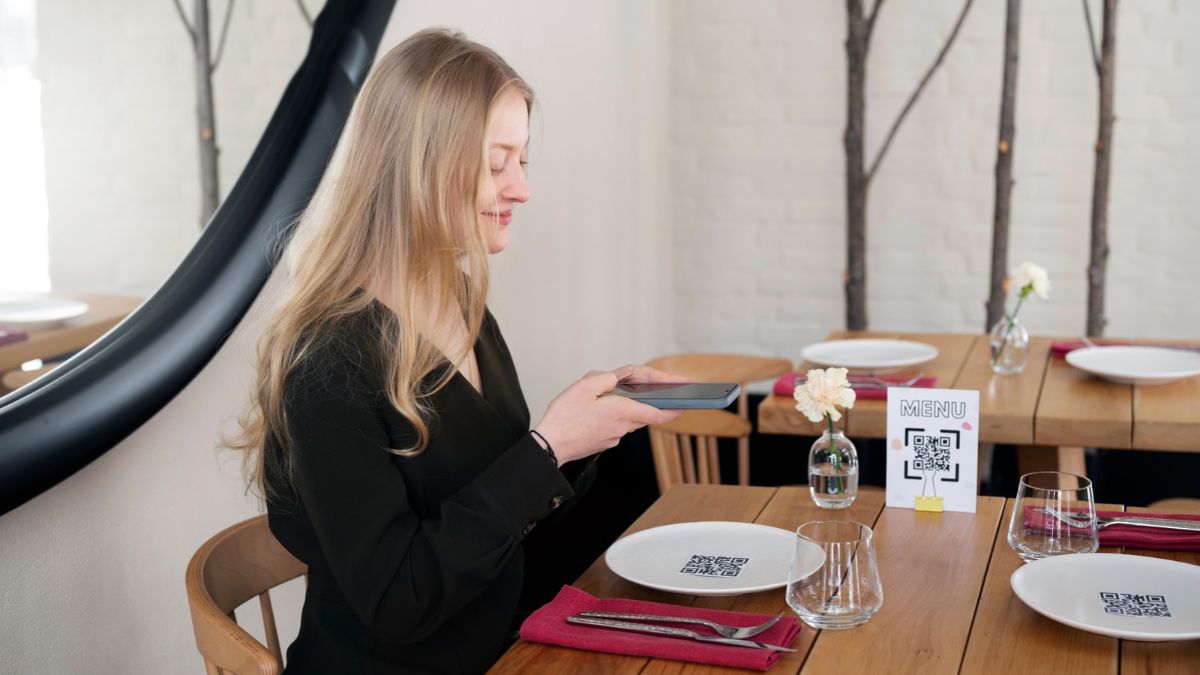
Restaurants increasingly use digital channels to communicate with customers, from online menus and loyalty schemes to feedback forms and promotional offers. However, getting customers to engage with these resources requires more than simply making them available. The information needs to be visible at the right moment. Tabletop displays provide a useful connection between the physical dining experience and digital content, giving restaurants an opportunity to introduce QR-based campaigns without adding unnecessary complexity to the table setting.
Why Tabletop Displays Suit QR-Based Campaigns
A QR code campaign depends on accessibility. Customers need to notice the code, understand its purpose and have enough space to scan it comfortably. Placing a code on a menu or receipt can work, but these materials may be moved, put away or overlooked during a meal. Triangle Table Talkers provide a dedicated display surface that remains visible on the table. Their three-sided construction offers multiple panels for presenting information, allowing restaurants to communicate different messages within one compact format.
For example, one panel could introduce a digital menu, another could promote a loyalty programme, and the third could invite customers to provide feedback. This arrangement gives each campaign its own space without requiring several separate signs. The tabletop position also places the QR code within easy reach. Customers can scan it using their phones without needing to approach a counter or ask a member of staff for additional information.
Give Every QR Code a Clear Purpose
A QR code without an explanation can create hesitation. Customers may be unsure whether it leads to a menu, payment page, promotional offer or external website. A short instruction beside the code can make the intended action much clearer.
Separate campaigns by customer intention
Different QR campaigns serve different purposes, so combining several links under one general message can create confusion. A clearer approach is to give each action a specific heading.
Examples include:
- View the menu: Directs customers to food and drink options.
- Join the rewards programme: Opens a registration or loyalty page.
- Share your experience: Takes customers to a feedback form.
- See current offers: Displays seasonal promotions or special deals.
Keep scanning instructions simple
A short phrase such as “Scan to view our menu” tells customers exactly what will happen. The QR code should also have sufficient surrounding space so that phone cameras can recognise it easily. The destination page matters just as much. A mobile-friendly landing page with quick loading times and straightforward navigation creates a smoother experience after scanning.
Use Three Panels Without Overloading the Table
One advantage of a triangular display is that it provides several visible surfaces within a relatively small footprint. However, using every panel for lengthy promotional copy can make the display difficult to understand.
A balanced layout usually gives each side one main purpose. The QR code should be large enough to scan, while supporting text should remain brief and readable from a seated position.
Restaurants can also use visual differences to distinguish campaigns. For instance, a menu-related panel might use food imagery, while a feedback panel could use a simple rating symbol. Consistent branding across all three sides helps the display feel like one coordinated piece.
The physical size matters as well. A tabletop display should be noticeable without interfering with plates, glasses, cutlery or conversations. Formats such as DL, A5 and A6 offer different proportions, making it possible to consider the available table space and the amount of information required.
Match the Printed Display to the Restaurant Environment
Restaurant furniture, lighting and table arrangements vary considerably. A display that works well on a spacious dining table may feel intrusive on a small café table.
Material and finishing choices influence the final presentation. Printed table displays can use lamination to provide either a glossy appearance or a more understated matt finish. The choice can reflect the restaurant’s visual identity and the surrounding interior.
It is also worth considering how frequently the campaign information will change. A permanent menu QR code may remain relevant for an extended period, whereas a seasonal promotion could require replacement artwork. Keeping the printed message separate from frequently updated digital content can reduce the need to reprint the entire display whenever a web page changes.
Connect Tabletop Promotions With Shelf-Level Messaging
QR campaigns do not have to remain limited to dining tables. Restaurants with takeaway counters, food retail sections or packaged products can use additional printed displays to communicate related offers.
A shelf talker can highlight a particular product, introduce a limited-time promotion or direct customers towards further information. When a QR code is included, the display can connect a physical product with a digital destination, such as ingredients, product details or a promotional page.
This creates a useful distinction between the two display formats. Tabletop graphics engage customers who are already seated, while shelf-level signs communicate with people browsing products or waiting near a counter.
The message should reflect the customer’s immediate context. A person choosing a packaged product may respond to product information, whereas someone seated at a table may be more interested in ordering, rewards or feedback.
Make QR Campaigns Easy to Update and Measure
Digital campaigns can change more frequently than printed displays. A QR code can continue pointing to the same web address while the content on the destination page is updated. This can be useful for restaurants running different promotions throughout the year.
Tracking links can also help measure engagement. Depending on the QR platform and website analytics setup, businesses may be able to review scans, campaign traffic and customer interactions. These figures can indicate which messages attract attention and which campaigns receive limited engagement.
Before printing, each code should be tested on different mobile devices. The destination should be checked for accuracy, mobile compatibility and continued availability. A printed QR code that leads to an expired offer or an incorrect page can undermine the purpose of the display.
Conclusion
QR-based restaurant campaigns work best when digital access is supported by clear physical communication. Display positioning, concise instructions, readable codes and relevant landing pages all contribute to a more convenient customer experience. Combining tabletop graphics with complementary point-of-sale materials can also create a consistent communication system across dining and retail areas. VC Print offers printed display formats that can support different promotional and information requirements in restaurant environments.
Author Name: Nimesh Kerai
Serving as the Head of Printing at VC Print, Nimesh Kerai is a distinguished expert in the field. His remarkable technical skills, combined with his keen awareness of the latest advertising trends, have propelled the company to notable success. Over the years, Nimesh has gathered a wealth of knowledge, which he frequently imparts through engaging and informative blog posts.

Signage is an important part of how a building communicates with visitors, employees, contractors and the surrounding community. It can identify a development, display the professionals involved in a project or provide essential information at an entrance. However, effective signage requires more than a well-designed logo. Its position, dimensions, material, readability and relationship with the building all influence the finished result. Planning these details early can help businesses avoid unnecessary alterations and create signage that serves its intended purpose.
Define the Information the Sign Needs to Communicate
The first consideration is the purpose of the sign. A construction development may need to display architectural visualisations, project details, contractor information and company branding. An office building, meanwhile, may require entrance identification, directional information or details about the businesses occupying the premises. Architectural signs should communicate information in a clear hierarchy. Trying to include every project detail on one panel can make the design difficult to read. A better approach is to establish which information is essential and organise it according to importance.
For example, a project identification board might prioritise:
- Development or project name.
- Architect and contractor details.
- Company logos and contact information.
- Relevant planning or site information.
- A visual representation of the proposed development, where appropriate.
The final layout should reflect the sign’s audience. Information intended for passing pedestrians may need to be more concise than details displayed at a designated project information point.
Assess the Building and Its Surroundings Before Choosing a Position
Sign placement affects visibility, accessibility and the overall appearance of the property. A sign that is technically visible may still be difficult to read if it is positioned behind trees, street furniture or other visual obstructions.
The surrounding environment should be assessed before the artwork is finalised. Consider the distance from which people will view the panel, the direction of approach and whether nearby buildings or landscaping affect visibility.
Account for different viewing distances
A sign positioned beside a pedestrian entrance can use a different text size from one intended to be seen across a large development site. The viewing distance should influence the hierarchy of information, including headline size, supporting text and logo dimensions.
Consider the building’s visual character
The sign should complement rather than compete with the surrounding architecture. Its proportions, colours and typography can be related to the building’s materials, façade design and existing identity. This is particularly important where several signs are displayed across the same development.
Select Materials According to the Project Requirements
Material selection influences the appearance, handling, installation and expected lifespan of a sign. Indoor identification panels may have different requirements from boards installed on exposed construction sites. Aluminium composite panels are one option for projects requiring a rigid, flat display surface. They typically consist of two thin aluminium outer sheets bonded to a polyethylene core. This layered construction provides a combination of rigidity and relatively low weight compared with solid metal sheets.
The smooth surface is suitable for printed graphics, photographs, logos and detailed text. These properties make the material relevant to commercial identification signs, construction displays, hoarding graphics and other applications where a structured panel is required. owever, the material should be selected according to the actual installation conditions. Panel dimensions, fixing arrangements, wind exposure and the expected duration of use all influence suitability. A printed composite panel used for signage should also not automatically be treated as a structural building cladding system. Those applications have different technical and regulatory requirements.
Make Readability a Design Priority
A visually attractive sign is not necessarily an effective one. If the lettering is too small, the contrast is weak or the layout contains excessive information, people may struggle to understand its message.
Typography should be selected for legibility rather than appearance alone. Decorative fonts may suit a logo, but essential information generally benefits from straightforward lettering. Adequate spacing between text elements also helps prevent the design from appearing crowded.
Colour selection deserves similar attention. A sign installed in a bright outdoor location may be affected by direct sunlight and reflections. A matt finish can help reduce glare in certain viewing conditions, while gloss may be preferred where a more reflective appearance is part of the design.
The artwork should also be reviewed at its intended physical dimensions. A layout that looks clear on a computer monitor can become difficult to read when printed at a much larger scale.
Plan the Installation Alongside the Design
Installation requirements should be established before production. The mounting surface, available fixing points and dimensions of the panel all influence how the finished sign can be secured.
For example, a board attached to a building façade may require a different fixing arrangement from one mounted on temporary site fencing or a freestanding support structure.
Businesses should consider:
- The type and condition of the mounting surface.
- The panel’s dimensions and overall weight.
- The number and position of fixing points.
- Access required for installation and future maintenance.
- Exposure to wind, rain and direct sunlight.
Larger signs may require additional support or specialist installation. The fixing system should be appropriate for the site rather than selected solely for convenience.
Coordinate Signage Across Different Project Stages
Construction and commercial developments often change as work progresses. Initial project boards may display architectural drawings and contractor information, while later signage may focus on building identification, occupancy or visitor directions.
Planning a consistent visual system can make these transitions easier. Aluminium composite panels can be specified for different printed applications, with dimensions and artwork adapted to the location and purpose of each sign.
For example, a development might use a large project identification panel at the entrance, smaller directional signs around the site and separate information boards near visitor access points. Consistent colours, logos and typography help connect these elements without making every sign identical.
It is also useful to maintain approved artwork files and records of panel specifications. This makes replacement or additional production easier when project information changes.
Allow for Maintenance and Future Updates
Even well-produced signage requires occasional inspection. Outdoor panels can accumulate dirt, experience surface damage or become outdated when project details change. Maintenance requirements depend on the location, finish, exposure and installation method.
The information displayed should also be reviewed periodically. Contact details, contractor names and project descriptions may need updating as responsibilities or development stages change. Where signs are expected to remain in place for an extended period, the cost and practicality of cleaning, inspecting and replacing them should form part of the original planning process.
Conclusion
Successful signage brings together clear communication, appropriate materials, thoughtful positioning and practical installation. Considering these elements early helps businesses create displays that remain useful throughout the relevant project stages. From construction identification boards to commercial building displays, Board Printing Company provides printed signage options that can be specified around different dimensions, materials and finishing requirements.
Author Name: Nimesh Kerai
Nimesh Kerai, the Head of Printing at the Board Printing Company, is a seasoned professional. His immaculate technical proficiency and habit of staying current with the advertising trends have helped the company reach impressive heights in the industry. He has amassed extensive knowledge throughout his career and often shares it with the general public in the form of intriguing and useful blog posts.
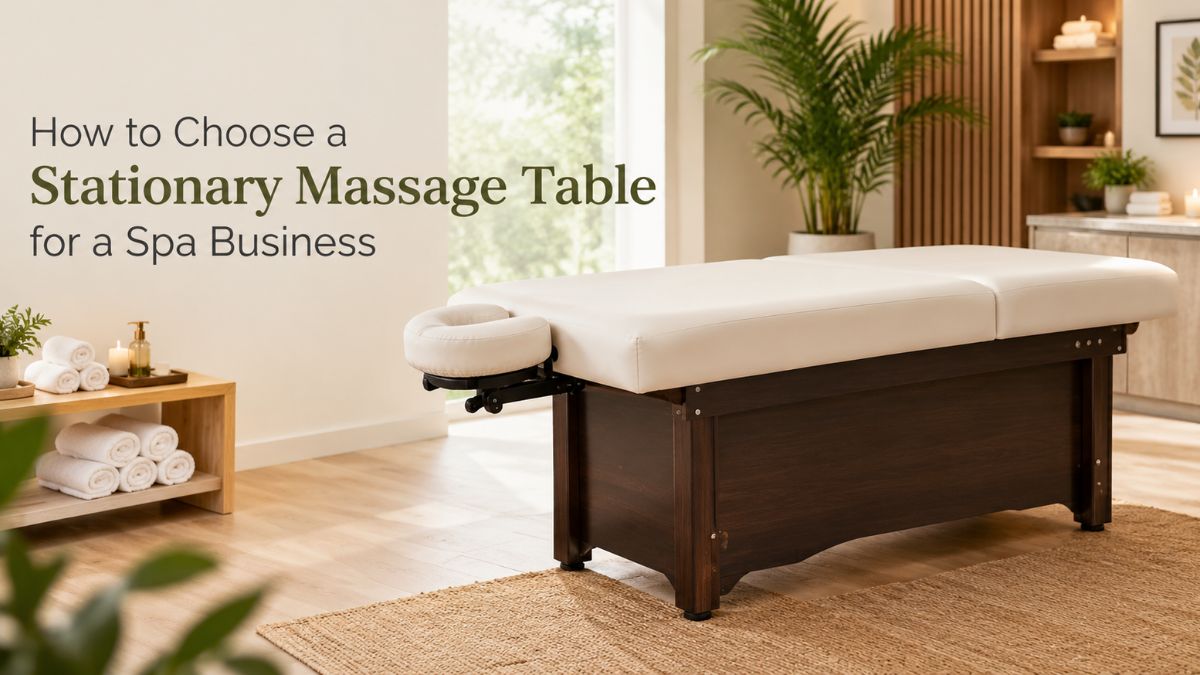
The most important investment for a spa business is a massage table. Buying the best massage tables can help you achieve client comfort, therapist workflow, and high-quality treatment. It also enhances the impression of your treatment room. That is why Spa owners prefer stationary massage tables to support daily operations.
But before buying it, consider your treatment menu, room layout, client requirements, and expected appointment volume. It will help you make the perfect decision for your spa.
Match the Table to Your Spa Treatments
Examine the services your spa provides first. Positioning, cushioning, and table functionality may be different for deep tissue massage, relaxation massage, and specialized body treatments.
Select a table that is appropriate for the treatments you plan to administer. If your spa provides a variety of services, think about whether a reclining backrest, adjustable height, or appropriate positioning accessories would increase flexibility.
Focus on Stability and Construction
Throughout treatment, a professional table should offer a steady, secure surface. Examine the manufacturer’s claimed working weight capacity, leg design, base construction, and frame material.
In busy spas where tables may be used frequently throughout the day, sturdy construction is especially crucial. Rather than depending solely on appearance, review the product specifications and warranty.
Consider Comfort, Padding, and Upholstery
Client comfort can affect how guests perceive their treatment. Look for supportive cushioning that is appropriate for the length and type of massage services you provide.
Upholstery should withstand frequent use and be compatible with your spa’s cleaning supplies. Follow the manufacturer’s care instructions, especially if your treatments use massage oils or require frequent surface disinfection.
Measure Your Treatment Room
Measure the available floor space, doorways, and access routes before making a purchase. To comfortably reach clients, move around the table, and set up stools or other equipment, your therapists need adequate space.
Carefully consider the width of the table. Although a wider surface might give clients more space, therapists may find it more difficult to reach across the table. Select dimensions that strike a balance between practical working access and client comfort.
Check the Height and Additional Features
The ideal working height allows therapists to maintain proper body mechanics. If multiple therapists share a room, a height-adjustable model may offer more flexibility than a fixed-height design.
To improve your treatment setup, consider the storage shelves, adjustable backrests, face supports, and other compatible accessories. Choose features based on your actual services, and confirm whether accessories are included or sold separately.
Compare Long-Term Value
When deciding on the best massage tables for your spa, consider the total cost of ownership. Compare the construction, warranty coverage, maintenance requirements, replacement parts, and suitability for your anticipated workload.
The least expensive option may not be the best fit for a busy treatment room. However, a higher price does not guarantee superior performance. Make your decision based on verified specifications.
Best Choice: The Right Massage Table for Your Spa
The ideal stationary table should help your therapists, accommodate your clients, and complement your business operations. Compare available Stationary massage tables carefully, prioritizing the features that are most important to your spa.
Investing time in the selection process can help you create a more functional treatment environment while also supporting your business’s growth.
-

 NEWS1 year ago
Historical Churches in Manila
-

 TOPIC4 months ago
Unveiling AvTub: Your Ultimate Guide to the Best AV Content
-

 TOPIC1 year ago
Simbang Gabi and Kakanin
-

 BUSINESS6 months ago
Exploring the Different Types of Понуде in Business Transactions
-

 TOPIC1 year ago
Symbols of Hope: The 15th Belenismo sa Tarlac
-

 NEWS5 months ago
What Caused Delta Flight DL275 to Diverted LAX? A Detailed Breakdown
-

 TOPIC1 year ago
RIZAL at 160: a Filipino Feat in Britain
-

 TOPIC3 months ago
Understanding Fascisterne: Origins and Ideological Roots