
TECHNOLOGY
ZVideo Review: Is This AI Video Generator Worth Using in 2026?

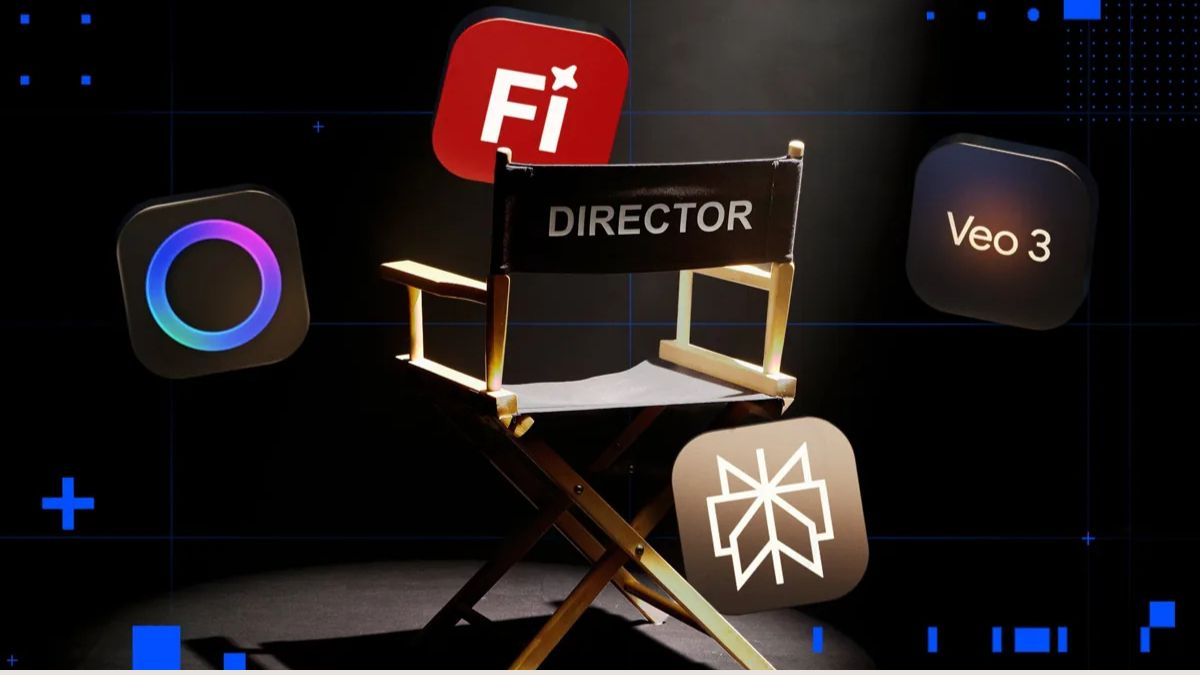
If you have been searching for a faster way to produce videos, chances are you have come across ZVideo. This tool has been gaining attention as one of the more accessible AI-powered video creation platforms, promising to turn simple text prompts or raw footage into polished videos within minutes. But does it actually deliver, or is it just another overhyped app?
In this guide, we will walk through what ZVideo does, how it compares to traditional editing software, and whether it deserves a spot in your content workflow.
What Is ZVideo?
ZVideo is an AI video generator designed to help creators produce videos without needing advanced editing skills. Instead of manually cutting clips on a timeline, you provide a script, a prompt, or existing footage, and the platform builds a video around it automatically.
This approach matters because it removes the technical learning curve that usually keeps beginners away from video production.
Core Features of ZVideo
Most AI video platforms, including ZVideo, tend to offer a similar set of capabilities:
- Text-to-video generation from scripts or prompts
- Automatic caption and subtitle creation
- Voiceover generation in multiple languages
- Pre-built templates for social media formats
- Auto-editing of raw footage into a rough cut
These features make it possible to go from idea to finished video without touching a traditional timeline.
How ZVideo Compares to Traditional Video Editing Software
Traditional programs like Premiere Pro or DaVinci Resolve still dominate when it comes to precision editing. ZVideo, on the other hand, focuses on speed and simplicity rather than fine-grained control.
Here is a breakdown that makes the difference clearer.
| Factor | ZVideo (AI Generator) | Traditional Editing Software |
|---|---|---|
| Learning curve | Low, beginner-friendly | Steep, requires practice |
| Speed | Fast, often minutes | Slower, manual process |
| Creative control | Template-driven, limited | Full manual control |
| Best for | Social clips, quick content | Films, ads, detailed edits |
| Cost | Freemium or subscription | Often subscription-based |
| Output consistency | Automated, less customizable | Highly customizable |
Neither tool replaces the other completely. They simply serve different purposes.
Who Should Use ZVideo?
Not every creator needs the same tool. Here is how to figure out if ZVideo fits your workflow.
Content Creators and Marketers
If you regularly publish short-form content for social media, ZVideo can save hours of manual editing time each week.
Small Business Owners
Businesses without a dedicated video team often use ZVideo to produce promotional clips quickly and affordably.
Professional Editors
For cinematic or brand-heavy projects, ZVideo works better as a starting point rather than a final solution. Most professionals still finish the polish in traditional software.
A Practical Workflow Using ZVideo
Many creators get the best results by combining ZVideo with a traditional editor rather than choosing one over the other.
- Use ZVideo to generate a rough draft or auto-caption raw footage.
- Export the draft into professional editing software.
- Fine-tune transitions, color, and audio manually.
- Publish the final polished version.
This hybrid approach saves time on repetitive tasks while still allowing creative control where it counts.
Pros and Cons of ZVideo
Pros:
- Extremely fast turnaround time
- Beginner-friendly, no editing experience needed
- Useful for high-volume social content
- Built-in captions and voiceover tools
Cons:
- Limited creative flexibility
- Templates can feel repetitive if overused
- May require manual cleanup for professional-grade projects
- Free tier often includes watermarks
Common Mistakes to Avoid When Using ZVideo
- Relying entirely on automation for projects that need a personal brand touch or emotional storytelling.
- Ignoring audio quality, since many creators focus only on visuals and forget clean sound matters just as much.
- Skipping export settings, which can lead to blurry or oversized files on social platforms.
- Overusing default templates, making videos look generic instead of on-brand.
- Not reviewing AI-generated captions, since small transcription errors can slip through unnoticed.
Best Practices for Getting the Most Out of ZVideo
| Best Practice | Why It Matters |
|---|---|
| Write a clear script before generating | Improves accuracy of the final output |
| Review AI-generated content before publishing | Catches errors automation might miss |
| Match tool choice to project complexity | Prevents overcomplicating simple tasks |
| Keep raw footage organized before upload | Speeds up processing and editing |
| Combine with manual editing for key projects | Balances speed with creative quality |
Small habits like these make a noticeable difference in both output speed and final video quality.
Conclusion
ZVideo represents a growing shift toward faster, more accessible video creation. It is not built to replace professional editing software, but it does an excellent job handling repetitive, time-consuming tasks that used to eat up hours of work.
For creators who need quick, consistent content, ZVideo is a solid addition to the toolkit. For those working on cinematic or highly detailed projects, it works best as a first step rather than a final solution. Understanding where ZVideo fits into your workflow is the key to using it effectively.
Frequently Asked Questions
1. What is ZVideo used for?
ZVideo is primarily used to generate videos automatically from scripts, prompts, or raw footage, making it ideal for quick social media content.
2. Is ZVideo good for beginners?
Yes, ZVideo is designed to be beginner-friendly and does not require prior video editing experience.
3. Can ZVideo replace professional editing software?
Not entirely. ZVideo works well for quick drafts and simple content, but professional projects often still need manual editing for polish.
4. Does ZVideo offer a free plan?
Many AI video platforms, including tools like ZVideo, offer a free tier, though it usually comes with watermarks or limited features.
5. How does ZVideo compare to traditional video editing software?
ZVideo focuses on speed and simplicity, while traditional software offers deeper creative control, making them suited for different types of projects.


Engineering lightweight strength into oversized components
Traditional solid plastics often struggle when scaled up to substantial dimensions, as thick walls tend to warp, sink, or cool unevenly during production. Utilizing advanced structural foam moulding solves this structural limitation by creating a porous, microcellular core surrounded by a solid, high-density skin. Industrial design specialists point out that this sandwich-style structure delivers incredible torsional rigidity while cutting raw plastic mass by roughly twenty percent. The distinct advantage is the ability to mold complex functional elements, such as screw bosses and reinforcement ribs, directly into the frame. The only minor trade-off is a slightly textured surface finish, which often requires a secondary coating if an ultra-smooth aesthetic is desired.
Partnering for large-scale technical production
Handling high-tonnage tooling and expansive project dimensions demands specialised technical capacity that routine plastic suppliers simply do not possess. Collaborating with an established injection moulding company gives original equipment manufacturers access to dedicated multi-component machinery capable of producing massive parts in a single, controlled cycle. Production metrics show that integrating multiple sheet metal brackets into a singular molded polymer housing can reduce assembly labor by nearly thirty percent. A qualified manufacturing partner provides vital early input on flow dynamics and gate placement. While upfront mould development requires thorough review and capital investment, the streamlined output minimizes long-term production overhead significantly.
Weighing engineered plastics against fabricated metal
When deciding between stamped sheet metal and engineered thermoplastic structures, engineers must balance impact resistance, corrosion, and part integration. Sheet metal offers immediate rigidity and familiar fabrication processes, making it a viable option for low-volume prototypes. Unfortunately, metal bends permanently under sudden force, rusts quickly when paint layers chip, and requires extensive manual welding that drives up assembly hours. Modern polymers absorb severe impacts by flexing and snapping back into shape without denting. They are completely immune to water, oil, and road chemicals, ensuring that equipment deployed outdoors or in harsh washdown facilities remains completely maintenance-free.
Designing for disassembly and circular manufacturing
Why is the manufacturing sector moving decisively away from mixed-material assemblies in favor of unified polymer constructions? Environmental consultants emphasize that traditional machine enclosures, built from bonded metal sheets, glued acoustic mats, and separate rubber seals, are virtually impossible to separate efficiently at the end of their lifecycle. Single-polymer moldings, by contrast, can be cleanly ground into flakes and remanufactured into fresh industrial parts once a machine is decommissioned. Shifting to mono-material design takes careful planning during the blueprint phase, but it drastically shrinks industrial carbon footprints while creating products that meet modern recycling standards.
The future of heavy-duty industrial design belongs to smart material choices that combine mechanical endurance with everyday operational efficiency. By leveraging lightweight foaming techniques and robust molding processes, forward-looking manufacturers can produce superior housings that outperform traditional metal equivalents. Embracing these advanced engineering solutions protects your internal hardware reliably, cuts logistical weight, and positions your brand at the forefront of modern, sustainable manufacturing.

Have you ever come across the phrase ponas robotas and wondered what it actually means? The term comes from Lithuanian and translates directly to “Mr. Robot.” People use it today to talk about intelligent robotic assistants that feel more approachable and capable than traditional machines. These systems handle everyday tasks while adapting to the people around them.
The idea mixes cultural references with real technology. It highlights how robots are moving out of factories and into homes, hospitals, and offices. Understanding ponas robotas helps you see where personal robotics is heading and what practical value it already delivers.
What Does Ponas Robotas Mean?
Ponas robotas literally means “Mr. Robot.” “Ponas” is the polite Lithuanian title for a man, similar to “Mr.” or “Sir,” while “robotas” simply means robot. Combining them gives a machine a respectful, almost human title.
In practice, the phrase now describes smart robots and AI-powered assistants that interact naturally with people. These are not purely industrial arms repeating the same motion thousands of times. Instead, they sense their surroundings, respond to voice or gestures, and adjust their behavior based on routines.
You will hear the term in discussions about home helpers, care robots, and collaborative workplace systems. It signals a shift toward machines that support rather than simply replace human effort.
The Cultural Roots Behind the Term
The phrase gained wider recognition through the popular television series Mr. Robot. In Lithuanian-speaking regions the show was known as Ponas Robotas. The series explored technology, privacy, and the influence of digital systems on ordinary people, which helped the words stick in public conversation.
That cultural link still matters. When people say ponas robotas, they often blend the polite linguistic title with modern ideas of capable, context-aware machines. The result feels less like cold automation and more like a helpful presence.
This background also explains why the term appears in both casual talk and technical writing. It carries a sense of personality without claiming the robot is truly human.
Core Technologies Powering These Systems
Modern systems described as ponas robotas rely on several connected technologies. Sensors let them see and navigate. Onboard processors run models that interpret speech and movement. Connectivity allows updates and coordination with other smart devices.
Typical components include:
- Vision and depth cameras for object recognition and safe movement
- Microphones and speech models for natural conversation
- Touch or force sensors that prevent accidents during physical interaction
- Adaptive software that learns preferred routines over time
These pieces work together so the robot can move through a home, respond to a request, and improve its performance without constant reprogramming.
| Feature | Traditional Industrial Robots | Ponas Robotas-Style Assistants |
|---|---|---|
| Primary Setting | Factories and warehouses | Homes, hospitals, offices |
| Interaction Style | Fixed programs, limited human contact | Voice, gesture, and adaptive responses |
| Learning Ability | Minimal or none | Improves from daily use and feedback |
| Safety Approach | Physical barriers or cages | Built-in sensors and soft-collision design |
| Typical Tasks | Welding, assembly, heavy lifting | Cleaning, reminders, monitoring, light assistance |
This comparison shows why the newer systems feel different in everyday settings. They prioritize safe, flexible help over raw speed or strength.
Real-World Applications of Ponas Robotas Systems
These assistants already appear in multiple environments. In homes they manage schedules, control lighting, vacuum floors, or remind someone about medication. In healthcare they support nurses by delivering supplies or helping patients with basic mobility. Warehouses use related mobile robots for navigation and item transport.
Here are practical examples:
- A household unit that greets you, checks the weather, and starts the coffee maker based on your usual morning routine
- A hospital robot that carries linens and alerts staff if a patient requests help
- A classroom companion that answers basic questions and keeps younger students engaged during group activities
| Setting | Common Tasks | Main Benefit |
|---|---|---|
| Home | Cleaning, reminders, device control | More free time and consistent routines |
| Healthcare | Supply delivery, patient monitoring support | Reduced staff workload and faster response |
| Education | Tutoring support, interactive lessons | Personalized attention for learners |
| Logistics | Inventory movement, sorting assistance | Faster fulfillment with fewer errors |
| Hospitality | Guest guidance, room service support | Consistent service without fatigue |
Each use case focuses on repetitive or physically demanding work so people can concentrate on judgment, creativity, or direct care.
Pros and Cons of Ponas Robotas Assistants
These systems offer clear advantages, yet they also introduce trade-offs you should consider before adopting them.
Pros
- They free up time by handling routine chores reliably.
- Adaptive learning means performance improves with regular use.
- Consistent availability helps with monitoring or reminders that people might forget.
- Many designs include safety features that reduce the risk of accidents in shared spaces.
Cons
- Higher upfront cost compared with basic appliances or simple software tools.
- Dependence on connectivity can limit function during outages.
- Privacy questions arise when cameras and microphones stay active.
- Maintenance and occasional software updates require attention.
Most households and workplaces find the time savings worthwhile once the system is set up properly. Still, the privacy and cost factors deserve careful review.
Common Mistakes When Adopting These Systems
People sometimes expect perfect performance from day one. These assistants need a short learning period to match routines accurately. Skipping that setup leads to frustration.
Another frequent error is placing the robot in cluttered or poorly lit areas. Sensors work best with clear pathways and adequate lighting. Ignoring basic placement reduces reliability.
Some users also overlook regular software updates. Outdated systems miss improvements in navigation or speech recognition. Setting a simple monthly check prevents most issues.
Finally, treating the machine as fully independent without any oversight can create problems. Human review still matters for sensitive tasks such as medication reminders or security alerts.
Best Practices for Getting the Most Value
Start with clear goals. Decide which two or three tasks matter most, then configure the system around them. This focused approach produces faster results than trying to automate everything at once.
Keep pathways open and consistent. Mark preferred routes if the robot supports custom maps. Good physical organization improves performance more than any software tweak.
Review privacy settings early. Limit data sharing to essential functions and check what information stays on the device versus the cloud. Many models let you adjust these options without losing core features.
Schedule short weekly reviews. Note any missed tasks or odd behavior, then adjust preferences. Small corrections compound quickly and keep the assistant aligned with real needs.
Combine the robot with existing tools rather than replacing everything. Link it to your calendar or smart lights so the systems reinforce each other. This integration multiplies convenience without extra complexity.
Conclusion
Ponas robotas captures both a simple linguistic idea and a broader shift in robotics. The polite title reflects how people want machines that feel approachable and useful rather than purely mechanical. From household helpers to hospital support tools, these systems already handle practical work and continue to improve.
The key is matching expectations with real capabilities. Focus on clear tasks, maintain the hardware and software, and stay aware of privacy settings. When you do, the assistant becomes a steady part of daily routines instead of a novelty. As the technology matures, the helpful presence suggested by the original Lithuanian phrase will likely become even more common in homes and workplaces.
Frequently Asked Questions
What does ponas robotas mean in English?
It means “Mr. Robot.” The phrase comes from Lithuanian and is now used to describe intelligent robotic assistants that interact with people in everyday settings.
Is ponas robotas a specific product or brand?
No single product owns the name. The term refers more broadly to modern personal and collaborative robots that emphasize safe, adaptive help.
How does a typical ponas robotas system learn routines?
It observes repeated actions, records preferences you set, and refines its responses over days or weeks of normal use. Most models also accept direct voice or app adjustments.
Are these systems safe around children or pets?
Most consumer and care models include collision detection, soft edges, and speed limits. Proper placement and supervision still matter, especially during the first weeks.
What is the usual price range for household versions?
Basic models often start a few hundred dollars, while more advanced units with stronger navigation and interaction features range from roughly one to two thousand dollars depending on features and manufacturer.


Mobile monetization works best when it is treated as part of the product experience, not as a separate revenue layer added after launch. Publishers exploring monetization strategies for mobile apps should begin with a simple principle: an ad system must support the value users expect from the app while creating reliable opportunities for advertisers and revenue for the business.
A higher short-term revenue figure is not automatically a sign of a healthier app. If ads slow down key screens, interrupt tasks, create accidental taps, or make users feel pressured, the result can be lower retention, weaker ratings, and more support requests. A durable strategy reviews revenue, experience, performance, privacy, and ad quality together.
Why Monetization Needs A Health Check
Ad monetization is a system with connected parts. A change that raises effective CPM may also reduce session length or increase uninstall rates. Similarly, a new demand source may improve fill rate while introducing creatives that do not fit the audience. Reviewing only one dashboard can hide these trade-offs.
A practical health check asks whether users can still easily complete their main task, whether ads are appropriate for the app’s audience, whether the app remains stable, and whether revenue is improving without harming longer-term engagement. This balanced view gives product, engineering, and monetization teams a shared way to make decisions.
Build Monetization Around User Value
Users are more likely to accept advertising when the exchange is understandable. In a game, a rewarded ad may offer an extra life, optional currency, or a bonus. In a utility app, advertising may help support free access to a useful service. The key is clarity: users should know what they receive and what action they are choosing.
Map Ads To The User Journey
- Onboarding: Keep early sessions focused on demonstrating the app’s value.
- Active use: Avoid interruptions during focused, time-sensitive, or high-consequence actions.
- Natural pauses: Consider ads between completed tasks, levels, articles, or content segments.
- Return visits: Adjust exposure based on how frequently a person uses the app.
Before adding a placement, ask three questions: What does the user receive in return? Does this placement support or interrupt the app’s purpose? Can the user understand why the ad appeared at that moment?
Review The Main Revenue Models
There is no universal revenue model. The strongest choice depends on the app’s purpose, audience, frequency of use, and the type of value it delivers.
- Advertising: Often suits free apps with regular engagement. Its main risk is ad fatigue or a disruptive experience.
- Subscriptions: Can fit apps that deliver ongoing content, services, or regularly updated features. The key measure is whether users continue to see recurring value.
- In-app purchases: Can work for optional upgrades, digital goods, premium features, and game content. Clear pricing and a useful purchase benefit matter.
- Hybrid monetization: Combines approaches, such as offering an ad-supported free tier and an ad-free subscription. It can serve different user preferences, but the paths must remain easy to understand.
- Sponsored experiences: Can be useful when the sponsor, offer, and audience are naturally aligned.
Improve Ad Placement And Timing
Formats should match the moment. Banners can provide persistent but limited visibility; native placements can fit within content when clearly identified; interstitials need natural breaks; and rewarded ads should follow an explicit user choice. Google Play’s ad experience requirements reinforce the importance of avoiding unexpected, deceptive, and disruptive placements.
Useful Placement Rules
- Show rewarded ads only after the user opts in.
- Use interstitials after a completed activity, not before the intended action takes effect.
- Keep banners away from navigation, checkout controls, and other frequently tapped elements.
- Pause advertising during account creation, payment flows, emergency use cases, and other sensitive actions.
- Apply frequency caps so the same person is not repeatedly interrupted in a short period.
Protect App Performance
An ad that arrives too late, renders incorrectly, drains battery life, or contributes to a crash can cost more than the impression earns. Monitor ad requests separately from the rest of the app so teams can identify whether delays occur in the network request, mediation process, creative load, or rendering step.
- Measure time from ad request to visible render.
- Track failed, timed-out, and abandoned ad loads.
- Test on older devices, smaller screens, mobile data, and weaker connections.
- Review layout shifts, blank placements, accidental taps, crash reports, and battery impact after major changes.
Use Privacy-First Measurement
Measurement should collect only the information needed to operate, evaluate, and improve the monetization system. Teams should document what data is collected, why it is needed, how long it is retained, and which partners or internal roles can access it. The FTC advises businesses to collect only what they need, safeguard it, and dispose of it securely, as outlined in its privacy and security guidance.
Clear consent language, accurate privacy notices, data minimization, and sensible retention limits are practical foundations. Contextual signals and first-party insights can also help publishers understand broad usage patterns without treating every user interaction as a reason to gather more data.
Create A Practical Testing Plan
- Choose one goal. Focus on revenue, retention, load speed, or satisfaction.
- Change one variable. Test a format, placement, frequency cap, timing rule, or reward size.
- Define the audience. Start with a limited, clearly identified traffic segment.
- Set a realistic window. Include enough normal usage to avoid reacting to a brief spike or dip.
- Review side effects. Compare revenue with retention, session behavior, complaints, and technical performance.
- Roll out gradually. Expand only when the overall result remains positive.
Track The Right Metrics
Revenue metrics matter, but they should be interpreted alongside experience and quality signals. A useful measurement set includes:
- Revenue: revenue per active user, revenue per session, effective CPM, fill rate, and ad request success rate.
- User experience: Day 1, Day 7, and Day 30 retention, session length, app rating trends, ad abandonment, and support complaints.
- Quality control: ad load time, crash rate, creative rejection rate, invalid traffic signals, and repeat exposure per user.
Common Mistakes To Avoid
- Choosing the highest immediate revenue option without checking retention or reviews.
- Launching several new formats at once, making it impossible to identify the cause of a result.
- Ignoring users on lower-end devices or weaker networks.
- Using vague privacy language or collecting data without a clear operational need.
- Measuring clicks without investigating accidental interactions.
- Copying another app’s placement strategy without considering the audience and product flow.
Conclusion
Healthy monetization is a long-term product decision. The best systems create revenue while preserving speed, privacy, trust, and the core reason people use the app. By matching ads to user value, carefully testing changes, protecting performance, and evaluating results with a balanced set of metrics, publishers can build monetization programs that are stronger for users, advertisers, and the business.
-

 NEWS1 year ago
Historical Churches in Manila
-

 TOPIC4 months ago
Unveiling AvTub: Your Ultimate Guide to the Best AV Content
-

 TOPIC1 year ago
Simbang Gabi and Kakanin
-

 TOPIC1 year ago
Symbols of Hope: The 15th Belenismo sa Tarlac
-

 BUSINESS6 months ago
Exploring the Different Types of Понуде in Business Transactions
-

 TOPIC1 year ago
RIZAL at 160: a Filipino Feat in Britain
-

 NEWS5 months ago
What Caused Delta Flight DL275 to Diverted LAX? A Detailed Breakdown
-

 TOPIC3 months ago
Understanding Fascisterne: Origins and Ideological Roots