
BUSINESS
Why Your Next Renovation Needs a Roll-Off Dumpster Rental

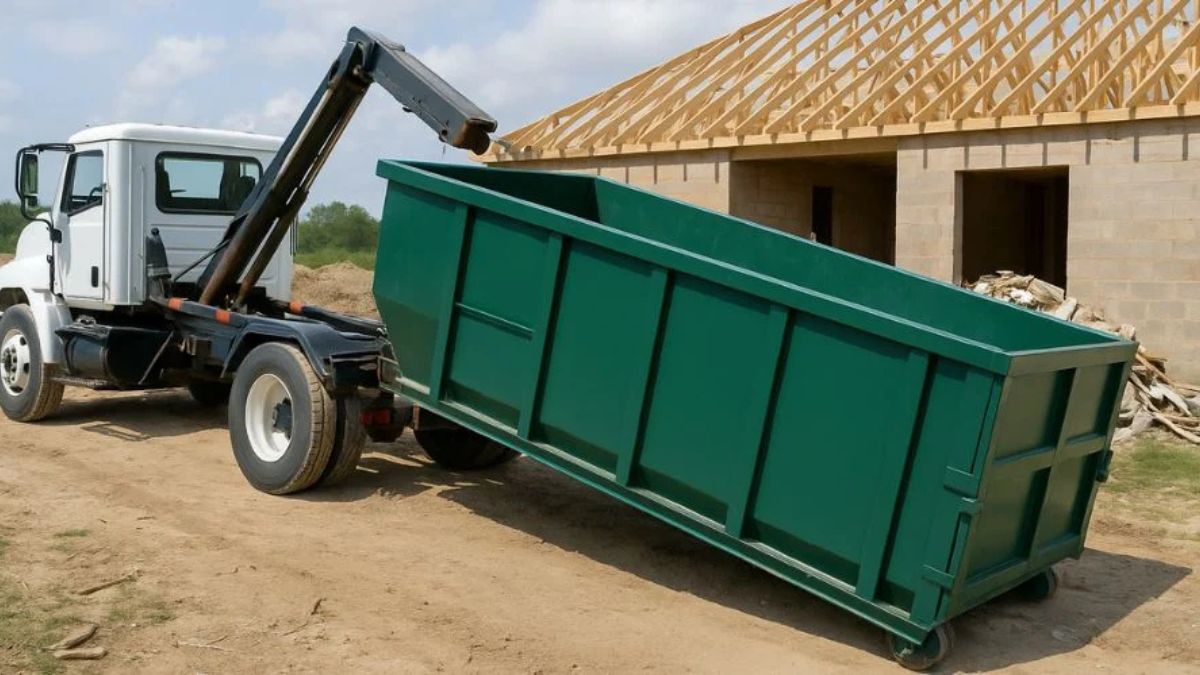
Home renovation projects are exciting. You get to reimagine your living space, add value to your property, and finally fix that squeaky floorboard that’s been driving you crazy for years. But there’s a less glamorous side to renovations that often catches homeowners off guard: the sheer volume of waste, says VerraTerra Property Management team.
From torn-up carpets and broken tiles to drywall scraps and old cabinetry, debris piles up faster than you can say “open concept.” Many DIY enthusiasts and even professional contractors underestimate the logistics of waste management. Relying on trash bags and standard municipal bins isn’t just inefficient; it can actually stall your project.
This is where a professional waste solution changes the game. Specifically, integrating a roll-off dumpster rental into your project plan is the secret to a cleaner, safer, and more efficient job site. At Speedy Dumpsters, we believe that waste removal shouldn’t be the hardest part of your renovation.
The Hidden Costs of Poor Waste Management
When you plan a renovation, you likely focus on the fun parts: picking out paint colors, choosing fixtures, and visualizing the end result. However, failing to plan for debris removal can lead to significant headaches.
Safety Hazards
A cluttered workspace is a dangerous workspace. Piles of debris create tripping hazards. Nails sticking out of old lumber, sharp ceramic shards, and heavy materials left on the floor increase the risk of injury for you and your family. By having a designated spot for waste immediately, you keep the site clear and safe.
Efficiency Drains
Time spent bagging trash, loading it into a pickup truck, and driving to the local landfill is time not spent on the actual renovation. If you are doing multiple trips to the dump, you are losing hours of productivity. A roll-off dumpster rental sits right on your property, allowing you to toss debris as you go and stay focused on the work that matters.
Unexpected Expenses
Many homeowners assume that handling trash themselves saves money. But when you factor in the cost of fuel for multiple dump runs, landfill gate fees, and the potential damage to your personal vehicle (scratched paint, torn upholstery), the DIY route often ends up costing more.
What Exactly is a Roll-Off Dumpster?
Unlike the standard commercial dumpsters you see behind restaurants or apartment complexes, a roll-off dumpster is designed for temporary, high-volume waste removal. It gets its name from how it is delivered: a specialized truck rolls the container off the back and places it precisely where you need it.
These containers are open-top, making it easy to throw in large items like furniture, appliances, and construction debris. They come in various sizes, usually measured in cubic yards, to accommodate projects ranging from a small garage cleanout to a full home addition.
At Speedy Dumpsters, we specialize in providing these versatile containers to fit the specific needs of your project. We handle the delivery and the hauling, so you only have to worry about filling it up.
The Speedy Dumpsters Difference
In the world of waste management, reliability is everything. You need a partner who delivers on time and respects your property. Here is why Speedy Dumpsters stands out in the industry.
We Value Your Schedule
We understand that renovation timelines are tight. Contractors are booked, permits have expiration dates, and you want your house back to normal as soon as possible. A delayed dumpster delivery can push back your entire schedule. We pride ourselves on prompt delivery and pickup services. When you book a roll-off dumpster rental with us, you can count on it arriving when we say it will.
Transparent Pricing
Nobody likes hidden fees. Some rental companies quote a low base rate but then tack on fuel surcharges, environmental fees, and tonnage overage charges that blow your budget. We believe in honest, upfront pricing. Our team helps you estimate the right size for your project to avoid overpaying for space you don’t need or incurring overage fees for a bin that’s too small.
Driveway Protection
A heavy steel bin can damage a driveway if not placed correctly. Our drivers are trained to place dumpsters carefully. We can also provide guidance on how to protect your driveway surface, ensuring that when the dumpster rolls away, the only evidence left behind is your beautiful new renovation.
Choosing the Right Size for Your Project
One of the most common questions we get is, “What size do I need?” Getting the size right is crucial for cost-efficiency.
10-Yard Dumpster: Perfect for small projects like a bathroom remodel, a small garage cleanout, or a deck removal. It holds roughly the equivalent of three pickup truck loads.
20-Yard Dumpster: This is the most popular size for residential projects. It handles flooring removal for a large home, roof replacements, or a kitchen renovation. It holds about six pickup truck loads.
30-Yard Dumpster: Ideal for major home additions, new construction, or whole-home window replacement. If you are tearing down walls or clearing out an entire estate, this is likely the size you need.
40-Yard Dumpster: These massive containers are generally reserved for large commercial construction sites or extreme hoarding cleanouts.
If you are unsure, the team at Speedy Dumpsters is here to help. We can assess the scope of your project and recommend the most economical roll-off dumpster rental size for your specific needs.
Environmental Responsibility
Renovations generate a lot of waste, and responsible homeowners want to know where that waste goes. It is not just about dumping everything into a hole in the ground.
Professional waste management companies understand local regulations regarding disposal. We know what can be recycled, what needs special handling, and what goes to the landfill. By using a reputable service like Speedy Dumpsters, you are ensuring that your construction debris is disposed of in compliance with local environmental laws.
This is particularly important for materials like old appliances, which may contain refrigerants, or older building materials that might require specific disposal protocols. We take the guesswork out of environmental compliance.
Making Your Renovation Stress-Free
Ultimately, the goal of any service provider should be to make your life easier. A renovation is already a high-stress environment with dust, noise, and disruption to your daily routine. Waste removal shouldn’t add to that stress.
Imagine finishing a long day of demolition. Instead of staring at a mountain of drywall and broken 2x4s that you have to figure out how to move, you simply walk it out to the driveway and toss it in the bin. The site is clean, your mind is clear, and you are ready for the next day’s work.
When the bin is full, or the project is done, you make one phone call. We come back, load it up, and haul it away. It really is that simple.
Ready to Start Your Project?
Roll Off Dumpster Rental makes managing construction and renovation debris simple and stress-free. With an affordable, efficient, and safe solution, you can focus on creating your dream home while we handle the cleanup.
Whether you are a homeowner tackling a DIY project for the first time or a seasoned contractor looking for a reliable partner, Speedy Dumpsters is ready to assist. We are committed to providing top-tier service that keeps your project moving forward.
Contact us today to discuss your specific needs and let us handle the heavy lifting of waste removal. Your future renovated home—and your sanity—will thank you.


The most important investment for a spa business is a massage table. Buying the best massage tables can help you achieve client comfort, therapist workflow, and high-quality treatment. It also enhances the impression of your treatment room. That is why Spa owners prefer stationary massage tables to support daily operations.
But before buying it, consider your treatment menu, room layout, client requirements, and expected appointment volume. It will help you make the perfect decision for your spa.
Match the Table to Your Spa Treatments
Examine the services your spa provides first. Positioning, cushioning, and table functionality may be different for deep tissue massage, relaxation massage, and specialized body treatments.
Select a table that is appropriate for the treatments you plan to administer. If your spa provides a variety of services, think about whether a reclining backrest, adjustable height, or appropriate positioning accessories would increase flexibility.
Focus on Stability and Construction
Throughout treatment, a professional table should offer a steady, secure surface. Examine the manufacturer’s claimed working weight capacity, leg design, base construction, and frame material.
In busy spas where tables may be used frequently throughout the day, sturdy construction is especially crucial. Rather than depending solely on appearance, review the product specifications and warranty.
Consider Comfort, Padding, and Upholstery
Client comfort can affect how guests perceive their treatment. Look for supportive cushioning that is appropriate for the length and type of massage services you provide.
Upholstery should withstand frequent use and be compatible with your spa’s cleaning supplies. Follow the manufacturer’s care instructions, especially if your treatments use massage oils or require frequent surface disinfection.
Measure Your Treatment Room
Measure the available floor space, doorways, and access routes before making a purchase. To comfortably reach clients, move around the table, and set up stools or other equipment, your therapists need adequate space.
Carefully consider the width of the table. Although a wider surface might give clients more space, therapists may find it more difficult to reach across the table. Select dimensions that strike a balance between practical working access and client comfort.
Check the Height and Additional Features
The ideal working height allows therapists to maintain proper body mechanics. If multiple therapists share a room, a height-adjustable model may offer more flexibility than a fixed-height design.
To improve your treatment setup, consider the storage shelves, adjustable backrests, face supports, and other compatible accessories. Choose features based on your actual services, and confirm whether accessories are included or sold separately.
Compare Long-Term Value
When deciding on the best massage tables for your spa, consider the total cost of ownership. Compare the construction, warranty coverage, maintenance requirements, replacement parts, and suitability for your anticipated workload.
The least expensive option may not be the best fit for a busy treatment room. However, a higher price does not guarantee superior performance. Make your decision based on verified specifications.
Best Choice: The Right Massage Table for Your Spa
The ideal stationary table should help your therapists, accommodate your clients, and complement your business operations. Compare available Stationary massage tables carefully, prioritizing the features that are most important to your spa.
Investing time in the selection process can help you create a more functional treatment environment while also supporting your business’s growth.

A recognizable brand voice helps people understand who you are whenever they encounter your business, whether they are reading a website page, opening an email, watching a short video, or speaking with support. A thoughtful foundation, supported by Material brand strategy services, can turn scattered communication into an experience that feels clear, familiar, and purposeful.
Consistency does not mean posting identical copy everywhere. It means maintaining the same underlying personality, standards, and respect for the audience while adapting the message to fit each channel.
What Brand Voice Really Means
Brand voice is the consistent personality expressed through your words. It shapes how a business explains, persuades, apologizes, celebrates, and helps. Voice is not the same as tone. Voice remains broadly stable, while tone changes with the situation. A calm, practical brand may use a reassuring tone during a service issue and an upbeat tone when announcing a new product.
Style covers writing mechanics, such as sentence length, punctuation, and formatting. Messaging covers the ideas a brand repeats, including its value proposition and priorities. Together, these elements influence expectations. For example, a formal financial firm might write, “Please review the following account details.” A friendly, practical company might say, “Here’s what to check next.” Both can be clear, but they create different experiences.
Why Consistency Matters Across Channels
People often encounter a business several times before they decide to contact it, subscribe, or buy. If a website sounds expert and straightforward but social posts feel overly casual or vague, the shift can create uncertainty. Familiar language and a consistently helpful tone make each interaction feel connected.
The goal is not to make every platform look and sound identical. Instead, teams can follow the practical principle of adapting content to each platform without changing the underlying message. That approach helps a website, email sequence, social account, sales presentation, and support reply reinforce the same identity.
How to Build a Clear Voice Foundation
Before creating more content, document the decisions that guide communication. A useful voice guide does not need to be long. It needs to be specific enough that different people can make similar choices.
- Define the audience. Identify who you are trying to help, what they already know, and what they need from the message.
- Choose three to five voice traits. Words such as clear, warm, direct, curious, or confident provide practical direction.
- Set language rules. Note preferred terms, words to avoid, reading level, and whether short or detailed sentences fit the brand.
- Clarify emotional boundaries. Explain how the brand should sound in sensitive, celebratory, urgent, or uncertain situations.
- Include examples. Show approved headlines, calls to action, emails, social captions, and customer replies.
How to Adapt the Message Without Losing the Voice
Copying a message word-for-word across channels usually ignores how people use those channels. A website page can provide context and detail. A LinkedIn post may lead with a professional insight. A video caption must earn attention quickly. An email can address a specific action, while a support reply should focus on solving one person’s immediate problem.
A simple adaptation framework
- Keep the central idea and customer benefit the same.
- Adjust the length and level of detail for the format.
- Use the channel’s natural structure, such as a headline, caption, subject line, or direct reply.
- Preserve the same standards for clarity, accuracy, and respect.
- Review the final version against the voice guide before publishing.
How AI Changes Brand Voice Management
AI can speed up early drafting, content repurposing, summary writing, outlining, and planning. It can also produce bland language, repeat familiar phrases, miss important context, or sound more polished than a human. Those limits make human review essential, especially for claims, customer communication, and high-visibility content.
Teams exploring automation can benefit from practical discussions about combining AI with human insight. Still, the working rule is simple: treat generated copy as a starting point, not a finished brand message.
- Check facts, names, and context.
- Remove vague promises and inflated wording.
- Add useful details that reflect real customer needs.
- Compare the draft with approved voice examples.
- Ask whether the message would feel helpful if received by a real person.
How to Keep Teams Aligned
Consistency becomes harder as more people contribute to marketing, sales, leadership communication, recruiting, and customer support. Give every team access to a single shared voice guide, then hold short training sessions based on real examples. Reviewing a few actual emails, posts, or responses is often more useful than discussing abstract rules.
Create an approval process for high-risk material, such as public statements, policy updates, or campaigns involving sensitive topics. Assign an owner, whether an individual or team, to update the guide when audience needs, products, or communication priorities change.
How to Run a Brand Voice Audit
A basic audit can be completed in an afternoon. Collect samples from your website, recent social posts, emails, ads, sales materials, and support messages. Place them side by side and mark differences in tone, vocabulary, sentence length, detail, and claims.
Next, identify the examples that feel clearest and most natural. Rewrite weaker pieces using the approved traits, then turn your findings into three to five actions. Examples include replacing jargon on product pages, adding support-response templates, or creating better examples for social captions.
Ways to Measure Communication Quality
Clicks and conversions can be useful, but they do not show the whole picture. Review performance data alongside signals of understanding and trust, including:
- Customer feedback and recurring comments.
- Support questions caused by unclear wording.
- Engagement that shows genuine interest, not just volume.
- Content approval time and revision patterns.
- Whether messages feel aligned when compared across channels.
- Repeat visits, returning subscribers, and ongoing conversations.
Common Brand Voice Mistakes to Avoid
- Changing the brand personality completely from one channel to another.
- Equating professional language with complicated language.
- Using trends or jokes that do not fit the audience or subject.
- Publishing AI-generated drafts without a careful edit.
- Writing primarily for internal stakeholders rather than customers.
- Relying on slogans and broad claims instead of useful explanations.
- Creating rules so rigid that the communication becomes stiff or unnatural.
Final Takeaway
A consistent brand voice is not about making every message identical. It is about giving every message a shared personality, clear standards, and enough flexibility to work naturally in its channel. When teams combine useful information, human judgment, regular review, and practical guidance, audiences receive a more dependable experience at every touchpoint.

Product quality, launch timing, cash flow, and customer trust are all impacted by choosing a manufacturer. A promising recipe can fail when a facility lacks suitable equipment, reliable sourcing, or packaging support.
Emerging brands need clear answers before signing a production agreement, especially when the first order must support market testing without creating excess inventory. Here are three questions that help founders assess fit, control risk, and choose a partner that can support the product after launch.
1. Can the Manufacturer Produce the Right Product?
A manufacturer should understand the product category, storage requirements, preparation method, and intended customer. A company developing refrigerated meals needs different production controls than a brand selling shelf-stable sauces or protein snacks.
Before selecting a facility, an emerging brand should compare recipe development, ingredient sourcing, sampling, packaging, labeling, fulfillment planning, storage requirements, and intended sales channels carefully. A brand assessing private label food manufacturing in Los Angeles should compare those capabilities before approving a production plan.
Those production details affect the finished food, launch schedule, and inventory plan; a manufacturer that manages related stages can reduce handoffs and make revisions easier to track.
Product range also matters. A manufacturer with experience in ready-to-eat meals, sauces, wellness-focused foods, desserts, frozen items, or refrigerated products can assess whether the concept fits its process. Brands should ask which products the facility produces regularly and which services require outside support.
2. How Will the Manufacturer Support Brand Requirements?
Private-label production involves more than placing a logo on an existing item. The manufacturer must translate the brand’s customer promise into a recipe, package, label, and repeatable production process.
Ask who owns the recipe, how revisions are documented, and when the brand approves samples. The discussion should address ingredient substitutions, allergen information, storage instructions, and label review. Clear responsibilities prevent late changes from disrupting production.
Packaging deserves separate attention. A manufacturer should explain which packaging formats it coordinates, how labels move through approval, and whether the finished product suits retail, e-commerce, wellness programs, or specialty stores. The package must protect the food and communicate product information accurately.
3. Can the Partnership Support the Brand’s Growth?
An emerging brand should assess future capacity before choosing a production partner. The first order might be modest, but demand can change after a retailer placement, subscription launch, or successful online campaign.
Ask how the manufacturer manages small and large production runs. The answer should explain minimum order expectations, scheduling, lead times, storage, and delivery planning. These details help a brand determine its inventory needs and avoid committing cash before sales patterns become clear.
Growth also depends on development support. A capable partner can guide a concept through discovery, recipe development, ingredient sourcing, sampling, packaging coordination, compliance guidance, manufacturing, and fulfillment planning. That sequence gives the brand a practical path from an early idea to a finished product.
A manufacturer should explain how communication works during revisions and repeat orders. One contact, documented specifications, and approved samples create a reliable reference for future batches. Without that record, small changes in ingredients or packaging can affect consistency.
What Should a First Meeting Cover?
Before the meeting, the brand should prepare a short product brief. It should describe the product type, target customer, desired format, sales channel, storage conditions, and current recipe status.
The brand should also bring questions about production volume, ingredient sourcing, packaging, labeling, sampling, timelines, and fulfillment. A manufacturer’s answers reveal whether the partnership matches the product’s current needs and planned direction.
Cost matters, but the lowest quoted price does not always produce the lowest total expense. Rework, excess inventory, delayed packaging, and separate service providers can increase the launch budget. A clear production plan gives the brand better information for comparing proposals.
Conclusion
The right manufacturer must fit the product, brand requirements, and next stage of growth. Emerging brands should leave the first meeting with written answers about recipes, production runs, packaging, compliance guidance, approvals, scheduling, and delivery.
The next step is a focused product brief, followed by a review of sample procedures and responsibilities. That preparation turns a broad search into a practical comparison and gives the selected manufacturer a clear starting point for development.
-

 NEWS1 year ago
Historical Churches in Manila
-

 TOPIC4 months ago
Unveiling AvTub: Your Ultimate Guide to the Best AV Content
-

 TOPIC1 year ago
Simbang Gabi and Kakanin
-

 TOPIC1 year ago
Symbols of Hope: The 15th Belenismo sa Tarlac
-

 TOPIC1 year ago
RIZAL at 160: a Filipino Feat in Britain
-

 NEWS5 months ago
What Caused Delta Flight DL275 to Diverted LAX? A Detailed Breakdown
-

 TOPIC3 months ago
Understanding Fascisterne: Origins and Ideological Roots
-

 TOPIC1 year ago
Biodiversity in Urban Singapore: Corporate Contributions to Nature-Based Solutions and Green Infrastructure