
BUSINESS
Stay Cool Anywhere with Portable Handheld Battery Fans

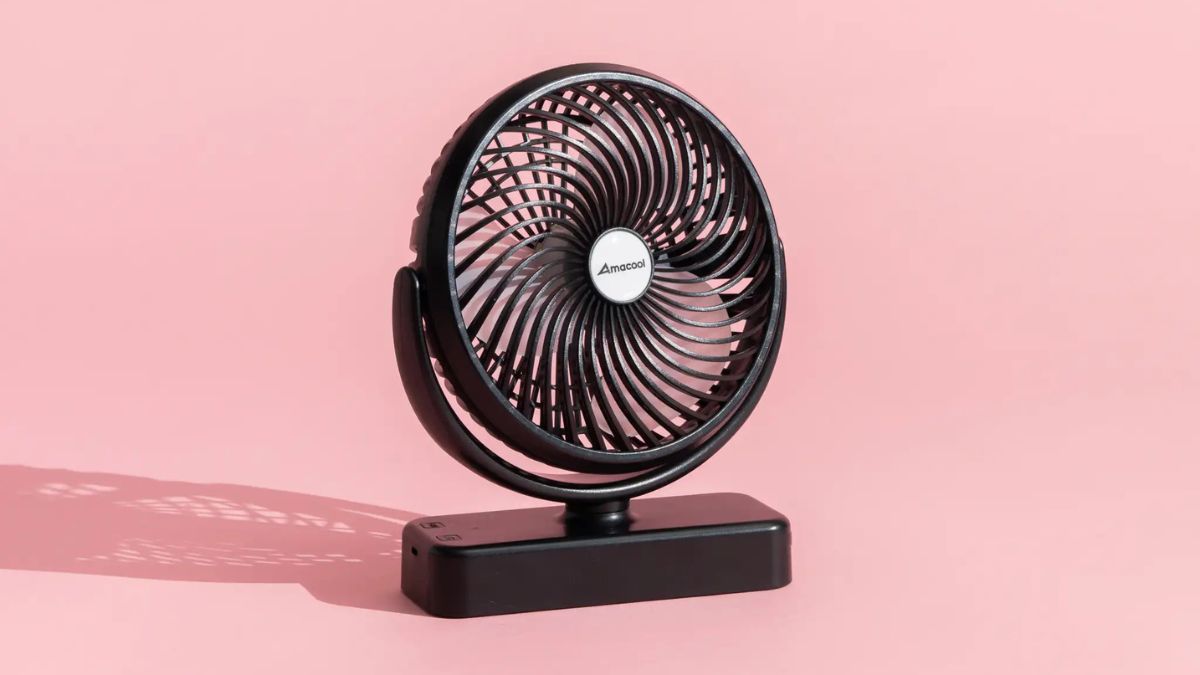
There’s a particular kind of misery that comes with being stuck in a crowded airport terminal, hiking a sun-baked trail, or navigating a sweltering city street with no relief in sight. Heat doesn’t just make you uncomfortable — it drains your energy, dampens your mood, and can turn an otherwise great trip into an exhausting ordeal. For travelers, finding a reliable way to stay cool without lugging around bulky equipment has always been a challenge.
That’s exactly where handheld battery fans have become a game-changer. These compact travel cooling devices deliver instant, personal airflow wherever you are, fitting neatly into a bag pocket or purse without adding noticeable weight. Whether you’re boarding a delayed flight, exploring an outdoor market, or catching your breath on a mountain trail, a quality handheld battery fan offers immediate comfort on demand. This article walks you through everything you need to know — from the key features that separate a great fan from a mediocre one, to practical tips for getting the most out of your device on every adventure.
Why Handheld Battery Fans are Essential for Modern Travelers
Summer temperatures are breaking records year after year, and urban heat islands are making city travel increasingly punishing. For anyone who moves through airports, outdoor markets, or crowded transit hubs regularly, the need for personal cooling has shifted from a luxury to a genuine necessity. Mini fans have stepped in to fill that gap in a way that nothing else quite manages — they’re immediate, personal, and completely portable.
What sets these travel cooling devices apart from other solutions is their sheer practicality. Unlike cooling towels that need re-wetting or misting bottles that soak your clothes, a handheld fan delivers consistent airflow with zero preparation. Slip one into a daypack side pocket in the morning, and it’s ready to go the moment you step off an air-conditioned bus into a wall of afternoon heat. They weigh almost nothing, clear security without a second glance, and don’t require any special storage considerations.
The range of scenarios where they prove genuinely useful is surprisingly broad. Waiting on a delayed tarmac with recycled cabin air, trekking a sun-exposed coastal path, browsing a packed night market, or simply sitting in a hotel room where the AC struggles to keep up — in each case, directing a focused stream of air at your face and neck makes a measurable difference in how you feel and how long you can keep going. For travelers who want to stay energized and comfortable without compromising on what they carry, a compact handheld battery fan is one of the most practical additions to any packing list.
Key Features to Look for in a High-Quality Handheld Fan
Not all handheld fans are created equal, and the difference between a frustrating purchase and a reliable travel companion often comes down to a handful of specific features. Before buying, it’s worth understanding what actually matters for real-world use rather than just impressive-looking specs on a product page. The most important qualities for travelers are battery performance, noise output, airflow strength, build quality, and how comfortably the device fits in your hand during extended use.
Battery Life and Rechargeability
For travelers, battery life isn’t just a convenience — it’s the difference between having cooling support through a long transit day and watching your fan die mid-afternoon with no outlet in sight. Look for quiet rechargeable fans that run at least six to eight hours on a single charge at moderate speed, and prioritize models that charge via USB-C for compatibility with the same cables you’re already carrying. Brands like JisuLife have made built-in rechargeable batteries a standard feature across their handheld fan lineup, eliminating the need to hunt down replacement batteries in unfamiliar locations.
Noise Level and Performance
A fan that sounds like a small aircraft is useless in quiet settings — on planes, in libraries, or during guided tours where you need to hear what’s being said. The best powerful handheld fans manage to deliver meaningful airflow while staying under 45 decibels on their lower settings. Multiple speed settings are essential here: a gentle mode for quiet environments and a stronger mode for serious heat relief outdoors. Durability also matters — a solid build with protected blades and a grippy exterior holds up far better through the bumps and drops of regular travel.
How to Choose the Best Handheld Fan for Your Travel Needs
Choosing the right handheld fan starts with being honest about how and where you’ll actually use it. A fan that’s perfect for urban sightseeing might fall short on a multi-day hiking trip, so matching the device to your specific travel style matters more than chasing the highest-rated option on any given list.
Start by thinking about your primary environment. If most of your travel involves flights, museums, and city streets, noise level and battery life should be your top priorities — you want something whisper-quiet that lasts a full day without recharging. If you’re heading into outdoor or adventure territory, shift your focus toward airflow strength and rugged build quality. A fan with a rubberized grip and reinforced blade guard will survive a backpack far better than a sleek but fragile design.
Consider how long your typical days run. Travelers on long-haul itineraries — think twelve-hour days moving between airports, transit, and sightseeing — need a fan with at least eight hours of runtime on a mid-level setting. If your outings are shorter and you’ll reliably have access to a USB port at your accommodation each night, a six-hour battery is perfectly adequate and often comes in a lighter, more compact package.
Size and weight deserve more attention than they usually get. A fan that feels comfortable after five minutes of holding can become a burden after thirty. Look for models under 200 grams with an ergonomic grip that doesn’t require constant readjustment. Foldable designs are worth considering if bag space is tight, since they collapse flat and slip into narrow pockets without bulk.
Finally, think about budget in terms of total value rather than upfront cost. A cheaper fan that needs replacing after one season costs more in the long run than a mid-range model built to last several years of regular travel use.
Practical Solutions for Staying Cool on the Go with Handheld Fans
Knowing when and how to use your handheld fan makes a real difference in how much relief it actually delivers. During transit — whether you’re waiting at a gate, packed into a subway car, or sitting on a hot bus — aim the airflow at your neck and wrists, where blood vessels run close to the surface. This cools your core temperature faster than simply fanning your face.
At outdoor events like markets, festivals, or open-air concerts, combine your fan with a light misting of water on your skin. The fan accelerates evaporation, amplifying the cooling effect significantly beyond what either method achieves alone. Keep the fan on its lower speed setting to extend battery life during long events, stepping up only when the heat peaks.
In accommodation where the AC underperforms, place a small damp towel near the fan’s intake side and direct the airflow across your body while resting. For overnight comfort, prop the fan on a stable surface rather than holding it, and use the lowest speed to maintain airflow without draining the battery completely by morning.
A few habits keep the experience consistently effective: charge the fan every night alongside your phone so it starts each day at full capacity, carry it in an accessible outer pocket rather than buried in your bag, and switch to a lower speed setting in enclosed or quiet spaces to avoid drawing attention. Small adjustments like these turn a good fan into an indispensable part of your daily travel routine.
Maintenance and Care Tips for Long-Lasting Performance
A handheld fan that’s well cared for will outlast several seasons of heavy travel, while a neglected one can degrade noticeably within a single trip. The most important habit is regular cleaning — dust and debris accumulate quickly in the blade housing, reducing airflow and straining the motor. Every week or two of active use, wipe down the blade guard and fan blades with a dry or slightly damp microfiber cloth. Avoid water near the motor housing or charging port, and never use compressed air directly into the internals, as this can push debris deeper into the mechanism.
Battery care matters just as much as physical cleaning. Avoid letting the battery drain completely to zero on a regular basis, as deep discharge cycles shorten lithium battery lifespan over time. Instead, top up the charge each evening rather than waiting for a low-battery warning. When storing the fan between trips, keep it at roughly 50 to 70 percent charge rather than fully charged or fully depleted — this is the optimal range for long-term battery health.
For storage, keep the fan in a protective pouch or a padded pocket to prevent scratches and accidental blade damage. Avoid leaving it in a hot car or direct sunlight for extended periods, as sustained heat degrades both the battery and plastic components. These small, consistent habits require almost no extra effort but make a significant difference in keeping your fan performing reliably every time you reach for it.
A Small Investment That Transforms Your Travel Comfort
Heat is one of those travel challenges that’s easy to underestimate until you’re standing in the middle of it, exhausted and uncomfortable with hours still left in your day. Handheld battery fans won’t change the weather, but they give you a practical, immediate way to manage your own comfort — and that makes a genuine difference in how much you enjoy the journey.
The key takeaways are straightforward: look for a fan with strong battery life, quiet operation, and a build that can handle the wear of regular travel. Match your choice to your actual travel style rather than defaulting to the most feature-heavy option, and take a few minutes each week to keep it clean and properly charged. Used consistently and maintained well, a quality handheld battery fan becomes one of those small tools you reach for every single day without thinking twice.
Whether you’re navigating a packed transit hub, powering through an outdoor itinerary, or simply trying to sleep in a stuffy hotel room, having personal cooling on demand changes the experience. Travel is demanding enough without heat adding to the toll. With the right compact handheld fan — from a reputable portable cooling brand like JisuLife or any well-reviewed alternative — you’re always one button press away from feeling better, and that’s a simple upgrade worth making.


The most important investment for a spa business is a massage table. Buying the best massage tables can help you achieve client comfort, therapist workflow, and high-quality treatment. It also enhances the impression of your treatment room. That is why Spa owners prefer stationary massage tables to support daily operations.
But before buying it, consider your treatment menu, room layout, client requirements, and expected appointment volume. It will help you make the perfect decision for your spa.
Match the Table to Your Spa Treatments
Examine the services your spa provides first. Positioning, cushioning, and table functionality may be different for deep tissue massage, relaxation massage, and specialized body treatments.
Select a table that is appropriate for the treatments you plan to administer. If your spa provides a variety of services, think about whether a reclining backrest, adjustable height, or appropriate positioning accessories would increase flexibility.
Focus on Stability and Construction
Throughout treatment, a professional table should offer a steady, secure surface. Examine the manufacturer’s claimed working weight capacity, leg design, base construction, and frame material.
In busy spas where tables may be used frequently throughout the day, sturdy construction is especially crucial. Rather than depending solely on appearance, review the product specifications and warranty.
Consider Comfort, Padding, and Upholstery
Client comfort can affect how guests perceive their treatment. Look for supportive cushioning that is appropriate for the length and type of massage services you provide.
Upholstery should withstand frequent use and be compatible with your spa’s cleaning supplies. Follow the manufacturer’s care instructions, especially if your treatments use massage oils or require frequent surface disinfection.
Measure Your Treatment Room
Measure the available floor space, doorways, and access routes before making a purchase. To comfortably reach clients, move around the table, and set up stools or other equipment, your therapists need adequate space.
Carefully consider the width of the table. Although a wider surface might give clients more space, therapists may find it more difficult to reach across the table. Select dimensions that strike a balance between practical working access and client comfort.
Check the Height and Additional Features
The ideal working height allows therapists to maintain proper body mechanics. If multiple therapists share a room, a height-adjustable model may offer more flexibility than a fixed-height design.
To improve your treatment setup, consider the storage shelves, adjustable backrests, face supports, and other compatible accessories. Choose features based on your actual services, and confirm whether accessories are included or sold separately.
Compare Long-Term Value
When deciding on the best massage tables for your spa, consider the total cost of ownership. Compare the construction, warranty coverage, maintenance requirements, replacement parts, and suitability for your anticipated workload.
The least expensive option may not be the best fit for a busy treatment room. However, a higher price does not guarantee superior performance. Make your decision based on verified specifications.
Best Choice: The Right Massage Table for Your Spa
The ideal stationary table should help your therapists, accommodate your clients, and complement your business operations. Compare available Stationary massage tables carefully, prioritizing the features that are most important to your spa.
Investing time in the selection process can help you create a more functional treatment environment while also supporting your business’s growth.

A recognizable brand voice helps people understand who you are whenever they encounter your business, whether they are reading a website page, opening an email, watching a short video, or speaking with support. A thoughtful foundation, supported by Material brand strategy services, can turn scattered communication into an experience that feels clear, familiar, and purposeful.
Consistency does not mean posting identical copy everywhere. It means maintaining the same underlying personality, standards, and respect for the audience while adapting the message to fit each channel.
What Brand Voice Really Means
Brand voice is the consistent personality expressed through your words. It shapes how a business explains, persuades, apologizes, celebrates, and helps. Voice is not the same as tone. Voice remains broadly stable, while tone changes with the situation. A calm, practical brand may use a reassuring tone during a service issue and an upbeat tone when announcing a new product.
Style covers writing mechanics, such as sentence length, punctuation, and formatting. Messaging covers the ideas a brand repeats, including its value proposition and priorities. Together, these elements influence expectations. For example, a formal financial firm might write, “Please review the following account details.” A friendly, practical company might say, “Here’s what to check next.” Both can be clear, but they create different experiences.
Why Consistency Matters Across Channels
People often encounter a business several times before they decide to contact it, subscribe, or buy. If a website sounds expert and straightforward but social posts feel overly casual or vague, the shift can create uncertainty. Familiar language and a consistently helpful tone make each interaction feel connected.
The goal is not to make every platform look and sound identical. Instead, teams can follow the practical principle of adapting content to each platform without changing the underlying message. That approach helps a website, email sequence, social account, sales presentation, and support reply reinforce the same identity.
How to Build a Clear Voice Foundation
Before creating more content, document the decisions that guide communication. A useful voice guide does not need to be long. It needs to be specific enough that different people can make similar choices.
- Define the audience. Identify who you are trying to help, what they already know, and what they need from the message.
- Choose three to five voice traits. Words such as clear, warm, direct, curious, or confident provide practical direction.
- Set language rules. Note preferred terms, words to avoid, reading level, and whether short or detailed sentences fit the brand.
- Clarify emotional boundaries. Explain how the brand should sound in sensitive, celebratory, urgent, or uncertain situations.
- Include examples. Show approved headlines, calls to action, emails, social captions, and customer replies.
How to Adapt the Message Without Losing the Voice
Copying a message word-for-word across channels usually ignores how people use those channels. A website page can provide context and detail. A LinkedIn post may lead with a professional insight. A video caption must earn attention quickly. An email can address a specific action, while a support reply should focus on solving one person’s immediate problem.
A simple adaptation framework
- Keep the central idea and customer benefit the same.
- Adjust the length and level of detail for the format.
- Use the channel’s natural structure, such as a headline, caption, subject line, or direct reply.
- Preserve the same standards for clarity, accuracy, and respect.
- Review the final version against the voice guide before publishing.
How AI Changes Brand Voice Management
AI can speed up early drafting, content repurposing, summary writing, outlining, and planning. It can also produce bland language, repeat familiar phrases, miss important context, or sound more polished than a human. Those limits make human review essential, especially for claims, customer communication, and high-visibility content.
Teams exploring automation can benefit from practical discussions about combining AI with human insight. Still, the working rule is simple: treat generated copy as a starting point, not a finished brand message.
- Check facts, names, and context.
- Remove vague promises and inflated wording.
- Add useful details that reflect real customer needs.
- Compare the draft with approved voice examples.
- Ask whether the message would feel helpful if received by a real person.
How to Keep Teams Aligned
Consistency becomes harder as more people contribute to marketing, sales, leadership communication, recruiting, and customer support. Give every team access to a single shared voice guide, then hold short training sessions based on real examples. Reviewing a few actual emails, posts, or responses is often more useful than discussing abstract rules.
Create an approval process for high-risk material, such as public statements, policy updates, or campaigns involving sensitive topics. Assign an owner, whether an individual or team, to update the guide when audience needs, products, or communication priorities change.
How to Run a Brand Voice Audit
A basic audit can be completed in an afternoon. Collect samples from your website, recent social posts, emails, ads, sales materials, and support messages. Place them side by side and mark differences in tone, vocabulary, sentence length, detail, and claims.
Next, identify the examples that feel clearest and most natural. Rewrite weaker pieces using the approved traits, then turn your findings into three to five actions. Examples include replacing jargon on product pages, adding support-response templates, or creating better examples for social captions.
Ways to Measure Communication Quality
Clicks and conversions can be useful, but they do not show the whole picture. Review performance data alongside signals of understanding and trust, including:
- Customer feedback and recurring comments.
- Support questions caused by unclear wording.
- Engagement that shows genuine interest, not just volume.
- Content approval time and revision patterns.
- Whether messages feel aligned when compared across channels.
- Repeat visits, returning subscribers, and ongoing conversations.
Common Brand Voice Mistakes to Avoid
- Changing the brand personality completely from one channel to another.
- Equating professional language with complicated language.
- Using trends or jokes that do not fit the audience or subject.
- Publishing AI-generated drafts without a careful edit.
- Writing primarily for internal stakeholders rather than customers.
- Relying on slogans and broad claims instead of useful explanations.
- Creating rules so rigid that the communication becomes stiff or unnatural.
Final Takeaway
A consistent brand voice is not about making every message identical. It is about giving every message a shared personality, clear standards, and enough flexibility to work naturally in its channel. When teams combine useful information, human judgment, regular review, and practical guidance, audiences receive a more dependable experience at every touchpoint.

Product quality, launch timing, cash flow, and customer trust are all impacted by choosing a manufacturer. A promising recipe can fail when a facility lacks suitable equipment, reliable sourcing, or packaging support.
Emerging brands need clear answers before signing a production agreement, especially when the first order must support market testing without creating excess inventory. Here are three questions that help founders assess fit, control risk, and choose a partner that can support the product after launch.
1. Can the Manufacturer Produce the Right Product?
A manufacturer should understand the product category, storage requirements, preparation method, and intended customer. A company developing refrigerated meals needs different production controls than a brand selling shelf-stable sauces or protein snacks.
Before selecting a facility, an emerging brand should compare recipe development, ingredient sourcing, sampling, packaging, labeling, fulfillment planning, storage requirements, and intended sales channels carefully. A brand assessing private label food manufacturing in Los Angeles should compare those capabilities before approving a production plan.
Those production details affect the finished food, launch schedule, and inventory plan; a manufacturer that manages related stages can reduce handoffs and make revisions easier to track.
Product range also matters. A manufacturer with experience in ready-to-eat meals, sauces, wellness-focused foods, desserts, frozen items, or refrigerated products can assess whether the concept fits its process. Brands should ask which products the facility produces regularly and which services require outside support.
2. How Will the Manufacturer Support Brand Requirements?
Private-label production involves more than placing a logo on an existing item. The manufacturer must translate the brand’s customer promise into a recipe, package, label, and repeatable production process.
Ask who owns the recipe, how revisions are documented, and when the brand approves samples. The discussion should address ingredient substitutions, allergen information, storage instructions, and label review. Clear responsibilities prevent late changes from disrupting production.
Packaging deserves separate attention. A manufacturer should explain which packaging formats it coordinates, how labels move through approval, and whether the finished product suits retail, e-commerce, wellness programs, or specialty stores. The package must protect the food and communicate product information accurately.
3. Can the Partnership Support the Brand’s Growth?
An emerging brand should assess future capacity before choosing a production partner. The first order might be modest, but demand can change after a retailer placement, subscription launch, or successful online campaign.
Ask how the manufacturer manages small and large production runs. The answer should explain minimum order expectations, scheduling, lead times, storage, and delivery planning. These details help a brand determine its inventory needs and avoid committing cash before sales patterns become clear.
Growth also depends on development support. A capable partner can guide a concept through discovery, recipe development, ingredient sourcing, sampling, packaging coordination, compliance guidance, manufacturing, and fulfillment planning. That sequence gives the brand a practical path from an early idea to a finished product.
A manufacturer should explain how communication works during revisions and repeat orders. One contact, documented specifications, and approved samples create a reliable reference for future batches. Without that record, small changes in ingredients or packaging can affect consistency.
What Should a First Meeting Cover?
Before the meeting, the brand should prepare a short product brief. It should describe the product type, target customer, desired format, sales channel, storage conditions, and current recipe status.
The brand should also bring questions about production volume, ingredient sourcing, packaging, labeling, sampling, timelines, and fulfillment. A manufacturer’s answers reveal whether the partnership matches the product’s current needs and planned direction.
Cost matters, but the lowest quoted price does not always produce the lowest total expense. Rework, excess inventory, delayed packaging, and separate service providers can increase the launch budget. A clear production plan gives the brand better information for comparing proposals.
Conclusion
The right manufacturer must fit the product, brand requirements, and next stage of growth. Emerging brands should leave the first meeting with written answers about recipes, production runs, packaging, compliance guidance, approvals, scheduling, and delivery.
The next step is a focused product brief, followed by a review of sample procedures and responsibilities. That preparation turns a broad search into a practical comparison and gives the selected manufacturer a clear starting point for development.
-

 NEWS1 year ago
Historical Churches in Manila
-

 TOPIC4 months ago
Unveiling AvTub: Your Ultimate Guide to the Best AV Content
-

 TOPIC1 year ago
Simbang Gabi and Kakanin
-

 TOPIC1 year ago
Symbols of Hope: The 15th Belenismo sa Tarlac
-

 TOPIC1 year ago
RIZAL at 160: a Filipino Feat in Britain
-

 NEWS5 months ago
What Caused Delta Flight DL275 to Diverted LAX? A Detailed Breakdown
-

 TOPIC3 months ago
Understanding Fascisterne: Origins and Ideological Roots
-

 TOPIC1 year ago
Biodiversity in Urban Singapore: Corporate Contributions to Nature-Based Solutions and Green Infrastructure