
TOPIC
Simplify Employee Lifecycle Management with Cflow’s Workflow Automation


Managing employees from the day they join until they leave the organization involves many repetitive tasks, approvals, and documents. Without a structured process, HR teams often deal with delays, manual errors, and poor visibility into employee requests. Cflow helps organizations automate these processes with no-code workflow automation, making employee lifecycle management faster and more efficient.
A well-designed HR approval workflow ensures that every employee request, from onboarding to offboarding, follows a standardized process. By replacing emails and spreadsheets with automated workflows, businesses can improve employee experiences, increase compliance, and reduce administrative work for HR teams.
What Is Employee Lifecycle Management?
Employee lifecycle management is the process of managing every stage of an employee’s journey within an organization. It includes activities such as:
- Recruitment and hiring
- Employee onboarding
- Leave and attendance requests
- Performance reviews
- Promotions and transfers
- Training approvals
- Expense reimbursements
- Offboarding and exit clearance
Each stage requires multiple approvals from HR, managers, finance, and IT. Managing these approvals manually often leads to delays and missing information.
Common Challenges in Employee Lifecycle Management
Many organizations still rely on emails, paper forms, or spreadsheets to manage employee processes. This creates several challenges.
Slow Approval Cycles
Employee requests often wait in inboxes for days before being reviewed. Delayed approvals affect employee satisfaction and productivity.
Lack of Process Visibility
HR teams struggle to know who is responsible for the next step in a workflow. Employees also have limited visibility into the status of their requests.
Manual Errors
Entering employee information multiple times increases the risk of incorrect data, duplicate records, and missing documents.
Compliance Risks
Incomplete documentation and inconsistent approval processes can create compliance issues during internal or external audits.
Increased Administrative Work
HR professionals spend valuable time following up on approvals instead of focusing on strategic initiatives like employee engagement and talent development.
How Cflow Simplifies Employee Lifecycle Management
Cflow provides a no-code workflow automation platform that helps HR teams automate every stage of the employee lifecycle without writing code.
Automated Employee Onboarding
Employee onboarding involves multiple departments, including HR, IT, administration, and finance. Cflow automatically assigns tasks, routes approvals, and tracks progress from one place.
Organizations can automate:
- Offer approval
- Document collection
- Employee record creation
- Laptop and email provisioning
- ID card requests
- Orientation scheduling
This ensures new employees receive everything they need before their first working day.
Faster HR Approvals
Cflow automatically routes leave requests, travel requests, training approvals, policy acknowledgments, and other HR forms to the right stakeholders.
Automatic reminders and notifications reduce approval delays while keeping employees informed throughout the process.
Centralized Employee Records
Instead of storing employee information across multiple systems, Cflow maintains all workflow documents in a centralized location.
HR teams can easily access:
- Employment documents
- Approval history
- Supporting attachments
- Workflow status
- Audit trails
This improves visibility and simplifies document management.
Seamless Employee Transfers and Promotions
Internal transfers and promotions often require approvals from department heads, HR, finance, and IT.
Cflow automates these approval chains while ensuring every stakeholder completes their assigned task before moving to the next stage.
Streamlined Employee Offboarding
Employee exits involve several departments. HR must coordinate with IT, finance, payroll, administration, and reporting managers.
Cflow automates exit checklists such as:
- Asset return
- Access revocation
- Final settlement approvals
- Exit interviews
- Experience letter requests
This helps organizations complete offboarding securely and consistently.
Benefits of Automating Employee Lifecycle Management
Organizations that automate HR workflows experience several operational benefits.
Improved Employee Experience
Employees receive quicker responses to requests and have complete visibility into their approval status.
Higher Productivity
HR teams spend less time on repetitive administrative work and more time supporting employees and business growth.
Better Compliance
Standardized workflows ensure every approval follows organizational policies while maintaining complete audit records.
Reduced Errors
Automation removes duplicate data entry and minimizes manual mistakes across HR processes.
Greater Transparency
Managers, employees, and HR teams can easily track workflow progress in real time.
Easy Scalability
As organizations grow, automated workflows can handle increasing employee requests without adding administrative overhead.
Best Practices for HR Workflow Automation
To achieve better results, organizations should:
- Standardize approval workflows across departments.
- Define approval rules clearly.
- Automate notifications and reminders.
- Maintain digital audit trails.
- Integrate workflows with existing HR systems.
- Review workflow performance regularly.
- Continuously improve workflows based on employee feedback.
Following these practices helps HR teams build efficient and scalable employee management processes.
Conclusion
Employee lifecycle management includes many interconnected processes that require timely approvals, accurate documentation, and collaboration across departments. Manual methods often slow these activities, increase errors, and reduce visibility.
By automating onboarding, approvals, employee transfers, and offboarding, Cflow helps organizations create efficient, transparent, and compliant HR processes. Workflow automation enables HR teams to reduce administrative effort, improve employee experiences, and build scalable processes that support business growth.
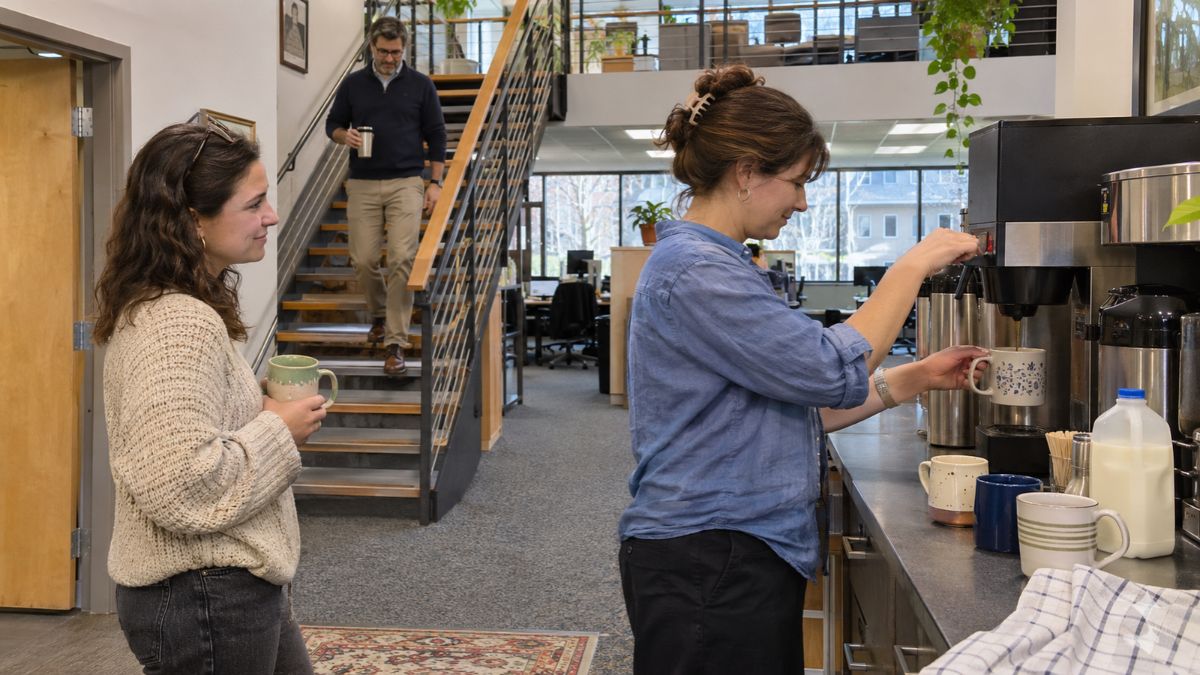
At 8:50 on Tuesday, someone from the upstairs team sends a photo of six people waiting for coffee. By lunch there’s a request for a second brewer. It sounds reasonable until someone asks what happened on Monday. The same machine sat idle for most of the morning, and half a pot went down the sink.
Does every floor need its own machine? Only if getting a cup regularly takes people too far from their work, or the shared brewer can’t keep up when they need it. Before changing your office coffee service, take one walk through the building, watch the busiest part of the morning, and find out who would keep that second station running.
How far away is the coffee, really?
Start at the desk of the person who asked for the brewer. Walk to the coffee station and back with a full mug, using the route they can actually take. Include the elevator wait, the heavy door that needs a free hand, and the detour around reception when a client meeting is in progress. Ask someone who uses the step-free route to show you any delays you missed.
A floor plan tells an office coffee service where a brewer might fit. Your walk tells them where it would get used. Suppose the kitchen is directly below the upstairs team, but the elevator is at the far end of both floors. Show the supplier that route before accepting a quote for a faster downstairs machine. Even an instant cup would leave the longest part of the trip untouched.
What’s holding up the morning line?
Watch the counter for fifteen minutes before the first round of meetings. Do it once on a busy office day and again on a quieter one. Write down three things while they’re still fresh.
- How many people arrive together? Eight coworkers coming out of orientation at once put a different demand on a brewer than eight people drifting in over an hour.
- What is each person waiting for? Watch the person at the front. Are they waiting for coffee to brew, filling the water tank, or adding milk right in front of the controls?
- Who leaves empty-handed? Someone who sees the line and heads back upstairs won’t appear in a count of cups served. Ask when they’ll get another chance for a break.
If the brewer finishes pouring while its last customer is still hunting for a lid, move the lids, milk, and sugar to the far end of the counter. Try that on the next busy morning. If the machine itself runs continuously and people still walk away, you have a reason to price more brewing capacity.
Try serving the upstairs team before buying a machine
Take the Tuesday meeting that sends a dozen people downstairs at 8:50. Next week, brew enough for that group ahead of time and set an insulated coffee dispenser, mugs, and milk outside the meeting room. Ask the organizer to note when the coffee runs out and how much comes back. If that clears the downstairs line and covers the only rush upstairs, add coffee to the meeting setup. If the dispenser comes back full of regular coffee while people still queue downstairs for decaf or individual drinks, ask the team what they wanted. A bigger pot would repeat the same mistake.
A separate brewer earns its place when the need lasts beyond one meeting. Think of a reception team that has to arrange desk coverage every time someone leaves the floor. A small station within sight of the desk may help those four people more than a faster brewer helps twenty people in the main kitchen.
Who will keep a second coffee station stocked?
Open the cupboard at the proposed location. Is there room for a spare box of coffee, filters that fit the brewer, and enough cups to get through delivery day? Check where someone can fill the tank, empty the grounds, and wash the removable parts. A station that sends someone downstairs carrying a drip tray needs a better spot.
Agree on who does the morning check and who covers their day off. If you already work with snack vendors for companies that share your building, ask where deliveries actually end. A box signed for at reception can sit there all afternoon while the upstairs team thinks the coffee has run out. Before approving the order, ask for the monthly cost of both layouts at the same cup count. Include equipment, supplies, delivery, and routine care. Take your notes from Tuesday morning to Berkshire Foods and ask what each option would cost at the same monthly cup count. Include supplies, delivery, and upkeep in both quotes. If most of the wait happens at the brewer, spend the money downstairs. If the upstairs team loses half its break getting there and back, give that floor its own machine.
Frequently Asked Questions
How many employees can share one office coffee machine?
Count the drinks people need during the busiest break. A team of twenty arriving together may ask more of a brewer than twice as many people on staggered schedules. Ask for a demonstration using your usual cup size and drink choices, then time how long the last person waits.
Which coffee machine works best for a quiet office floor?
A single-cup brewer is worth considering when people arrive at different times or want different drinks. If most of the floor drinks regular coffee at one morning meeting, try a small batch brewer or an insulated dispenser first. Compare what gets consumed with what you throw away.
What should an office coffee service quote include for two floors?
Ask for equipment and installation costs, the supplies included for each floor, and who handles cleaning and repairs. Berkshire Foods lists both traditional and single-cup systems. Give the supplier your busiest fifteen-minute count so you can compare the cost of improving the shared station with adding a smaller one upstairs.
Can we add a coffee machine on a floor without a water line?
A brewer with a refillable tank can work if staff have a convenient place to fill it and clean the parts. Before choosing one, check the tank capacity against your morning cup count. Have the person who will refill it try the walk from the nearest sink.
How can we tell whether the second brewer was worth it?
Repeat the same observations you made before installation on a comparable office day. Count how many people leave the line, time the round trip for the upstairs team, and check both stations for unused coffee. Ask whoever restocks them how often they’ve had to make an extra supply run.
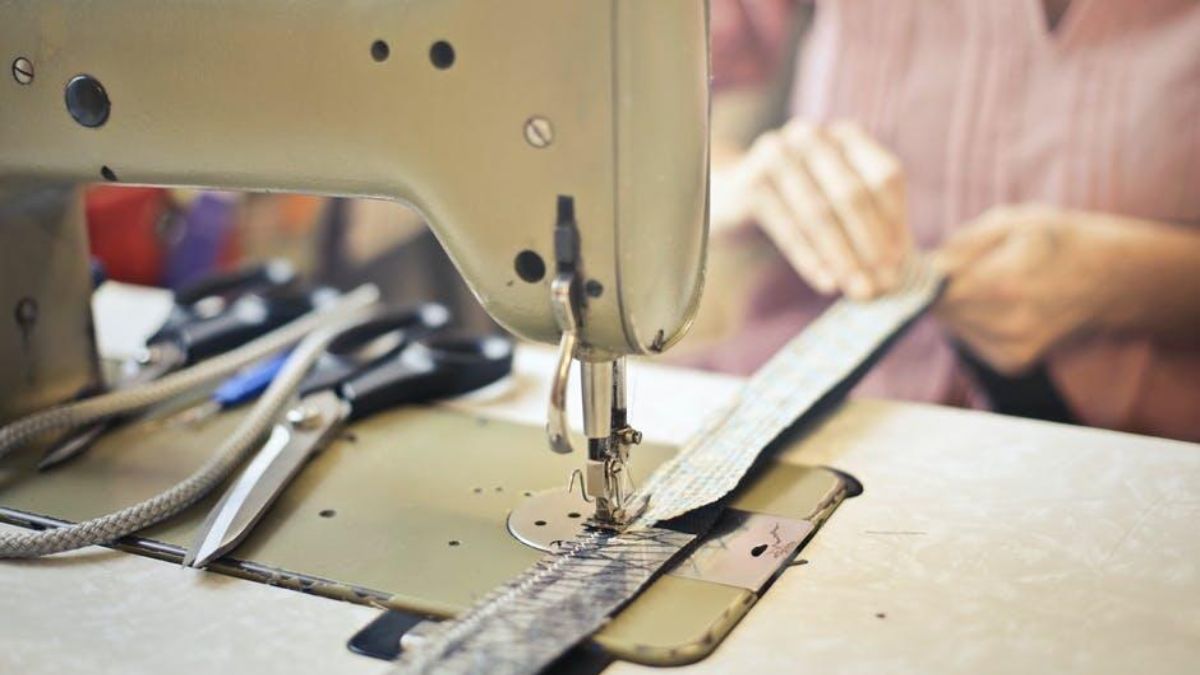
Building a new physical product once meant months of costly testing and repeated mistakes. Companies had to make metal parts, run stress tests, and start again when something failed. Today, simulation software allows teams to test designs on a screen before using any raw materials.
Continue reading to discover everything you need to know!
Moving From Physical Prototypes to Virtual Testing
Traditional prototyping can slow down even the best design teams, especially when budgets are tight. Many manufacturers now use specialized product engineering services to test stress, heat, and fluid movement in a digital space. This helps engineers find weak points early without paying for several physical models.
Virtual models show how materials react to heat, pressure, and movement. Engineers can change a part’s thickness or test a different metal within minutes.
They no longer need to wait weeks for a machine shop to build another version. Faster testing helps teams create stronger parts and move products toward production sooner.
Lowering R&D Costs Without Cutting Corners
Physical testing can use up large parts of a research budget. Material waste, special tools, and lab fees all add to the cost. Digital testing offers a cheaper way to check designs before building a working model.
Companies can save thousands of dollars during each design cycle. Using fewer physical prototypes also means less metal and plastic waste.
Smaller businesses can compete with larger companies because virtual testing makes product development more affordable. The money saved can support new ideas and better features for customers.
Predicting Maintenance Before Breakdowns Happen
Engineers use digital twins to track wear across months of factory use. Early signs of poor performance help repair teams replace worn parts before machines fail, and this can prevent costly stops in production. Data from products in use also helps engineers improve future designs.
Speeding Up Teamwork
Designers, engineers, and supply chain teams often use different technical terms. Digital models give everyone a clear view of how a part works under real conditions. Heat maps and stress charts make design choices easier to discuss.
Suppliers can also check exact measurements early in a project. This is more useful than relying only on flat drawings. Clear data reduces mistakes and helps teams meet launch dates.
Handling Complex Designs With Less Risk
Modern products contain more sensors, batteries, and moving parts in smaller spaces. Simulation helps engineers understand how heat and vibration may affect these parts. They can test possible problems before mass production begins.
Designers can also explore new shapes and lighter structures with less risk. Virtual tests show whether a design can handle pressure before companies invest in costly factory tools.
Meeting Safety and Compliance Standards
Industries such as aerospace, automotive, and medical devices must meet strict safety rules. A failed test can delay a launch for months or longer. Virtual testing helps engineers check designs against required limits before official inspections.
Detailed reports also show how parts perform under extreme conditions. This gives teams useful evidence during safety reviews and reduces the need for last-minute changes.
Advancing Product Design Through Product Engineering Services
Digital simulation has made product development faster and more cost-effective. Companies can reduce waste, avoid repeated mistakes, and bring reliable products to market sooner.
As computing power grows, virtual testing will play an even bigger role in how businesses design and build physical products.
Make sure to check out the rest of our articles.

Have you ever wondered how a few simple changes can make driving much safer? Every day, people face different dangers on the road, from bad weather to careless drivers. Vehicle accidents can cause serious injuries and create long-term problems.
Many of these crashes happen because of habits that can be changed. Road safety is something everyone can improve with small steps. Learning about common risks and how to avoid them helps protect everyone.
This blog post shares practical habits to reduce risk and keep you safe on the road. Keep on reading!
Stay Focused on the Road
Distractions are a major cause of road accidents. Using a phone, eating, or talking to passengers can take your mind off driving. Keeping both hands on the wheel helps you stay in control.
Watching the road ahead allows you to react quickly to dangers. By staying focused, drivers can avoid many unexpected hazards and keep themselves and others safe.
Keep a Safe Following Distance
Tailgating is dangerous and can lead to rear-end crashes. Leave enough space between your car and the vehicle in front of you. This space gives you time to stop if the other driver brakes suddenly.
Most experts recommend a three-second gap in good conditions. In rain or fog, you need even more space for safety.
Follow Speed Limits
Speeding is a common reason for accidents. Speed limits are set to protect all road users. Driving at the right speed helps you control your vehicle better.
Slower speeds make it easier to stop for unexpected obstacles. Following speed limits shows care for yourself and for others on the road.
Use Turn Signals and Check Blind Spots
Signaling before turning or changing lanes lets other drivers know your intentions. Always check your mirrors and blind spots before moving your car. This habit can prevent crashes, especially in heavy traffic.
Good communication between drivers makes the road safer for everyone. Simple actions like using turn signals help avoid confusion and accidents.
Adjust Driving for Weather and Road Conditions
Bad weather like rain, snow, or fog can make roads slippery and reduce visibility. Slow down and keep headlights on when visibility is low.
Avoid sudden stops or sharp turns to prevent skidding. Wet or icy roads need extra caution because it takes longer to stop. Adapting your driving style keeps you safer in any weather.
Know What to Do After an Accident
Even with safe habits, accidents can still happen. Stay calm and check for injuries after a crash. Contact emergency services right away if anyone is hurt or there is significant damage.
Gathering information about the road accident is crucial, and knowing how to protect your rights after collisions can help with insurance claims and legal issues. Being prepared makes dealing with accidents much less stressful.
Building Safer Driving Habits for a Lifetime
Driving safely is a decision you should make every day because it can save lives and prevent injuries. Relatively minor changes to your routine can have a significant impact over time.
Building solid routines for each drive can be done by putting these straightforward suggestions into practice. On the road, everyone can take precautions to protect themselves and others.
Did you like this guide? Great! Please browse our website for more!
-

 NEWS1 year ago
Historical Churches in Manila
-

 TOPIC4 months ago
Unveiling AvTub: Your Ultimate Guide to the Best AV Content
-

 TOPIC1 year ago
Simbang Gabi and Kakanin
-

 TOPIC1 year ago
Symbols of Hope: The 15th Belenismo sa Tarlac
-

 BUSINESS6 months ago
Exploring the Different Types of Понуде in Business Transactions
-

 NEWS5 months ago
What Caused Delta Flight DL275 to Diverted LAX? A Detailed Breakdown
-

 TOPIC1 year ago
RIZAL at 160: a Filipino Feat in Britain
-
 TOPIC3 months ago
Understanding Fascisterne: Origins and Ideological Roots