
TECHNOLOGY
Moving Past the Prompt: A Prototyping Workflow for High-Stakes Launch Assets

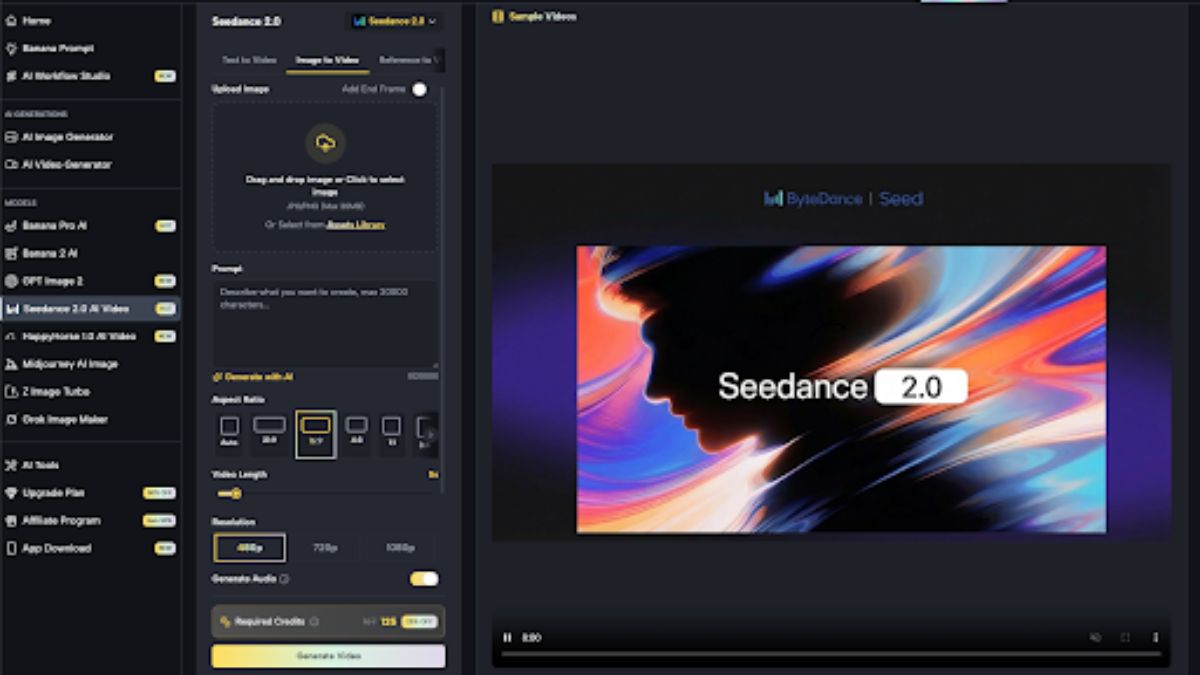
It is forty-eight hours before a major product feature goes live. The landing page is coded, the copy is polished, and the ad accounts are primed. The only thing missing is the hero visual—a specific shot of the mobile interface being used in a dimly lit, high-end architectural studio. A quick session with a standard text-to-image generator produces sixty variations. Half of them feature hands with six fingers; the other half place the phone in a setting that looks more like a 1990s office cubicle than a modern studio.
This is the “generative last mile.” It is the point where the novelty of AI-generated art hits the brick wall of professional requirements. For product teams, the bottleneck isn’t getting the AI to “draw” something; it is getting the AI to respect the rigid constraints of a brand identity. To bridge this gap, marketers are moving away from passive prompting and toward a canvas-centric iteration workflow.
The Friction of the Generative Last Mile
The most common trap in AI creative production is the “infinite reroll.” A creator spends three hours tweaking a text prompt, hoping the algorithm will eventually hallucinate the perfect arrangement of objects. In a high-stakes launch environment, this is a waste of resources. If a specific element—like the way a hand holds a device or the placement of a background shadow—is wrong, a text prompt is the bluntest instrument available to fix it.
Most product teams abandon AI tools during the final 10% of production because they lack granular control. They find that it is faster to take a mediocre AI generation into Photoshop and spend two hours manually masking than it is to “prompt engineer” a fix. However, the emergence of integrated environments like Banana AI suggests a third way: viewing the generative output not as a finished file, but as a structural foundation. The goal is to move from the text box to the canvas as quickly as possible.
Evaluating Nano Banana Pro for Rapid Iteration
When testing ad creative hypotheses, sheer model size is often the enemy of speed. Large, multi-billion parameter models are excellent for “one-and-done” artistic masterpieces, but they are often too slow for the rapid-fire testing required in a performance marketing seat. This is where a more specialized, lightweight model like Nano Banana Pro provides a tactical advantage.
In our internal testing, the utility of Nano Banana Pro lies in its inference speed. It allows a marketer to test compositional hypotheses—such as “Does the product look better on a marble surface or a wooden one?”—in a fraction of the time it takes to run a high-fidelity render. We use these lightweight generations to establish the lighting and silhouette of an asset. Once the basic composition is locked in, we can transition to a more robust engine like Banana Pro to add the necessary texture and detail.
However, it is worth noting that while these smaller models are exceptionally fast, they occasionally struggle with complex spatial relationships. If you are trying to generate a scene with three distinct subjects interacting with one another, the lightweight architecture of Nano Banana may produce “mushy” intersections where one object bleeds into another. It is a tool for speed, not for surgical precision in the first pass.
The AI Image Editor as a Creative Bridge
The transition from a “cool image” to a “launch asset” happens within the AI Image Editor. This is where the Canvas Workflow changes the fundamental nature of the work. Instead of asking the AI to redo the entire image because the background is too busy, you use a masking tool to isolate the background and regenerate only that specific area.
For product teams, the most vital feature here is the ability to integrate existing brand assets. If you have a high-resolution PNG of your product’s hardware, you shouldn’t be asking an AI to “recreate” it. Instead, you use image-to-image capabilities to seat your real asset into the generated environment. You upload the product photo, use the editor to define the environment around it, and let the AI handle the lighting and shadows so the product looks like it truly belongs in the scene.
This workflow circumvents the “uncanny valley” of AI-generated products. By keeping the core product asset “real” and using the AI for the surrounding context, you maintain brand integrity while benefiting from the speed of generative environmental design.
Managing Consistency in Modular Ad Suites
A single hero image is rarely enough for a modern launch. You need a 1:1 square for Instagram, a 9:16 vertical for TikTok, and a 16:9 for YouTube. Traditionally, this meant three separate crops or three separate design files. Within the Banana Pro ecosystem, creators are increasingly using a “seed-and-branch” method.
By establishing a “seed” image—a master generation that defines the character, lighting, and palette—you can use the Workflow Studio to generate variations that maintain subject stability. You are essentially telling the AI: “Keep this person and this product exactly as they are, but expand the canvas vertically to fit a mobile screen.”
This level of stability is still a work in progress across the industry. One limitation we consistently encounter is the “AI memory” problem. While you can maintain a subject’s likeness, the AI often struggles to keep precise brand colors—like a specific Pantone shade—consistent across different aspect ratios without manual color correction. You should expect to do a final pass in a traditional color-grading tool if your brand guidelines are non-negotiable on hex code accuracy.
The Uncertainty Factor: Where Generative Workflows Break
It is important to reset expectations regarding the current state of generative media. No matter how advanced the AI Image Editor becomes, certain creative tasks remain high-risk.
The most prominent area of uncertainty is anatomical and perspective accuracy in complex multi-subject shots. If your launch asset requires two people shaking hands while one of them points at a laptop screen, generative tools will likely fail you. The “overlap” of limbs and the specific perspective required for three interacting points of interest often leads to distorted geometry. In these cases, we advise teams to use AI for the background plates only and composite the human elements using traditional photography.
Furthermore, there is a technical unpredictability in how lighting prompts interact with proprietary brand assets. If your product is a translucent green bottle, the AI may not accurately calculate how light should refract through that specific material. There is no “button” for physical accuracy yet; it requires the human operator to visually inspect and manually touch up highlights that don’t make physical sense.

Integrating AI into the Launch Calendar
The ultimate goal of using Nano Banana or more advanced image editors isn’t necessarily to save money—it’s to buy time. In the week leading up to a launch, design teams are usually underwater. Being able to ship a high-quality “B-roll” set of ad creatives without waiting for a full design sprint can be the difference between a successful rollout and a missed window.
The mindset shift is simple: stop treating the AI as a magic box that delivers finished files. Treat it as a highly skilled but somewhat literal-minded intern. You provide the structure, you handle the final 10% of the refinement, and you use the canvas to correct its mistakes.
By leveraging the speed of Nano Banana Pro for the “sketching” phase and the control of a canvas-based editor for the “finishing” phase, product teams can iterate at a pace that was impossible two years ago. The “prompt” is just the beginning of the conversation; the real work happens on the canvas.

Commercial construction is a complex ecosystem where engineering precision, regulatory oversight, and project management converge. For commercial builders, turning ambitious architectural blueprints into structural reality requires far more than just managing labor and materials. It demands a holistic master strategy that accounts for environmental factors, municipal mandates, safety standards, and operational risk.
To navigate this dynamic landscape, commercial general contractors and site managers must prioritize key operational pillars that safeguard project timelines, maintain profitability, and ensure long-term structural integrity.
1. Comprehensive Site Assessment and Geotechnical Evaluation
Before heavy machinery ever breaks ground, a thorough understanding of site-specific conditions is essential. Commercial developments often present unique topographic, soil, and hydrological challenges. Conducting comprehensive geotechnical surveys early allows project leaders to anticipate soil instability, high water tables, and natural drainage patterns.
Addressing site conditions proactively prevents catastrophic foundation delays and expensive structural re-engineering mid-project. Effective land preparation sets the baseline for the entire build lifecycle, ensuring that structural loads, excavation depth, and underground infrastructure are perfectly aligned with the natural environment.
2. Rigorous Environmental Compliance and Stormwater Management
Environmental regulations have become increasingly strict, with local, state, and federal agencies imposing heavy penalties for non-compliance. Stormwater management is often one of the most heavily scrutinized aspects of commercial earthwork. Uncontrolled sediment runoff, improper chemical storage, or inadequate erosion controls can lead to costly stop-work orders and severe environmental degradation.
A compliant project relies on well-structured Best Management Practices (BMPs) and trained personnel who understand regulatory expectations. For instance, obtaining a SWPPP certification in Idaho or adhering to similar regional stormwater standards equips site supervisors with the specialized skills needed to inspect, maintain, and document erosion controls effectively. Ensuring your team understands environmental mandates keeps your job site active, avoids regulatory fines, and protects surrounding watersheds.
3. Subcontractor Coordination and Quality Assurance Protocols
A commercial build is only as reliable as the trade partners executing the specialized work. Managing multiple subcontractors—from steel erectors and MEP specialists to grading teams—requires crystal-clear communication and structured quality assurance protocols.
Establishing standardized quality control checklists at every phase prevents minor workmanship issues from cascading into major systemic defects. Regular trade coordination meetings, synchronized scheduling, and clear accountability ensure that safety standards are upheld and work handoffs occur smoothly across all trades.
4. Dynamic Risk Management and Supply Chain Resilience
Unforeseen material delays, labor shortages, and unexpected weather events can disrupt even the most meticulous schedule. Successful commercial builders cultivate supply chain resilience by establishing relationships with multiple suppliers, pre-ordering long-lead materials, and incorporating buffer periods into critical path schedules.
Simultaneously, dynamic risk management involves continuous job site safety audits and proactive risk assessments. Building a culture where safety and compliance are prioritized minimizes accidents, lowers insurance liabilities, and keeps projects moving forward without costly disruptions.
5. Leveraging Construction Technology and Digital Documentation
Modern commercial construction relies heavily on technology to maintain accuracy and efficiency. Building Information Modeling (BIM), real-time site monitoring, and digital inspection logs allow project managers to spot design conflicts and compliance gaps before they manifest in the field.
Maintaining centralized, cloud-based project documentation ensures that inspection reports, permit updates, and design revisions are immediately accessible to field crews and stakeholders alike. Streamlined digital communication minimizes rework and provides an unassailable audit trail throughout the construction lifecycle.
Conclusion
Mastering commercial construction requires balancing structural precision with strategic foresight. By prioritizing early site evaluation, maintaining uncompromising environmental compliance, managing subcontractor workflows, and leveraging digital tools, commercial builders can consistently deliver high-quality projects on time and within budget. Building modern commercial spaces isn’t just about erecting structures—it’s about engineering sustainable, compliant, and enduring e

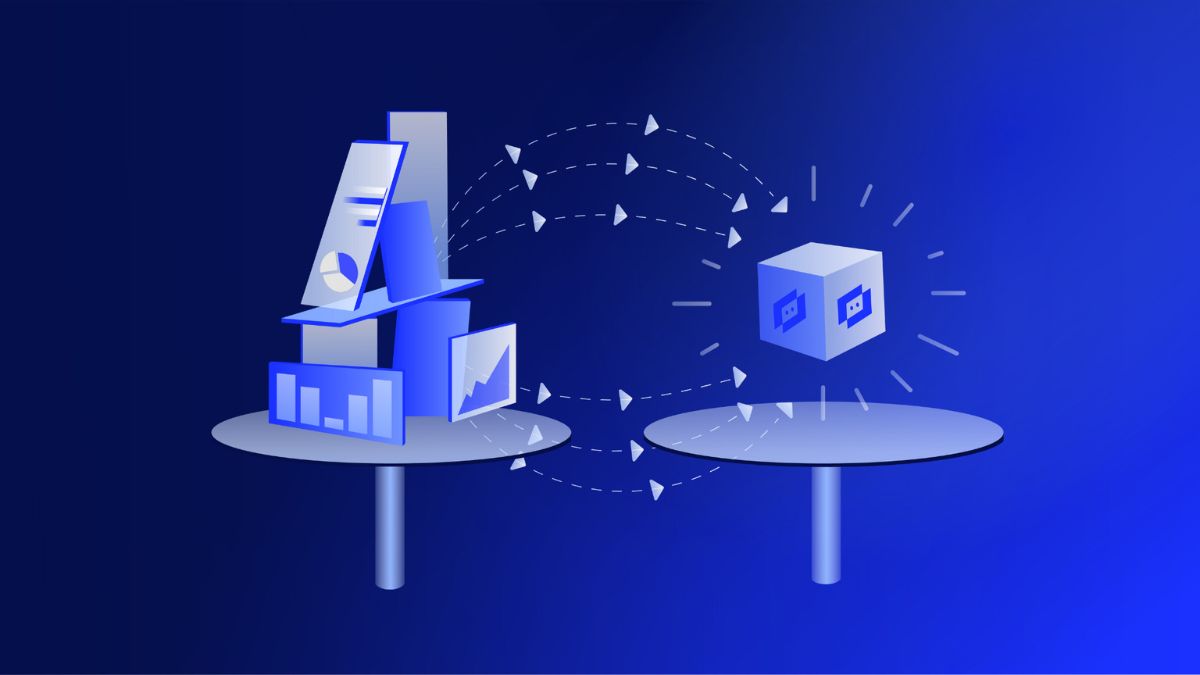
A telemetryczny system is simply technology that measures something in one place and sends those readings somewhere else so people can watch, analyze, or act without standing next to the source. You already meet this idea every day: a car that reports engine health, a smart meter that sends usage data, or a hospital monitor that streams a patient’s heart rate to a nurse station. The Polish adjective telemetryczny describes anything built for that remote measurement-and-transmission loop.
This article walks through what the term actually covers, how the hardware and software fit together, where companies use it, and how to avoid the usual implementation mistakes.
What a Telemetryczny Setup Actually Does
At its core the process has three jobs: sense, send, and make sense of the data.
Sensors capture a physical or digital value—temperature, pressure, vibration, GPS position, blood oxygen, soil moisture. A transmitter packages that value into a signal. A receiver and software stack turn the signal into a chart, an alert, or an automated action.
The communication path can be radio, cellular, satellite, LoRaWAN, or a wired industrial bus. The choice depends on distance, power budget, and how often you need a fresh reading.
Core Building Blocks
- Sensors and transducers
- Data-acquisition or edge module
- Communication interface
- Central platform (cloud or on-premise)
- Visualization and alerting layer
When these pieces stay in sync, operators see problems before they become downtime.
How Telemetryczny Technology Works in Practice
Imagine a pump station on the edge of a city. Pressure and flow sensors sit on the pipes. Every few seconds the local module encrypts a small packet and pushes it over a cellular link. A dashboard in the operations center updates. If pressure drops below a set point, the system can text a technician and, in some designs, start a backup pump automatically.
The same pattern appears in very different industries. Only the measured variable and the radio technology change.
Typical Data Path
- Sensor converts a physical quantity into an electrical signal.
- Edge device timestamps, filters, and optionally compresses the reading.
- Transmitter sends the packet.
- Backend stores the value and runs rules or machine-learning models.
- Users see live status or receive an exception alert.
Latency can range from milliseconds in a factory hall to several minutes for a battery-powered wildlife collar.
Where Telemetryczny Systems Deliver the Most Value
Healthcare and Patient Monitoring
Wearable and bedside devices stream heart rate, oxygen saturation, and activity. Clinicians watch trends instead of waiting for the next scheduled visit. Early warning scores become possible because the data arrives continuously.
Industry and Predictive Maintenance
Vibration and temperature sensors on motors and gearboxes feed models that predict bearing failure weeks in advance. Plants cut unplanned stops and schedule parts only when they are actually needed.
Energy, Water, and Utilities
Smart meters and remote terminal units report consumption and grid health. Operators balance load and detect leaks without sending a truck to every site.
Agriculture and Environment
Soil probes, weather stations, and livestock collars give farmers irrigation and grazing decisions based on real conditions rather than calendars.
Transport and Fleet Management
Vehicles send location, fuel use, and driver behavior. Dispatchers reroute trucks and maintenance teams replace parts before they strand a driver.
| Application area | Typical sensors | Main benefit | Common link type |
|---|---|---|---|
| Patient monitoring | ECG, SpO2, motion | Faster clinical response | Bluetooth / cellular |
| Factory machines | Vibration, current, temp | Less unplanned downtime | Industrial Ethernet / 5G |
| Utility networks | Pressure, flow, voltage | Leak and outage detection | Cellular / LoRa |
| Precision farming | Moisture, weather, GPS | Water and fertilizer savings | LoRaWAN / satellite |
| Vehicle fleets | GPS, CAN-bus, fuel | Lower operating cost | Cellular |
The table shows why one architecture rarely fits every job. Distance, power, and update rate decide the radio and the battery size.
Pros and Cons of a Telemetryczny Approach
Pros
- Decisions rest on current data instead of last week’s log sheet.
- Staff can cover more assets without extra travel.
- Historical traces support root-cause analysis and compliance reports.
- Automated alerts shrink the time between a fault and a response.
Cons
- Up-front cost for sensors, connectivity, and platform licenses.
- Radio dead zones or SIM-card issues can create silent gaps.
- Poorly secured devices become an entry point into the wider network.
- Data volume grows fast; storage and analysis need a plan from day one.
The trade-off usually favors deployment once the cost of a single unexpected failure exceeds the yearly system price.
Common Mistakes That Undermine Telemetryczny Projects
Teams often treat the radio as an afterthought. They pick a cheap sensor, then discover the site has no cellular coverage. Another frequent error is collecting every possible reading at the highest rate. Batteries die and cloud bills climb while most of the data sits unused.
Security shortcuts appear just as often. Default passwords and unencrypted links turn a helpful monitor into a liability. Finally, organizations skip the “who looks at the dashboard” question. A beautiful screen that nobody checks delivers zero value.
Best Practices for Reliable Telemetryczny Deployments
Start with the decision you want to improve, then work backward to the sensor. Define the maximum acceptable latency and the minimum battery life. Choose a communication method that already exists at the site or that you can afford to install.
Use edge filtering so only meaningful changes travel over the air. Encrypt data in transit and at rest. Assign clear ownership for alerts—someone must be on call or the system is just expensive decoration.
Pilot on a small set of assets, measure the actual reduction in downtime or travel, then scale. Document calibration intervals; a drifting sensor quietly poisons every downstream insight.
| Practice | Why it matters | Quick check |
|---|---|---|
| Match radio to coverage | Avoids silent data loss | Site survey before purchase |
| Filter at the edge | Saves power and bandwidth | Only send exceptions or summaries |
| Encrypt and patch | Reduces breach risk | Default credentials removed |
| Assign alert owners | Turns data into action | Named person per shift |
| Calibrate on schedule | Keeps readings trustworthy | Written maintenance calendar |
Follow the table and most projects stay on budget and on purpose.
Practical Example: A Small Water Utility
A rural water company installed pressure and flow sensors on ten remote pumping stations. Previously a technician drove a 40 km loop twice a week. After the telemetryczny upgrade, the same person reviews a dashboard each morning and visits only the two stations that show anomalies. Leak detection time dropped from days to hours. The payback period was under fourteen months.
The same pattern scales to hundreds of sites once the first ten prove the numbers.
Conclusion
A telemetryczny system is not magic; it is a disciplined chain from sensor to decision. When the chain is designed around a real operational question, organizations see fewer surprises, lower travel costs, and faster responses. When it is treated as a technology experiment, they collect expensive noise.
Start small, measure the outcome, secure the link, and keep a human responsible for the alerts. That combination turns remote measurement into a daily working tool rather than another unused dashboard.
5 SEO FAQs
What does telemetryczny mean?
It is the Polish adjective for anything related to telemetry: remote measurement and transmission of data for monitoring or control.
How does a telemetryczny system differ from simple remote control?
Remote control sends commands outward. A telemetryczny system primarily sends measurements inward so operators can decide what command, if any, to send.
Which industries use telemetryczny technology most?
Healthcare, manufacturing, utilities, agriculture, transport, and environmental research all rely on it for live status and predictive maintenance.
Do I need internet for a telemetryczny setup?
Not always. Radio, satellite, or private LoRa networks work where public internet is absent. The receiving station still needs a way to store and display the data.
How often should sensors be calibrated?
Follow the manufacturer interval, typically every 6–24 months, and after any physical shock or extreme temperature event.
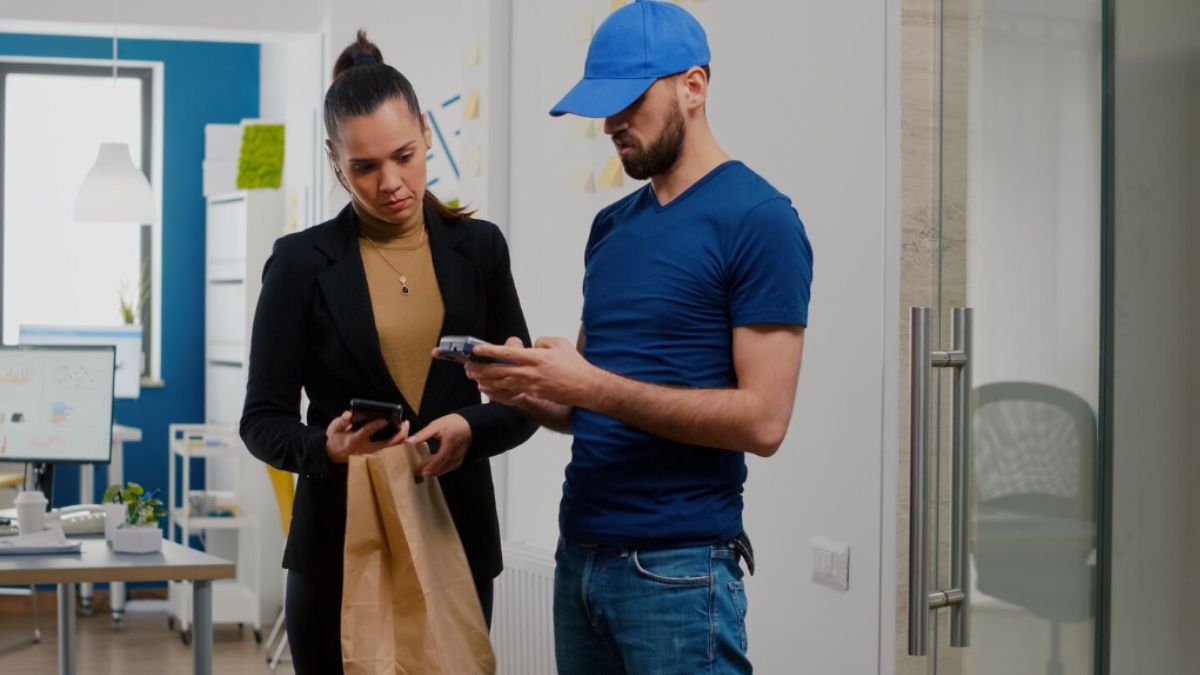
Technicians and office employees may work miles apart, but they depend on each other throughout the day. Dispatchers need updates about field progress, while technicians need schedule changes, job information, and support. When every exchange depends on calls or separate messages, communication can become inefficient.
A field service mobile app creates a more structured connection between field and office activity. Routine information can move digitally, allowing direct conversations to focus on situations where human discussion adds the most value.
Why Communication Becomes Fragmented
Technicians may receive information through calls, emails, text messages, and paper documents.
Important details can become difficult to track when multiple channels are used simultaneously.
A mobile workflow provides a more consistent information environment.
Keep Job Details Accessible
Technicians can review relevant assignment information without searching through separate messages.
A field service mobile app helps keep job details connected with the work they describe.
Share Schedule Changes More Efficiently
Field schedules evolve throughout the day.
Technicians need to know when appointments are added, moved, or reprioritized.
Digital updates can make revised plans easier to access.
Reduce Confusion
Verbal changes can sometimes be forgotten or misunderstood.
Providing current schedule information through a structured workflow gives technicians a reference they can review.
Send Field Updates Back to the Office
Communication needs to work in both directions.
Dispatchers benefit from knowing how assignments are progressing.
Technicians can capture job status and relevant information as part of their field workflow.
Reduce Routine Calls
Phone calls remain valuable for complicated situations.
However, repeatedly calling to request basic job details or progress information can interrupt both technicians and dispatchers.
A field service mobile app can reduce these routine exchanges.
Protect Time for Important Conversations
When straightforward information moves digitally, teams can reserve direct communication for unusual problems, customer concerns, or decisions requiring discussion.
Improve Handoffs
Field information often affects later office activity.
Completed records may trigger administration, follow-up scheduling, or future work.
Making information available sooner improves the handoff between technicians and office teams.
Create Better Context
A short message may not provide enough context for a complicated assignment.
Mobile access can keep instructions, previous notes, and job information together.
This helps technicians understand not only what changed but also the background surrounding the assignment.
Support Remote Decision-Making
Technicians sometimes need to make decisions without immediate office assistance.
Access to relevant information can help them resolve routine situations independently.
The field service mobile app becomes a practical information resource rather than merely a communication channel.
Maintain a Clear Record
Important information shared only through phone conversations can be difficult to reconstruct later.
Digital updates create a more consistent record of field activity.
This can support future technicians, administrators, and managers.
Conclusion
A field service mobile app can strengthen communication by creating a structured flow of information between technicians and office teams. Schedule changes, job details, field updates, and documentation can move digitally without requiring a phone call for every routine exchange. This gives technicians easier access to current information while improving office visibility into field activity. By reducing fragmented communication and preserving useful records, organizations can create better coordination without increasing unnecessary messaging throughout the workday.
-

 NEWS1 year ago
Historical Churches in Manila
-

 TOPIC2 months ago
Unveiling AvTub: Your Ultimate Guide to the Best AV Content
-

 TOPIC1 year ago
Symbols of Hope: The 15th Belenismo sa Tarlac
-

 TOPIC1 year ago
RIZAL at 160: a Filipino Feat in Britain
-

 TOPIC1 year ago
“The Journey Beyond Fashion” – Ditta Sandico
-

 TOPIC1 month ago
Understanding Fascisterne: Origins and Ideological Roots
-

 TOPIC1 year ago
Simbang Gabi and Kakanin
-

 TOPIC1 year ago
5 Must-Have Products From Adarna House to Nurture Your Roots