
BUSINESS
How Better Financial Visibility Leads to Smarter Business Decisions


Most business owners think they have a firm grip on their finances. Then a cash shortfall hits out of nowhere, a growth window quietly closes, or a quarterly loss shows up uninvited, and suddenly that confidence evaporates. Financial visibility isn’t simply about keeping clean books. It’s about having the right numbers, in front of the right people, at exactly the right moment. According to ICAEW, 98% of CFOs don’t trust their company’s cash-flow visibility, yet 37% say real-time cash data is critical for reacting to change. That gap isn’t just uncomfortable; it’s actively expensive.
Why Financial Visibility Shapes Every Business Decision You Make
This isn’t a back-office problem. How clearly you see your numbers determines how confidently you can lead, spend, hire, and scale.
What Financial Visibility Actually Means Today
Forget the static monthly PDF. Cloud platforms and real-time dashboards have completely redrawn what financial visibility looks like, and what you can reasonably expect from it. Cash balances, margins, revenue shifts, you can see all of it the moment it moves, not three weeks later when the moment has already passed.
That immediacy changes everything about how decisions get made. When you know what’s happening right now, you stop guessing. You respond with intention instead of reacting in panic.
Businesses working with tools like QuickBooks Online or Xero, especially those paired with an Acuity ecommerce bookkeeping service, can maintain a sharper, more accurate read on financial health without drowning in manual processes. That combination of smart software and expert support is a genuine game-changer for ecommerce operators in particular.
From Transparency to Competitive Advantage
Financial transparency enables accurate forecasting, faster pivots, and far fewer expensive surprises. When you know your true margins, not the blended average, but the real number by product, you negotiate better contracts, price with confidence, and grow deliberately rather than accidentally.
Here’s a concrete example: ecommerce brands that track profit by SKU rather than total revenue can identify underperformers quickly and redirect resources to what’s actually working. Their less-informed competitors? They’re still chasing top-line revenue and wondering why profitability feels elusive.
Real-time data isn’t a luxury reserved for enterprise companies. It’s the line between businesses that react and businesses that lead.
The Infrastructure That Makes Financial Reporting Worth Trusting
You can’t build smarter decisions on shaky data. Getting visibility right means building the foundation first, then layering everything else on top.
Centralized Data, One Unified View
If your numbers are scattered across a POS system, three spreadsheets, a bank feed, and your ecommerce dashboard, you have blind spots. Guaranteed. Bringing all those data streams into one unified ledger isn’t just an efficiency play; it’s the single most important structural move you can make.
When everything ties back to one verified source, you close the books faster, catch errors earlier, and report with far greater accuracy. That’s not incremental improvement. That’s a fundamentally different level of operational clarity.
Automation That Sees Around Corners
Once your data foundation is solid, intelligent automation turns historical reporting into forward-looking intelligence. AI-driven tools can flag margin compression before it becomes a crisis. They can identify cash-flow risks weeks before the month-end would have surfaced.
That early warning capability is what sharpens business decision-making in practice, because you’re not just reviewing what already happened. You’re seeing what’s likely coming next and positioning accordingly.
Role-Based Dashboards That Keep Everyone Focused
Not every team member needs the same view. Custom dashboards by role, finance, sales, operations, and leadership keep information relevant, digestible, and secure. A sales director tracking contribution margin will behave completely differently from one watching gross revenue alone. That distinction matters more than most leaders realize.
Tactics That Turn Visibility Into Real Strategic Action
Infrastructure creates the conditions. Tactics are where financial visibility actually earns its keep.
Scenario Planning With Live Data
Running what-if models against last quarter’s reports is one thing. Running them against real-time data is something else entirely. An ecommerce brand considering a 15% ad budget increase can instantly model the margin impact before committing a single dollar.
In 2025, 52% of C-suite executives listed accelerating digital transformation as a top priority, up from 40% in 2024, driven largely by the need for faster, data-informed decisions. That urgency reflects a broader shift in how serious leaders treat financial intelligence.
KPI Dashboards Built Around Actual Decisions
Total revenue is a comfortable metric. It’s also one of the least useful for driving meaningful strategy. The dashboards that genuinely improve business decision making track contribution margin, customer lifetime value, and cohort profitability, ideally in real time.
Start simple. Ask yourself: “What would I need to see clearly to make this decision faster and with more confidence?” Build from that question outward.
Cash-Flow Monitoring That Catches Problems Early
Rolling cash-flow projections with early warning triggers change the entire character of how you operate. When receivables slow, or inventory costs spike, your system should surface that signal immediately, not at month-end when options have already narrowed.
This is the difference between businesses that manage crises and businesses that prevent them.
Reactive vs. Proactive Financial Visibility: Side by Side
| Factor | Reactive Approach | Proactive Approach |
| Reporting frequency | Monthly/quarterly | Real-time or weekly |
| Decision speed | Slow, delayed | Fast, data-driven |
| Cash-flow awareness | Discovered late | Monitored continuously |
| Forecasting accuracy | Based on old data | Predictive modeling |
| Risk management | After the fact | Early warning systems |
Practical Steps Toward Full Financial Visibility
One Source of Financial Truth
Every number in your business should trace back to a single, verified ledger. When finance, operations, and leadership are each referencing different spreadsheets, decisions degrade quietly, persistently, and expensively. Centralizing your data infrastructure isn’t glamorous, but it’s foundational.
Build a Culture That Actually Uses Financial Data
Technology creates the capability. People create the habit. Training your teams to read, interpret, and act on financial data turns visibility from a tool into a genuine organizational strength. Companies that encourage data-driven behavior at every level see stronger alignment, fewer surprises, and faster execution. Full stop.
Partner With People Who Bring Context, Not Just Software
The right tools scale with you. But the right partners bring industry-specific insight that software alone can’t provide. That distinction, between access to data and expertise in interpreting it, is often what separates good outcomes from great ones.
Financial Visibility Is No Longer Optional
The businesses growing fastest right now aren’t necessarily the ones with the biggest budgets or the boldest strategies. They’re the ones that can see clearly and act on what they see before competitors even realize what’s happening. Financial visibility has become a genuine competitive necessity. The tools and expertise to build it exist today, at every budget level. The real question isn’t whether your business can afford to pursue it. It’s whether you can afford to wait while others already are.
FAQs on Financial Visibility
- How does better visibility reduce business risk?
Clear, real-time data lets you catch cash-flow problems, margin erosion, and receivables delays before they compound, so you act early rather than scramble after the damage is done.
- Which KPIs matter most for smarter decisions?
Contribution margin, customer lifetime value, gross margin by product, and cash runway are among the most actionable. Generic metrics like total revenue rarely drive meaningful strategic choices.
- Can smaller businesses access this level of transparency?
Absolutely. Cloud-based tools and outsourced bookkeeping have made enterprise-quality visibility accessible to businesses of every size, often at a fraction of the cost of building in-house capacity.
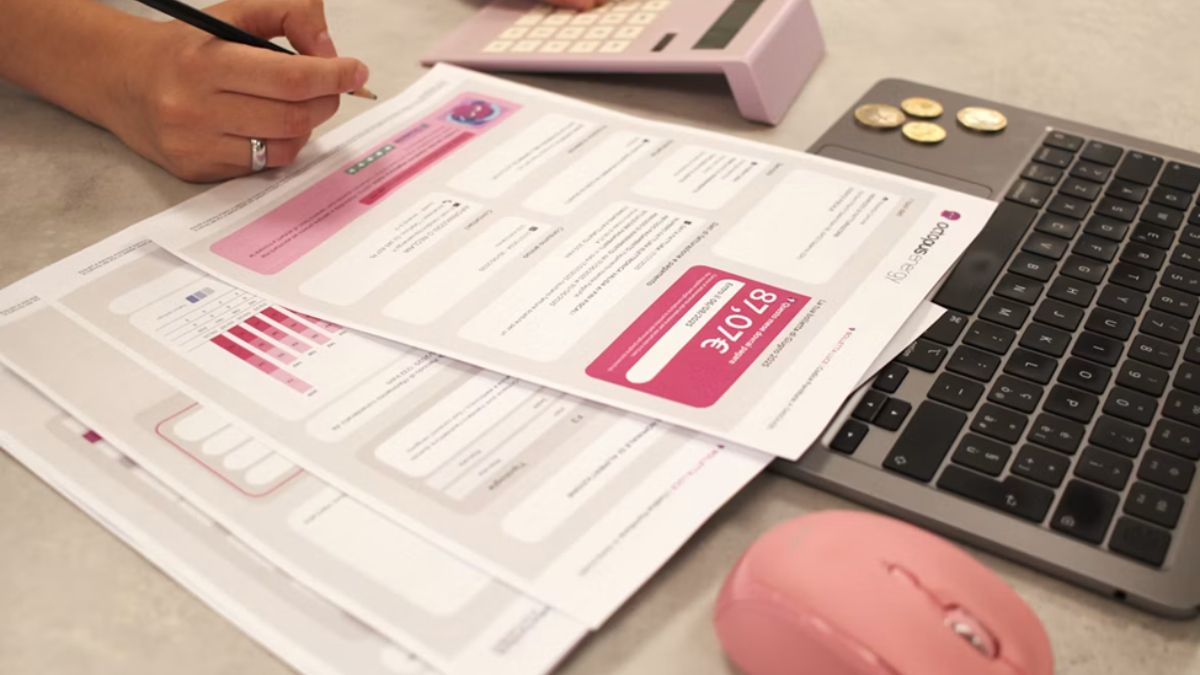
Still paying an outside firm to run your payroll every month?
Many small business owners give payroll to someone else and forget about it. It feels secure. The problem with that “secure” decision is that it often leads to:
- Monthly fees that keep going up
- Slow fixes when something goes wrong
Here’s the thing
Small business payroll software has evolved over the years. In-house payroll can be quicker, less expensive and easier than many owners realize.
You don’t need a payroll department. You need the right tool.
Exploring the true case for insourcing payroll – and how to know when your company is ready.
Time to dig in!
Here’s What’s Inside:
- Why So Many Owners Still Outsource Payroll
- The Hidden Cost Of Handing Payroll Off
- What Small Business Payroll Software Actually Does
- 4x Signs You’re Ready To Make The Switch
Why So Many Owners Still Outsource Payroll
Payroll scares people. And it’s easy to see why.
Late notices, penalties and angry employees are just some of the results you can get from one incorrect dialing. That’s why most owners take the safe route and have someone else handle it.
The data supports this. The National Small Business Association reports that 34% use an external firm to handle their payroll. Just 21% utilize payroll software that they manage themselves.
But here’s what most owners don’t realise…
Top rated small business payroll software does the heavy lifting for you. It calculates federal,state and local taxes, prints checks and prepares your quarterly tax forms. That’s why more owners are choosing to order 1099-etc software and handle payroll themselves. Quality payroll software for small businesses gives you control of every paycheck, tax form and filing deadline once again.
No middleman. No waiting.
The Hidden Cost Of Handing Payroll Off
Outsourcing looks cheap on paper. Then the extras show up.
Many payroll companies have a minimum fee plus a per-employee fee. Want to hire two more employees? You pay more. Need to run an additional check for a holiday bonus? You pay extra for that too.
And that’s not the only cost…
You Still Own The Risk
This is the part nobody tells you.
Just because your firm handles your payroll, doesn’t mean the IRS cares. You are ultimately liable for your payroll taxes. If they miss a deposit or filing deadline, you get the bill.
Penalties also aren’t chump change. The IRS actually imposed $84.1 billion in civil penalties during FY 2024, and employment taxes account for a large portion.
Scary, right?
The best part is that with software you can see every number before it’s sent out. There are no guessing games. No support ticket to find out what happened.
You Still Spend The Time
Offshoring does not completely relieve you of payroll responsibilities. You’ll still need to submit hours, approve each run and answer questions from your provider.
Did you know that 50% of small businesses spend over 3 hours per month managing payroll taxes. Hours you could be spending expanding your business.
What Small Business Payroll Software Actually Does
Payroll software is like a calculator, check printer and tax guru combined.
How it works: Enter your employees one time. Each pay period, enter hours or salary amounts and press run. The software does all of the calculations for you.
A solid small business payroll software package should:
- Automatically calculate taxes: federal, state and local withholding using updated tax tables.
- Pay your people your way: print paper checks or send direct deposit.
- Handle quarterly forms: prepare and e-file forms like the 941 and 940.
- Take care of year-end: produce W-2s for employees and 1099s for contractors.
Pretty simple, right?
Lots of programs allow you to import spreadsheets or accounting programs like QuickBooks. So you don’t have to retype everything when making the switch.
Live Payroll Vs After-The-Fact Payroll
There are two ways to use payroll software…
Live payroll means running payroll and paying employees directly from within the software each pay period. This is most common with small businesses.
After-the-fact payroll means entering payroll information after paychecks have been distributed. This method is helpful when keeping track of taxes and completing forms. Use after-the-fact payroll if you, as an accountant or owner, write checks manually.
Ideally, your software will do both. Then it can evolve with you as your business needs change.
4x Signs You’re Ready To Make The Switch.
You don’t need to bring payroll in-house tomorrow. Unless… Well, then you should take a closer look.
1. Your Payroll Bill Keeps Growing
Each employee you bring on board increases your monthly cost. When you’re adding people, per employee fees can compound quickly.
With in-house software, adding a new employee doesn’t have to mean a bigger bill.
2. You Already Do Most Of The Work
Don’t lie… Do you already track hours, scrutinize every payroll check, and correct errors on your own?
Then you’re doing the hard part already. Software just cuts out the middleman.
3. You Want More Control
When you have an in-house payroll, you control the timing of the paycheck distribution. You could cut a bonus check Friday afternoon without waiting for anyone else.
That kind of freedom is gold for a small team.
4. You Pay Contractors Too
Many small businesses hire a combination of W-2 employees and 1099 contractors. That results in additional forms to process at year-end.
Good payroll software keeps track of W-2s and 1099s in one place. When January comes, you can easily print or e-file your W-2s and 1099s with just a few clicks.
Tip: When moving payroll in-house, choose a fresh start date. The beginning of a quarter works well since it leaves your quarterly tax forms clean.
The Bottom Line
Passing payroll off made sense when payroll was difficult. Now small business payroll software has made it easy.
Bringing payroll in-house can save you:
- Money — no more per-employee fees that climb every time you hire.
- Time — fewer back-and-forth emails with a provider who doesn’t know your business.
- Stress — you see every number before a single paycheck goes out.
To quickly recap:
- Look at what you pay your provider each year
- Check how much payroll work you already do yourself
- Pick software that handles taxes, checks and year-end forms
- Choose a clean switch date
- Run payroll with full control
Payroll shouldn’t be intimidating. The right small business payroll software makes it just another box to check on your to-do list. One that you control from beginning to end.

Is your business about to pack up and move to a new office?
Moving offices is easily one of the largest ventures you will ever embark on as a small business owner. If done correctly, an office relocation can result in:
- Lower monthly costs
- A better space for your team
Here’s the problem:
Many owners approach it like a weekend job. Leave it till the last minute, pack in a hurry and pay to move things you don’t need
A messy move costs you time, money and customers.
This guide will walk you through the smartest steps to take when renting a storage unit, such as choosing the smallest (and least expensive) unit for your overflow.
Ready? Here’s how to do it…
Your moving day roadmap:
- Why Small Businesses Are Moving
- Cut The Clutter First
- Plan Your Move Before You Pack A Box
- Keep Your Business Running
- Tell Google (And Everyone Else) You’ve Moved
Why Small Businesses Are Moving
Did you know there are more than 36.2 million small businesses in the US, and many of them are reimagining where (and how) they work.
Office space just got more expensive again. Average asking rents for US office space rose to $37.58 per square foot during the 2nd quarter of 2026. That’s the highest rent growth in six years.
And as you know…
More square feet = More money out of your pocket.
Which is why many owners are downsizing to smaller offices. Why waste money on unused space?
Cut The Clutter First
Here’s something most owners miss…
You aren’t required to move everything. Moving more costs more.
Sort everything in your office into 3x piles:
- Keep: Items your team uses every week, like laptops, desks and printers.
- Store: Items you infrequently access but cannot discard such as outdated tax files, seasonal inventory and extra chairs.
- Sell or donate: Anything that is broken, outdated or just taking up room.
Choose The Cheapest Storage Unit Size
The “store” pile is where many owners blow their money. Renting a giant unit “just in case” and paying to store air.
Think about it:
The most economical storage unit size is typically a 5×5, about the size of a walk-in closet. Measure your pile of stored goods, then See Storage Options Near You and choose a small 5×5 unit near your new office. You’ll have room for file boxes, a filing cabinet, extra monitors and that trade show banner. For many small offices, that will be all the space you need for overflow.
Now contrast that with storing those same boxes in your office. At average rents, 25 square feet of office space will set you back almost $940 per year.
Pretty cool, right?
Advantage: You can pick up old files or additional inventory within minutes at your new office with the storage facility nearby.
Plan Your Move Before You Pack A Box
Every smooth office move has one thing in common:
A plan that started early.
Set A Realistic Timeline
For a small office, begin planning at least 3 months in advance of move day. If you have over 20 employees, allow yourself closer to 6 months.
Here’s what to tackle first:
- Read your current lease to check notice periods and exit fees
- Get at least 3x quotes from commercial movers
- Pick a moving date that won’t clash with your busy season
- Book internet and phone setup at the new office
The final option is important to note. Internet installations can take several weeks. Reserve your service the day you sign your new lease.
Build A Moving Budget
The moving truck fee is only one portion of the bill. Little costs are what surprise most owners.
Watch out for:
- A security deposit on the new lease
- A month or two of paying rent on both offices
- New furniture that actually fits the new space
- Updated signs, business cards and printed materials
Always get quotes in writing so you don’t get any surprises on moving day. Add about 10% on top for anything else that crops up. You’ll be glad you did.
Keep Your Business Running
Your customers don’t care that you’re moving.
Customers still want orders shipped. Emails answered and calls answered. Zero down time is the objective.
Back Up Everything
Before unplugging your first computer, upload all of your files to the cloud. Hardware breaks. Boxes get lost. Backups ensure none of that matters.
Snap pictures of your cables and devices plugged in. Helps when you need to plug everything back into its correct place.
Pick The Right Moving Day
Friday afternoon seems to be the ideal time for most small businesses. Pack Friday, move during the weekend and open your doors Monday morning.
And the best part? Your customers will barely notice you were gone.
Tip: Talk to the building manager at both offices. Many buildings require you to reserve the lift and loading bay in advance.
Give Everyone A Job
Don’t do everything yourself. Have everyone pack up their own desk and label boxes with their name and new room location. Choose one person to be your “move captain” and delegate the final decisions to them for moving day.
Win-win, right? The work gets shared and nothing gets lost.
Tell Google (And Everyone Else) You’ve Moved
This is the step that almost everyone forgets…
People searching for your business on Google could end up showing up at your old address if you don’t update it. Not only is this bad for business, it can hurt your local SEO.
As soon as you’ve moved, update your address on:
- Your Google Business Profile
- Your website footer and contact page
- Online directories like Yelp and Bing Places
- Invoices, email signatures and social media profiles
Tip: Ensure your business name, address and phone number are identical everywhere. Google loves businesses with consistent information, which can help you maintain your local rankings.
After that, send a short email to your customers and suppliers. Let them know your new address. It’s always good to say hi and remind them you’re there.
Also arrange for mail forwarding. It will intercept letters, cheques and parcels that continue to arrive at the old office during the first few months.
Before You Lock The Old Door
Office moves don’t have to be stressful. In fact, done right they can save you money and position your business for the next phase of growth.
To quickly recap:
- Downsize and only move what your team actually uses
- Store the overflow in the cheapest storage unit size that fits
- Start planning at least 3x months ahead
- Back up your data and move over a weekend
- Update your address everywhere online
Get these right and your new office will feel like home in no time.

For many local customers, a website is the place where a referral, map listing, or social media post turns into a real decision. Before calling, booking, or requesting a quote, people want quick answers about services, locations, availability, pricing factors, and whether a business seems credible. When outside support is needed, a Sarasota SEO service from Rounded Digital is worth considering for businesses that need web design and a long-term search strategy to work together. Rounded Digital works with small businesses on website development and SEO, including businesses serving Sarasota, Bradenton, and nearby Florida communities, making its approach relevant to owners who want a site that can support visibility and lead generation after launch.
Why a Website Still Matters for Local Businesses
A website supports every other marketing channel. Your Google Business Profile, referrals, social posts, email campaigns, and print materials can all point people to one place to verify the details. In 2026, customers may discover businesses through Maps, traditional search, or AI-powered answers, but they still need a trustworthy destination that clearly explains what to do next.
A basic website lists information. A useful website guides visitors toward one action, such as calling, requesting an estimate, ordering online, or booking an appointment.
Start With One Clear Business Goal
Choose one primary conversion goal before writing pages or selecting design features. A contractor may prioritize quote requests; a wellness practice may need appointment bookings; a restaurant may want calls or online orders; and an accounting firm may focus on consultation forms. Use a smaller secondary action when appropriate, such as “View Services” or “Read Reviews,” but do not crowd every screen with competing buttons. When visitors have too many choices, they often take none.
Build the Core Pages First
Most small businesses can begin with a focused set of pages:
- Homepage: Explain what you do, who you help, and where you work.
- Service pages: Give each major service its own page.
- About page: Introduce the people, experience, and process behind the business.
- Proof section: Show reviews, project photos, certifications, and results.
- Contact page: Make calling, emailing, getting directions, or booking simple.
One oversized services page can force customers to hunt for details. Separate pages also make it easier to explain each offer clearly and connect visitors to the right next step.
Make the Homepage Easy to Understand
Your homepage should answer five questions within seconds: What do you offer? Who do you serve? Which area do you cover? Why should someone trust you? What should they do next?
Use plain language, short sections, descriptive headings, real photos, and visible contact options. “Quality Solutions for Every Need” is vague. “Licensed Roof Repair for Sarasota Homeowners” immediately gives a visitor useful context.
Turn Service Pages Into Helpful Resources
A strong service page helps a prospective customer decide whether your business is a fit. Explain the service, the problems it solves, what the process involves, and the factors that can affect timing or cost. Add service-area details, common questions, relevant photos, reviews, and a direct call to action. Write for customers first, not for keyword repetition. Google encourages content that is useful to people rather than content created mainly to influence rankings, so pages should answer the questions a customer would reasonably ask before contacting you.
Use Local Details Without Overdoing Keywords
Local relevance comes from useful specifics, not from repeating a city name in every sentence. Name the communities you genuinely serve, describe local project needs, define service boundaries, and use original photos from local work when permission allows. Keep your business name, address, phone number, hours, and service information consistent across the website and major profiles. Avoid creating dozens of nearly identical city pages. A location page should exist only when it has unique, practical information for customers in that area.
Connect the Website With Local Search
Your website and Google Business Profile should tell the same story. Verified profiles with complete and accurate business information help customers understand what you do, where you are, and when they can reach you.
- Claim and verify the Business Profile.
- Select the most accurate primary category.
- Add current hours, services, photos, and contact details.
- Link visitors to the most relevant page on your website.
- Ask satisfied customers for honest, unincentivized reviews.
- Reply to reviews professionally and constructively.
Design for Mobile Visitors First
Many local visitors arrive by phone while comparing providers, looking for directions, or addressing an urgent need. Test your site on your own phone: tap the number, submit the form, read the homepage without zooming, open the menu, and check whether the main action is visible near the top. Buttons should be easy to press, forms should be short, images should load quickly, and important details should not be hidden behind complicated menus.
Add Trust Signals That Feel Real
Claims such as “best quality” or “customer-first” mean little without evidence. Add detailed reviews, before-and-after photos, team biographies, licenses, memberships, certifications, guarantees, and concise case studies that explain the challenge and result. Specific proof builds confidence by giving visitors something tangible to evaluate. Always request permission before publishing a customer’s name, image, or project details.
Measure Leads Instead of Vanity Metrics
Traffic alone does not prove a website is succeeding. Track calls from the site, form submissions, appointment requests, online bookings, service-page visits, and leads from the Business Profile. Where possible, record whether each lead was qualified and which source produced it. Once each month, review the numbers, identify the weakest high-priority page, improve one or two elements, and compare results over time. Small, consistent improvements are easier to manage than a full redesign every year.
Common Questions Small Business Owners Ask
How many pages does a small business website need?
It depends on the number of services, locations, audiences, and customer questions. A smaller site with useful, distinct pages is better than a large site full of repeated text.
Should a business redesign its website or start over?
A redesign may be enough if the platform is stable and the issues are mostly visual or content-related. A new build may be smarter when navigation is broken, mobile performance is poor, the technology is outdated, or the business cannot effectively manage its own content.
Does a business need a blog?
Only if it can publish accurate, practical material that answers real customer questions. Strong core service pages should come first, and a neglected blog will not compensate for missing basics.
A 30-Day Website Improvement Plan
- Days 1 to 5: Test the site on mobile and list confusing, missing, or broken elements.
- Days 6 to 10: Improve the homepage headline, service summaries, and contact prompts.
- Days 11 to 15: Upgrade the most important service page with clear answers and local details.
- Days 16 to 20: Update profile hours, photos, services, and contact information.
- Days 21 to 25: Add reviews, proof, team details, or certifications.
- Days 26 to 30: Set up lead tracking and record a baseline.
Conclusion
A small business website does not need flashy effects or endless pages to be effective. It needs clear information, local relevance, credible evidence, reliable mobile usability, and a clear next step for visitors. Businesses that connect these fundamentals with customer reviews, accurate local profiles, useful, relevant content, strong calls to action, and lead tracking are better positioned to convert website traffic into meaningful customer action. Keeping the site updated, secure, easy to navigate, and aligned with changing customer needs can also strengthen trust and encourage visitors to contact the business, request a quote, make a purchase, or schedule a service.
-

 NEWS1 year ago
Historical Churches in Manila
-

 TOPIC2 months ago
Unveiling AvTub: Your Ultimate Guide to the Best AV Content
-

 TOPIC1 year ago
Symbols of Hope: The 15th Belenismo sa Tarlac
-

 TOPIC1 year ago
RIZAL at 160: a Filipino Feat in Britain
-

 TOPIC1 year ago
“The Journey Beyond Fashion” – Ditta Sandico
-

 TOPIC1 month ago
Understanding Fascisterne: Origins and Ideological Roots
-

 TOPIC1 year ago
Simbang Gabi and Kakanin
-

 TOPIC1 year ago
5 Must-Have Products From Adarna House to Nurture Your Roots