
TOPIC
How to Use Your iPhone as a TV Remote

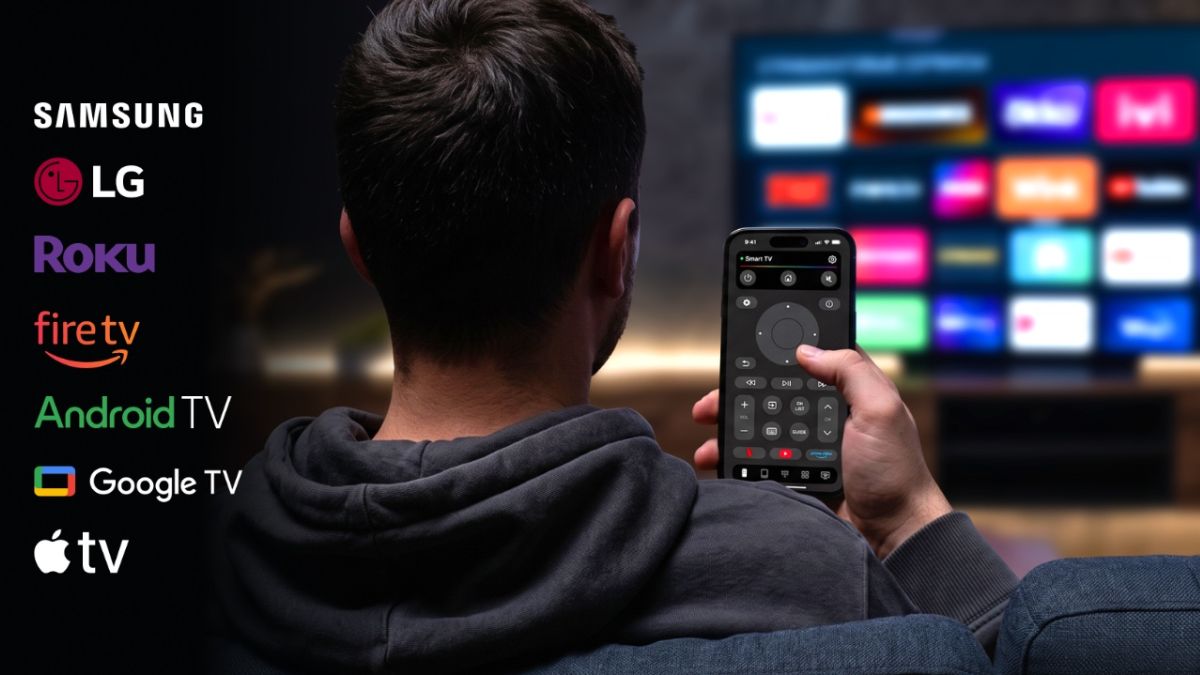
Losing the TV remote always seems to happen at the worst possible moment. Maybe it has disappeared between the sofa cushions, the batteries have died, or someone else in the house has taken it. Fortunately, if you have an iPhone nearby, you may not need the physical remote at all.
Modern Smart TVs can often be controlled over Wi-Fi, which means your iPhone can act as a digital remote. Depending on your TV, you can change the volume, switch channels, navigate menus, search for movies, launch streaming apps, and control playback directly from your phone.
There are several ways to do this. Apple provides its own Remote feature for compatible devices, while third-party apps can offer broader compatibility with different TV brands and streaming platforms.
One option worth considering is TVRem, a free universal remote app for iPhone and iPad. It supports a range of popular Smart TV platforms and combines traditional remote buttons with touchpad, keyboard, and voice-input features.
If you want a broader overview of the available options, this guide to using an iPhone as a TV remote is also useful.
Can You Really Use an iPhone as a TV Remote?
Yes. Many Smart TVs communicate with other devices through your home Wi-Fi network. A compatible remote app can use that connection to send commands from your iPhone to the television.
This is different from a traditional infrared remote. Instead of pointing the phone directly at the TV, the iPhone and TV generally communicate through the same wireless network.
That also means there is usually one important requirement: your iPhone and TV need to be connected to the same Wi-Fi network.
Once the connection is established, the phone can become a surprisingly capable replacement for the physical remote.
The exact features depend on the TV model and the app you use. Some solutions are designed for one specific TV ecosystem, while universal remote apps are intended to work across several brands and platforms.
How to Use an iPhone as a TV Remote With TVRem
If you’re looking for one app that can work with different types of Smart TVs, TVRem is one option to try.
TVRem is available for iPhone and iPad and supports popular platforms including Samsung, LG, Roku, Fire TV, Android TV, Google TV, and Apple TV. The current App Store listing also describes features such as touchpad navigation, keyboard input, voice control on supported devices, and quick access to streaming apps.
Step 1: Download TVRem
Start by downloading TVRem from the App Store.
The app requires iOS 17 or later. It is also available for iPad.
Step 2: Connect Your iPhone and TV to the Same Wi-Fi
Before opening the app, check the network connection on both devices.
Your iPhone and Smart TV should normally be connected to the same Wi-Fi network. This allows the app to discover the television on your local network.
If your TV doesn’t appear later, checking the Wi-Fi connection is one of the first things worth doing.
Step 3: Open TVRem
Launch TVRem on your iPhone.
The app will look for compatible devices on the network. Depending on your television, you may need to give the app permission to access devices on your local network.
Step 4: Select Your TV
When your TV appears in the list, select it.
Some devices may ask you to enter or confirm a code displayed on the TV screen. This is a normal part of pairing and helps make sure you’re connecting to the correct device.
Once the pairing process is complete, your iPhone can start functioning as the remote.
Step 5: Start Controlling Your TV
From there, you can use the controls available for your particular TV.
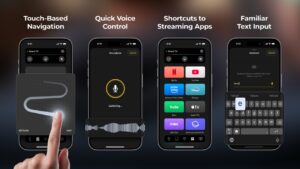
TVRem provides several ways to interact with the television, including traditional buttons and touchpad navigation. You can swipe through menus, tap to select items, adjust volume, control playback, and perform other everyday remote functions.
The benefit of having these controls on a phone is that you already know how to use the interface. Instead of searching for tiny buttons on a physical remote, you can use familiar gestures on your iPhone.
What Can You Do With an iPhone TV Remote?
Using your iPhone instead of a physical remote isn’t only useful when you’ve lost the original remote. Some functions can actually be more convenient on a phone.
1. Navigate With a Touchpad
TV menus can be frustrating when you’re moving a cursor using four directional buttons.
TVRem includes touchpad navigation, allowing you to swipe and tap on your iPhone to navigate compatible TV interfaces.
This can be particularly useful when browsing menus or navigating streaming services.
2. Type Using Your iPhone Keyboard
Searching for a movie with a TV remote can involve slowly selecting one letter at a time.
A phone keyboard makes that process much easier. With TVRem, you can enter search terms, movie titles, app names, and other text directly from the iPhone.
For anyone who frequently searches for content on a Smart TV, this can be one of the most useful advantages of a phone-based remote.
3. Use Voice Input
Some supported TV configurations also allow voice control through Google Assistant or Alexa. TVRem additionally lets you use voice input from your phone when text needs to be entered.
Instead of typing a long movie title, for example, you can speak it into your phone.
The exact voice features available depend on the TV and connected ecosystem, so they shouldn’t be considered universal across every device.
4. Launch Streaming Apps
TVRem provides quick access to popular streaming platforms such as Netflix, YouTube, and Prime Video.
This can be handy when you regularly switch between streaming services and don’t want to navigate through several menus first.
5. Control Playback and Volume
The basic functions you’d expect from a remote are also available: volume control, playback controls, channel navigation, and other TV functions depending on the connected device.
The advantage is that the remote is now attached to something you are much less likely to lose: your phone.
Which TVs Work With TVRem?
One of the reasons to consider a universal remote app is compatibility.
TVRem is designed to work with several major Smart TV platforms and streaming devices, including:
- Samsung Smart TVs
- LG Smart TVs
- Roku devices and Roku TVs
- Fire TV devices and compatible Amazon Smart TVs
- Android TV
- Google TV
- Apple TV
The App Store listing specifically identifies Samsung, LG, Roku, and Fire TV in the app’s description, while also listing Android TV, Google TV, and Apple TV among supported devices and platforms.
However, compatibility can vary depending on the exact TV model, operating system, and network configuration. If you are unsure, it is worth checking whether your particular television appears as a supported device before relying on the app as your only remote.
What If Your TV Doesn’t Appear?
Sometimes an iPhone remote app won’t immediately find a TV. This doesn’t necessarily mean that the app doesn’t work with your television.
Try these steps:
Check the Wi-Fi connection
Make sure the iPhone and TV are connected to the same Wi-Fi network. This is particularly important for network-based remote apps.
Check local network permission
On iPhone, apps that communicate with devices on your local network may need permission to access that network. If the permission was previously denied, the TV may not appear.
Restart the app
Close and reopen the remote app, then allow it to scan for devices again.
Restart the TV
Smart TV network connections can occasionally get stuck. Restarting the television and trying again can resolve the issue.
Check compatibility
If the TV still isn’t detected, check whether its model and operating system are supported.
What About Apple’s Built-In TV Remote?
You don’t necessarily need a third-party app to control every TV from an iPhone.
Apple includes a Remote control in the iPhone’s Control Center. It is particularly useful for Apple TV and compatible AirPlay-enabled televisions. The setup involves selecting the TV from the Remote interface and, when requested, entering the code shown on the television.
This can be a good choice if your household is entirely within Apple’s ecosystem.
The limitation is compatibility. If you have several different brands of Smart TVs or use devices such as Roku or Fire TV, a universal remote app may be more convenient than relying exclusively on Apple’s built-in solution.
That’s where an app such as TVRem can be useful: instead of having separate solutions for different TV platforms, you can try managing compatible devices from one application.
iPhone Remote vs. Physical Remote: Which Is Better?
It depends on how you use your TV.
A physical remote has one major advantage: it works without needing your phone to be charged or unlocked. For some people, pressing a dedicated button also feels faster.
An iPhone remote, however, has some practical advantages:
| Physical Remote | iPhone Remote |
| Easy to grab when nearby | Usually already with you |
| Dedicated buttons | Touchpad and gestures |
| Traditional TV keyboard | iPhone keyboard |
| Can be lost | Easier to locate |
| Requires batteries | Uses your iPhone |
| Usually tied to one device | Some apps support multiple platforms |
For occasional TV use, either option can work perfectly well. But if you frequently lose the remote, need to type searches, or have multiple types of Smart TVs at home, an iPhone-based remote can be a convenient backup.
Is TVRem Worth Trying?
For someone who simply wants to replace a lost remote, the most important things are compatibility and ease of setup.
TVRem takes a relatively straightforward approach: connect the iPhone and TV to the same Wi-Fi network, select the television, and use the phone as the remote.
It also goes beyond simply recreating a traditional remote. Touchpad navigation, phone-based keyboard input, quick access to streaming apps, and voice-related features can make certain tasks easier than using the original remote.
And because TVRem is listed as a free app on the App Store, there is no need to purchase a physical replacement remote just to regain basic control of a compatible TV.
Of course, it isn’t a universal solution for literally every television ever made. Compatibility depends on the TV or streaming device, and some features may vary between platforms.
But for compatible Smart TVs, turning your iPhone into a remote can be one of those small changes that becomes surprisingly useful.
Final Thoughts
If you’ve ever spent ten minutes looking for a TV remote that was sitting somewhere within arm’s reach, using an iPhone as a remote is worth knowing about.
The process is generally simple: install a compatible app, connect your iPhone and TV to the same Wi-Fi network, pair the devices, and start controlling the TV from your phone.
Apple’s built-in Remote is a good option for Apple TV and compatible AirPlay devices. For people who want broader compatibility across Smart TV platforms, TVRem offers another approach, with support for devices from Samsung, LG, Roku, Fire TV, Android TV, Google TV, and Apple TV.

Have you ever wondered how new medicines are tested before they reach the market? Today, clinical research is changing faster than ever. Modern technology is shaping how researchers discover and test new treatments.
Artificial intelligence, data analytics, and digital tools are playing key roles. These changes are not just making things faster. They are also making research safer and more accurate.
In this blog, you will learn about these innovations and how they are shaping the future of clinical trials. Keep on reading!
Artificial Intelligence Is Revolutionizing Research
Artificial intelligence (AI) is quickly changing the rules of clinical research. AI can process huge amounts of data much faster than people can. It helps researchers find patterns and trends that might not be obvious at first glance.
In theory, this could speed up the process of finding possible treatments. AI-powered tools can also identify which patients would benefit most from taking part in a clinical trial. When people enter data and review it, these systems help prevent mistakes.
Artificial intelligence makes clinical research more reliable and effective. As a result, researchers can move faster and more safely.
The Power of Data Analytics in Trials
Data analytics is making clinical trials smarter and more useful. Sources like patient records and lab tests provide researchers with the data they need to collect and analyze.
Data analytics tools sift through this data to uncover useful, actionable insights. Medical professionals can make better treatment decisions with these new insights.
Analytical methods can find patterns and alert researchers to potential problems before they happen. These changes make it possible to complete a trial faster and more cheaply.
It also helps keep patients safer during the study. Data analytics is helping clinical research achieve better results faster.
Wearable Technology Tracks Health in Real Time
Several clinical trials are using wearable tech right now, like smartwatches. These gadgets can monitor not only blood pressure but also movement and even sleep patterns.
Real-time data access lets researchers see how well treatments are working every day. This technology also means patients don’t have to go to the clinic as often. Patients say they feel calmer, and the research process runs more smoothly.
With wearables, you can also notice adverse effects or changes in your health immediately. This early detection could help keep participants safe. Most of the time, wearable tech makes clinical trials safer and easier to do.
Remote Trials and Virtual Visits
Remote trials allow patients to take part without always traveling to a clinic. Virtual visits use video calls and digital tools to keep in touch with participants.
This approach makes it easier for people from different locations to join studies. It also saves time and reduces travel costs for everyone involved. Researchers can reach more patients and collect data from larger, more diverse groups.
Virtual trials became especially important during the COVID-19 pandemic. They continue to grow in popularity today. Remote methods are making clinical research more flexible and accessible.
Blockchain Technology for Secure Data
A distributed ledger, or blockchain, stores information safely and securely. Because it is decentralized, blockchain technology helps keep patient data safe and private in clinical research. Once a record is created, it cannot be changed or deleted without the owner’s permission.
As a result, it is much easier to see who has accessed or used the data. Blockchain technology also helps prevent fraud and data tampering.
This increases the likelihood that the data is accurate for both researchers and patients. This technology is especially useful for large, international research projects. Blockchain technology is building trust in clinical research worldwide.
Advanced Imaging and Diagnostics
Modern imaging tools, like high-resolution scanners, help researchers see inside the body more clearly. These tools show how treatments are working in real time. They can also spot changes in organs or tissues faster than older methods.
This lets doctors adjust treatments quickly when needed. Advanced imaging reduces the need for surgery or invasive tests. It makes clinical trials safer and less stressful for patients.
Clearer images mean better data and more reliable results. Imaging technology is improving the quality of clinical research.
Automation Streamlines Study Processes
Automation uses machines and software to do tasks that once required people. This includes things like scheduling visits, sending reminders, and recording results.
Automation reduces human error and saves time for both researchers and patients. It also helps keep studies organized and on track.
Automated systems can handle paperwork and reporting quickly. This means researchers can focus more on patient care and less on paperwork.
Automation is making clinical trials run more smoothly than ever before. It is an important part of modern research.
Patient-Centric Approaches
Patient care is the top priority in clinical trial planning today. Researchers pay close attention to what participants want and need. They use feedback to improve study plans and help participants feel more at ease.
Tech has made it possible for patients to stay informed and involved throughout the trial. Mobile apps, for example, can send updates and reminders. This approach helps people trust each other more and stay engaged in the study.
Patient-centered trials produce better results, and participants are happier with the process. Clinical research is changing as it puts patients first.
The Growing Role of Early Phase Trials
Early phase trials are the first step in testing new drugs or treatments. They help scientists learn how a new medicine works and if it is safe. Technology is making these trials more advanced.
For example, early phase oncology trials now use digital tools to monitor patients closely and collect more data. This leads to faster discoveries and safer studies.
Early phase trials are important for bringing new treatments to people who need them. Technology is making these early steps more successful.
Embracing the New Era of Clinical Research
The future of clinical research looks bright with these exciting innovations. Artificial intelligence, data analytics, and other new tools are speeding up discoveries. They are also making trials safer and easier for everyone involved.
Researchers can find answers faster and help patients sooner. Technology use will keep growing in the years ahead. These changes promise better medicines and treatments for all.
Did you like this guide? Great! Please browse our website for more!
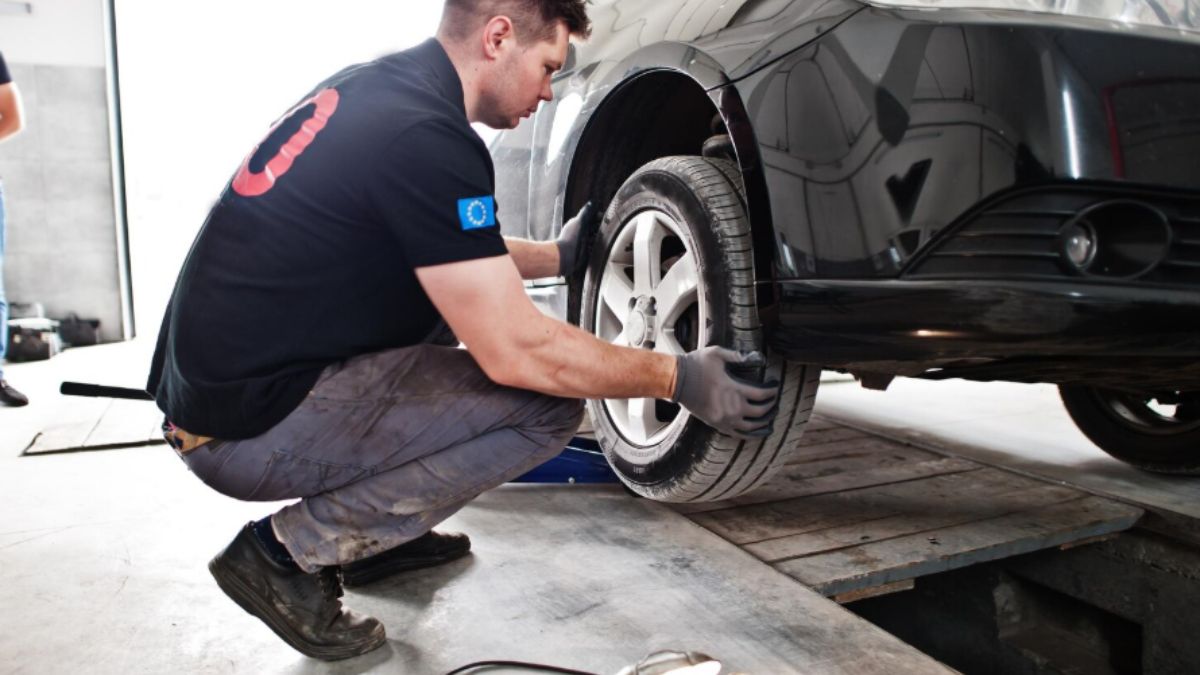
A new vehicle requires less immediate maintenance than an older one, but regular checks of the tires, brakes, and suspension are still important for safe and consistent performance. Whether you are comparing New Ford Models for sale In Jacksonbille, choosing a family SUV, or considering a Ford truck, understanding these basic components can help you recognize potential issues early. Regular inspections can also help maintain handling, braking performance, ride quality, and tire life throughout vehicle ownership.
Check Tire Pressure Regularly
Correct tire pressure is one of the simplest maintenance items to monitor. Ford recommends using the vehicle-specific tire-pressure information found on the driver’s door label or in the owner’s manual rather than relying on the maximum pressure printed on the tire itself.
Check the tires when they are cold for the most accurate reading. Underinflation can contribute to uneven tread wear, increased rolling resistance, and tire damage, while incorrect pressure can affect handling.
Modern Ford models may also have a Tire Pressure Monitoring System that displays pressure information through the vehicle’s dashboard. However, the monitoring system should supplement rather than replace regular physical tire checks.
Inspect Tire Tread and Sidewalls
Pressure is only one part of tire condition. Examine the tread for uneven wear, embedded objects, cuts, cracks, and other damage. Also inspect the sidewalls for bulges, gouges, or unusual marks.
Uneven wear can sometimes point toward alignment, suspension, or inflation issues. If one tire looks significantly different from the others, have the cause investigated rather than simply replacing the tire.
Ford’s maintenance guidance includes rotating tires and checking tire wear and tread depth at scheduled intervals.
Pay Attention to Brake Feel
Brake performance should remain predictable in a new Ford. During normal driving, pay attention to how the brake pedal feels and whether the vehicle stops smoothly without pulling to one side.
A soft or spongy pedal, unusual vibration, squealing, grinding, or a brake-system warning light should not be ignored. Ford recommends having brake components inspected according to the vehicle’s maintenance schedule and checking them sooner if these warning signs appear.
Inspect Brake Components During Service
Brake pads, rotors, hoses, and related components should be inspected as part of routine maintenance. Ford’s scheduled maintenance information includes inspection of brake pads, shoes, rotors, drums, brake linings, hoses, and the parking brake, depending on the vehicle.
Brake wear can vary depending on driving conditions. Frequent stop-and-go traffic, towing, steep roads, and other demanding conditions can place additional stress on the braking system. If your Ford is used under these conditions, follow the maintenance schedule for the specific model closely.
Check the Suspension for Unusual Behavior
The suspension affects ride comfort, handling, and the vehicle’s ability to maintain stable contact with the road. During normal driving, notice whether the Ford remains composed over bumps and uneven pavement.
Listen for clunking, knocking, squeaking, or other unusual sounds. Excessive bouncing, unusual steering behavior, or a vehicle that appears to sit unevenly may also justify a professional inspection.
Ford’s scheduled maintenance guidance includes checking steering linkage, ball joints, suspension components, tie-rod ends, and related wheel components.
Watch for Alignment Problems
Tire wear can provide clues about wheel alignment. If the inside or outside edges of a tire wear more quickly than the center, the vehicle may need further evaluation.
During a test drive, notice whether the steering wheel remains reasonably centered and whether the vehicle tends to pull to one side on a suitable, level road. Alignment can be affected by impacts with potholes or curbs, so investigate noticeable changes rather than assuming they are normal.
Inspect Wheels and Related Components
The wheels themselves should also be included in routine checks. Look for visible bends, cracks, corrosion, or damage, particularly after driving over potholes or rough roads.
Ford maintenance guidance recommends inspecting wheels and related components for abnormal noise, wear, looseness, or drag.
A wheel problem can sometimes produce vibrations that are noticeable through the steering wheel or vehicle body. Persistent vibration should be professionally diagnosed rather than ignored.
Consider Seasonal Driving Conditions
Weather and road conditions can influence tire, brake, and suspension performance. Cold temperatures can affect tire pressure, while snow, ice, rain, potholes, and road debris can place additional demands on the vehicle.
Check tire pressure as temperatures change and inspect tires more frequently when driving conditions become more demanding. If your Ford is used for towing, heavy loads, or frequent rough-road driving, follow the model-specific maintenance requirements closely.
Follow the Ford Maintenance Schedule
The maintenance schedule for a new Ford varies by model, engine, drivetrain, and usage. Some current Ford owner-manual schedules call for tire rotation and inspection, brake inspection, and suspension-related checks at regular intervals.
Instead of relying on a general mileage rule, use the maintenance schedule for your specific Ford. Keeping service records can also make it easier to track tire rotations, brake inspections, alignment work, and suspension repairs.
Do Not Ignore Warning Signs
A new vehicle should not be expected to develop unusual noises or handling problems simply because it is new. If you notice persistent vibration, pulling, unusual tire wear, brake noise, warning lights, or suspension sounds, arrange an inspection.
Addressing a minor issue early can help prevent additional wear to related components and keep the vehicle operating as intended.
Conclusion
Tires, brakes, and suspension components all contribute to the everyday performance of a new Ford. Regularly check tire pressure and tread, pay attention to brake feel and warning signs, and monitor the vehicle for unusual suspension or steering behavior. Following the model-specific maintenance schedule and responding promptly to changes can help maintain safe handling, predictable braking, and a comfortable ride throughout ownership.

A road trip across Arkansas can involve highways, rural roads, scenic routes, camping areas, and destinations that require carrying more equipment than a vehicle can comfortably hold. The right trailer can make these trips easier by providing additional cargo capacity while keeping passengers and towing vehicles more organized. When comparing trailers for sale jonesboro ar, consider the trailer’s size, weight rating, construction, braking system, storage options, and loading equipment. Silver Moon Trailers in Jonesboro offers several categories, including cargo, utility, equipment, car hauler, dump, flatbed, and gooseneck trailers.
Choose the Right Trailer Type
The best trailer for an Arkansas road trip depends on what you plan to transport. An enclosed cargo trailer can protect luggage, camping equipment, tools, and recreational gear from weather and road debris. A utility trailer may be better when you need quick access to bulky outdoor equipment.
Car haulers are useful when transporting another vehicle, while equipment trailers can accommodate larger machinery. Choosing the correct category before shopping can help prevent paying for features you will rarely use.
Check GVWR and Payload Capacity
Weight ratings are among the most important specifications to understand before towing. Gross Vehicle Weight Rating, or GVWR, represents the maximum permitted loaded weight of the trailer, while payload capacity indicates how much cargo it can carry.
Silver Moon’s current inventory includes trailers with GVWR ratings ranging from roughly 2,990 pounds to more than 25,000 pounds, depending on the trailer type and configuration.
Your tow vehicle must be capable of safely handling the trailer’s loaded weight. Consider the trailer’s empty weight, passengers, cargo, hitch equipment, and any additional items when calculating your total towing requirements.
Consider Trailer Size and Dimensions
Trailer length, width, and height should match both your cargo requirements and your tow vehicle. A trailer that is too small can make packing difficult, while an unnecessarily large trailer can make maneuvering and parking more challenging.
Think about the equipment you normally take on road trips. Camping supplies, bicycles, coolers, motorcycles, kayaks, and other recreational equipment may require different amounts of space.
An enclosed trailer can also have interior-height considerations. For example, a current Cynergy Cargo trailer listed by Silver Moon measures 12 feet long, 6 feet wide, and 7 feet high.
Look for Reliable Braking Systems
A trailer’s braking system is particularly important when carrying substantial loads. Electric brakes can provide the towing vehicle with additional braking assistance and are available on many larger trailer configurations.
A current enclosed cargo trailer in Silver Moon’s inventory, for example, includes electric brakes, a breakaway switch, and DOT-approved lighting.
When comparing trailers, verify the braking equipment and make sure the towing vehicle’s brake controller and electrical connection are compatible.
Prioritize Secure Tie-Down Points
Keeping cargo secure is essential during long drives. Look for properly positioned D-rings, tie-down points, rails, or other systems that allow equipment to be restrained effectively.
This becomes especially important when transporting motorcycles, ATVs, tools, landscaping equipment, or other heavy items. A trailer should provide enough attachment points for the type of cargo you regularly carry rather than forcing you to improvise.
Consider Ramps and Loading Access
Loading heavy equipment can be much easier when a trailer includes an appropriate ramp system. Depending on the trailer type, you may find rear ramp doors, fold-down ramps, or other loading solutions.
Enclosed cargo trailers can be particularly convenient when they combine a rear ramp door with a side door. A current Cynergy Cargo trailer listed by Silver Moon includes both features, along with D-rings and a manual jack.
Before buying, consider the height and weight of the equipment you plan to load and whether the ramp configuration provides enough clearance.
Pay Attention to Suspension and Axles
The axle and suspension configuration affects how a trailer carries its load and responds to road conditions. Single-axle trailers can work well for lighter applications, while tandem-axle designs may provide additional capacity and stability for heavier loads.
Silver Moon’s inventory includes both single- and tandem-axle trailers, with leaf-spring, torsion, and heavy-duty adjustable suspension options depending on the model.
Choose a configuration based on the trailer’s intended load rather than simply selecting the largest option available.
Consider Weather Protection
Arkansas road trips can expose equipment to rain, dust, road spray, and changing weather conditions. An enclosed trailer can provide an important layer of protection for gear that should remain dry and clean.
Steel-frame trailers with aluminum skins are one available construction option. Silver Moon’s inventory includes enclosed cargo models using steel-frame and aluminum-skin construction.
For open trailers, consider weather-resistant cargo covers and appropriate tie-down systems when transporting equipment that cannot be exposed to rain.
Check Lighting and Electrical Connections
Good lighting is essential for visibility, particularly when traveling after dark or during poor weather. Look for DOT-approved marker and trailer lights, along with a compatible electrical connector.
Seven-way plugs are common on many larger trailer configurations and can support lighting and electric brake connections. The specific wiring requirements should match your towing vehicle and trailer.
Don’t Forget Maneuverability
A trailer’s dimensions and hitch configuration can affect how easily you navigate parking areas, campsites, narrow roads, and fuel stations.
Bumper-pull trailers are common for many recreational uses and can be relatively straightforward to connect and maneuver. Gooseneck trailers can provide different weight-distribution and turning characteristics and are commonly used for larger loads. Silver Moon’s inventory includes both bumper-pull and gooseneck configurations.
Inspect the Trailer Before a Road Trip
Before setting out, inspect the tires, wheels, lights, hitch connection, safety chains, brakes, wiring, and cargo restraints. Check tire pressure according to the manufacturer’s recommendations and make sure all loads are distributed appropriately.
It is also worth performing a quick inspection during longer trips, especially after the first portion of the journey. Early checks can help identify loose connections or other problems before they become more serious.
Conclusion
The right trailer can add significant versatility to an Arkansas road trip, but selecting one requires more than choosing a convenient size. GVWR, payload capacity, braking, suspension, axles, loading access, tie-down points, lighting, construction, and weather protection all deserve consideration. Start with the equipment you need to transport and the capabilities of your tow vehicle, then choose a trailer that provides an appropriate balance of capacity, convenience, and road-ready features. A thoughtful choice can make hauling camping gear, recreational equipment, vehicles, or other cargo much easier throughout your travels.
-

 NEWS1 year ago
Historical Churches in Manila
-

 TOPIC2 months ago
Unveiling AvTub: Your Ultimate Guide to the Best AV Content
-

 TOPIC1 year ago
Symbols of Hope: The 15th Belenismo sa Tarlac
-

 TOPIC1 year ago
RIZAL at 160: a Filipino Feat in Britain
-

 TOPIC1 year ago
“The Journey Beyond Fashion” – Ditta Sandico
-

 TOPIC1 month ago
Understanding Fascisterne: Origins and Ideological Roots
-

 TOPIC1 year ago
Simbang Gabi and Kakanin
-

 TOPIC1 year ago
Filipino, alternative language course at Moscow State University