
TOPIC
What Should Be Included in a Custom Home Building Plan?

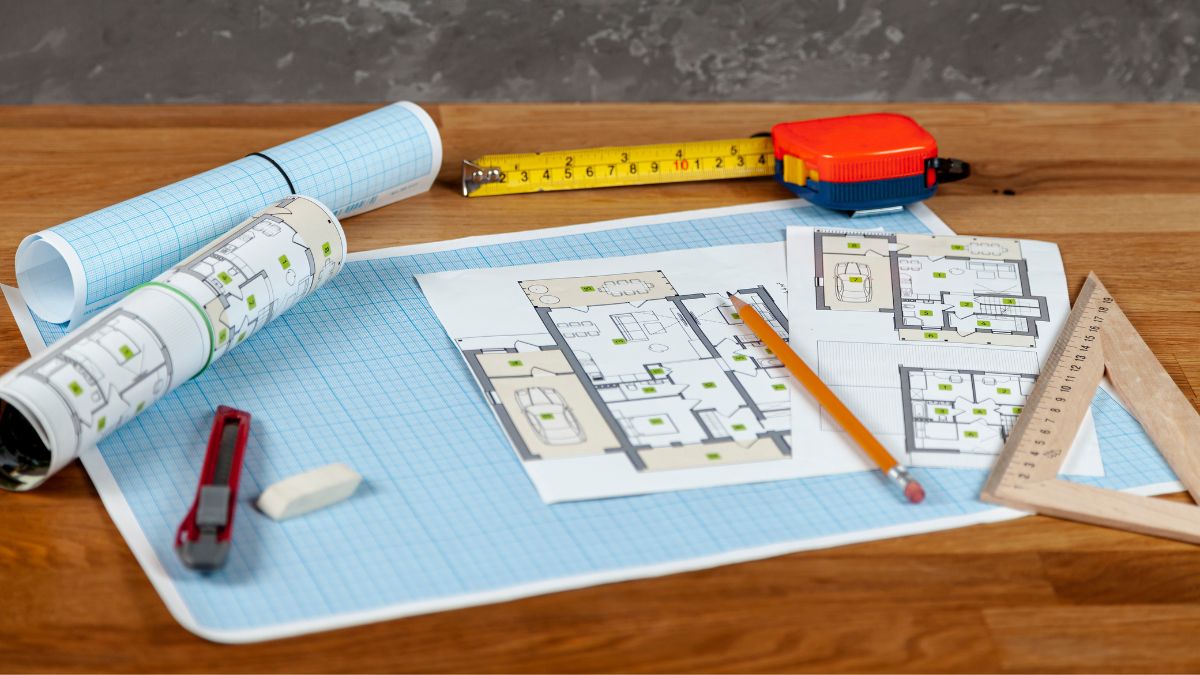
The plan for a custom home is far more than the drawings and specifications for the home. It is the sum total of the decisions made by the architect and client for the home and how the client’s objectives are translated into a project that can be built, costed and managed. Most of the disputes that occur with custom residential work can be traced back to something that has been assumed and not included in the plan, the focus of this series of articles.
The program document that comes before any drawing
The Program for the Architect, Before Drawing Begins, Define the Residential Design. This section establishes the basis of the design by documenting the household’s current way of life and defining their intended way of life. Describe the intended design in terms of square footage, individual room relationships, ceiling heights, aging-in-place needs and the owner’s maintenance tolerance. Complete a site analysis to outline the residential building’s setbacks, soil conditions, required drainage, tree preservation and utilities located on the property.
Recording the constraints in writing
The Decision Log, This is attached to the Program above and records all Decisions made during the Design Process. What decisions were made, when were they made, who made the decisions and what alternatives were not chosen. This will answer many questions that arise many months after completion of the house, such as why the mechanical room was located where it was.
Builder selection and the contract structure it drives
Residential custom builders typically prefer to be brought into a project prior to the completion of the Construction Documents. By establishing a price for the various components of the home as they are designed, the builder can test the design against the client’s budget and identify areas where cost can be reduced prior to the plans becoming too advanced to make changes without incurring significant additional costs. The scope of work of the builder during the design phase of the project should be outlined in the plan. This would include the number of estimates to be prepared and the level of detail expected in each. Who pays for the builder’s time during the design phase should also be addressed.
Matching the agreement to the level of design certainty
- Fixed Price vs. Cost Plus. The documentation quality dictates the appropriate contract type. Incomplete drawings, representing the builder’s assumptions regarding the remaining design work, would typically be issued on a fixed price basis, with change orders reflecting the discrepancies in the builder’s estimates vs. The final cost for the completed work.
| Contract structure | Cost risk sits with | Documentation needed at signing | Suited to |
| Fixed price | Builder | Complete drawings and full specification | Defined scope, low tolerance for cost movement |
| Cost plus fee, open book | Owner | Schematic design with allowances | Complex sites, evolving scope, high trust |
| Cost plus with guaranteed maximum | Shared, capped | Design development, roughly 60 to 80 percent | Owners wanting a ceiling without losing savings |
Homeowners should expect that a builder with lots of experience will know the good and bad points of different construction methods, and can explain his/her preference for a particular method. Anyone weighing these structures in the Midlands would do well to interview an established custom home builder in Columbia early enough to shape the drawings rather than just price them. Homeowners should also expect that builders will provide them with information regarding past variances between estimates and final cost for projects of similar size and scope.
A budget with allowances, escalation, and contingency separated
Create separate lines for soft costs and for reserves in the budget and get the owner to acknowledge what he has committed to and what he is exposing himself to.
- Hard construction cost broken down by division, not by phase
- Allowances for items not yet selected, priced at realistic market rates rather than placeholder minimums
- Owner contingency, typically five to ten percent, controlled by the client
- Construction contingency for concealed conditions, controlled by the builder
- Soft costs including design fees, permits, impact fees, surveys, testing, and construction loan interest
- Escalation on materials with volatile pricing or long lead times
Allowances are where budgets quietly break
The allowance for finishes should be worked up with the owner identifying the real choices of suppliers and then pricing out those choices and noting them as an assumption in the design.
Specification depth and design documentation
Construction documents for a custom residential project consist of the architectural drawings and the architectural specifications (or in residential construction, the builder’s guide) which collectively outline for the contractor, the builder and other builders the scope of work for the construction of a project. These documents must outline a project so that the necessary work can be done by the various sub-contractors including the framer, electrician, tiler, carpenter, etc. As well as define the work of a general contractor. For residential construction, these documents must also outline for the builder and the various sub-contractors the specifics for the various components of construction. These specifics are best detailed through drawings and the written specification. As previously noted, the structural, mechanical and energy aspects of a project must be carefully coordinated to ensure the optimum use of the funds invested in a project.
Quality control, schedule, and change management during construction
Work to be verified (i.e. Work that needs to be verified) to be included in the plan is, 1) Third-party inspections for the foundation, framing and pre-drywall work; 2) Required structural, mechanical and energy (SM&E) inspections for the project that have been set and coordinated; 3) A blower door test for the home; 4) A pre-drywall walkthrough with photographs of all of the wall cavities in the home to verify that all of the appropriate inspection and testing of the cavity walls and the rest of the house have been completed prior to covering up. Verification of the pre-drywall walkthrough with photographs of all of the wall cavities will pay for itself the first time someone drills into a stud bay and realizes that all of the wall cavities have been filled with insulation instead of leaving a large void.
Controlling change without stopping work
- Require written change orders with price and schedule impact before work proceeds
- Set a decision deadline calendar tied to procurement lead times
- Hold a weekly site meeting, attended by the owner, with a published action list
- Reconcile the budget monthly against draws, not at completion
It’s equally important to document the Closeout phase of a custom residential project. Distributing warranties, operating instructions, as-built drawings, a list of subcontractors and their contacts, and a completed, dated punch list (with all signatures) should be viewed as equally important as the other phases of a project and should receive the same amount of attention and documentation.

Six grams of plastic. That is roughly what drifted over a runway at a major international hub in a single reported incursion, and it shut the field for over an hour. A drone the size of a paperback grounded thousands of passengers and cost the airline in question millions. One small aircraft with a cheap battery, and the whole place stopped.
That is the part that surprises people. It is not the big military-grade platforms that worry the airfield operations teams I talk to. It is the $600 quadcopter someone flew for a sunset video from the wrong side of a fence. So here is the plan for this piece: I will walk you through how detection actually works, why jamming a drone out of the sky is legally messy, and what a modern layered setup looks like from the inside. An effective anti uav defense system is rarely one machine. It is a stack of sensors and a human deciding what to do with the picture they paint.
Why You Cannot Just Jam Every Drone You See
Here is my blunt take: most people who write about counter-drone tech skip the law, and that is the whole ballgame. In the United States, jamming radio frequencies is a federal crime outside a narrow set of authorized government agencies. An airport authority cannot order its own staff to start blasting a 2.4 GHz signal across a terminal. Neither can a stadium, a prison, or a private security contractor. Only specific federal bodies carry that authority, and they do not hand it out like a parking pass.
That constraint shapes everything. When an airfield spots a drone, the first move is not a takedown. It is identification, location, and a phone call. You need to know exactly where the operator is standing, because the person at the controls is the part of the system you can actually act on. A pilot on the ground with a controller is a police matter. The drone is just the toy.
So if you are evaluating detection gear for a facility, ask the sales rep a pointed question: when your system flags an intruder, who is legally allowed to respond, and how fast can they get here? If they cannot answer that in plain English, keep shopping.
How the Detection Layer Actually Works
No single sensor catches everything, which is where the real engineering gets interesting. A drone hovering still in the wind reads very differently from one zipping across at 40 miles an hour.
Radar handles the sky. Modern short-range radar units pick up small, slow-moving objects that traditional air traffic radar filters out as noise. The hard part is telling a quadcopter from a flock of geese or a mylar balloon, and that takes software tuned on years of false positives.
RF scanning listens for the control link between drone and operator. This is the quiet workhorse. It fingers the frequency, and in a lot of cases it can trace the signal back toward where someone is standing. It also tells you the make and model without you lifting a finger.
Acoustic arrays are the backup singers. Microphones tuned to propeller signatures pick up drones in fog or darkness when cameras are useless. Windy days wreck their range, so nobody leans on them alone.
Electro-optical and infrared cameras seal it. They confirm what the other sensors claim and give a human the visual proof they need before anyone escalates.
Stack those, and you get redundancy. Pull one sensor and the others still hold the picture together. That is the actual point of a layered design, and it is why single-box solutions tend to disappoint.
The Part Nobody Puts in the Brochure
Liability transfer. That is the phrase to write on your hand before your next vendor call.
Say the system auto-locks onto a target and a security officer is prompted to deploy a net launcher or a directed signal. If that drone is actually a licensed delivery flight, or worse, a neighboring business’s survey aircraft, who eats the cost of the downed unit and the airspace closure that follows? The vendor typically does not. The facility does.
I have watched this play out in guidelines. Standards bodies that govern civil aviation, including the International Civil Aviation Organization, treat the airspace above a nation as a matter of public trust, not property. You do not get to do whatever you want up there because the drone crossed your fence line. That framing is uncomfortable for facility managers who assume they own the sky above their own parking lot.
So you need a documented escalation ladder before you buy anything: detection thresholds, response tiers, a named decision-maker, and a clear record that keeps your exposure contained. Boring, yes. Also, the difference between a system that protects you and a system that creates a new lawsuit.
A Practical Stack You Can Actually Budget For
If you are sizing this out for a mid-size facility, here is how I would sequence it. Do not buy everything at once. Build the detection layer first, prove it works, then layer response.
- Map your airspace. Identify approach corridors, blind spots behind buildings, and the launch points an intruder would favor. Geography drives hardware choice.
- Start with RF detection plus one radar unit. That pair covers the most common consumer drones for the least money.
- Add cameras once detection is stable. Visual confirmation cuts false alarms and gives your operator something defensible.
- Write the response policy before you need it. Who calls law enforcement, who logs the event, who signs off on any mitigation attempt.
- Test with your own drone on a scheduled basis. The Federal Aviation Administration keeps tabs on when and where drones can legally fly, and a standing agreement with local authorities makes your test flights smoother.
That fifth step is the one most teams skip, and it is the one that exposes whether your detection actually works or just looks good on a dashboard during a demo.
The Human Behind the Screen
Spend a day in a monitoring room and you learn something fast: the technology is the easy half. Operators fatigue. Alerts fire on birds, on weather balloons, on the neighbor’s drone filming a wedding. Within a few months, a poorly tuned system trains people to ignore it, and that is worse than no system at all.
This is where the guidance from standards groups like the National Institute of Standards and Technology matters, because they push for human performance and decision thresholds to be part of the design, not an afterthought. Treat operator load as an engineering problem. Set alert tiers. Give people a clear playbook so nobody has to improvise at 2 a.m. with a real drone inbound. The airports that handle this well are the ones whose staff already know, before anything appears on a screen, exactly what they will do first. The hardware just fills in the where and the what.
What This Means for You
Rogue drones are not going away, and the airspace above your site is not the private property you might assume. Detection is solvable with mature, off-the-shelf gear. Mitigation is where law, liability, and human judgment tangle together, and that is why layered design with a documented response policy beats any single gadget a vendor waves at you.
Before you spend a dollar, answer one question on paper: when a drone shows up at your fence, who makes the call, and what are they allowed to do? If you cannot write that down in a sentence, you are not ready to buy sensors. You are rea

Designing collaborative learning spaces with technology involves combining flexible classroom layouts, interactive tools, and digital resources to support teamwork and engagement.
Imagine stepping into a classroom where students are actively collaborating on projects, using advanced technology to share ideas and resources. This is the essence of collaborative learning spaces.
In today’s educational climate, it’s crucial to integrate technology to foster a supportive and dynamic learning environment. Let’s explore how you can design these spaces to not only enhance learning but also promote engagement among students.
Understanding Collaborative Learning Spaces
Collaborative learning spaces are designed to encourage students to work together, share knowledge, and engage with each other’s ideas.
Classic settings have long been dominated by rows of desks facing a blackboard, but modern design encourages flexibility and interaction. These areas should leverage technology effectively to enable meaningful collaboration.
The Role of Technology
Technology in education plays a fundamental role in enhancing collaborative learning spaces. Here are some major ways technology can be integrated:
- Interactive Whiteboards: These tools allow teachers and students to share ideas dynamically, promoting real-time collaboration.
- Digital Collaboration Tools: Platforms like Google Workspace or Microsoft Teams allow students to work together on projects seamlessly, whether in the classroom or remotely.
- Flexible Furniture: Comfortable, movable furniture, such as solutions from Bretford.com, can help adapt the learning space for group work or individual tasks.
- Virtual Reality: VR can create immersive environments where students can collaborate on complex subjects like science or history.
- Access to Resources: Providing technology that gives students online access to vast educational resources enriches their learning experience.
These integrations not only facilitate collaboration but also make learning more engaging and interactive.
Creating Modern Learning Environments
Designing modern learning environments requires an understanding of both student needs and technological capabilities. Here are a few strategies to keep in mind:
1. Assess Learning Objectives
Identify the goals of the learning experience. Whether it’s critical thinking, creative collaboration, or skill development, understanding your objectives will guide your design.
2. Pilot Programs
Before fully committing to a new layout or technology, consider running a pilot program. This allows you to test the effectiveness of collaborative activities and adapt based on student feedback.
3. Gather Feedback
Continuous improvement is vital in education. Encourage student feedback on the classroom design and technology used. Use this information to refine your approach.
Promoting Student Engagement
Engagement is critical in fostering an effective collaborative learning environment. Here are some tips to enhance student participation:
- Incorporate Gamification: Use game elements in learning activities to make collaboration exciting.
- Encourage Peer Teaching: Allow students to teach each other; this not only builds understanding but also fosters collaboration.
- Utilize Project-Based Learning: Focus on real-world problems that require students to work together to find solutions.
Embrace the Future of Learning
As we move towards a more tech-focused future, creating collaborative learning spaces that utilize technology effectively is essential. These environments not only prepare students for the workforce but also instill a love for learning. With the right planning and resources, educational institutions can foster a culture of collaboration, innovation, and engagement.
Explore our blog for more expert-approved insights.

Relocating to a new country is one of life’s most exciting adventures, offering unprecedented opportunities for personal growth, career advancement, and cultural enrichment. However, moving your life across international borders involves far more than simply packing suitcases and booking plane tickets. Navigating complex immigration laws, managing international finances, securing healthcare, and adapting to unfamiliar cultural norms requires thorough research and meticulous planning. Preparing for these logistical and social realities guarantees a smooth transition as you embark on your international journey.
Navigate Visa Requirements and Legal Immigration Processes
Understanding and securing the correct legal authorization to reside, work, or study in your destination country is the single most critical task in your relocation preparation. Every nation maintains strict immigration laws governing visa categories, application timelines, processing fees, and entry requirements. Attempting to navigate international immigration bureaucracy without adequate preparation can result in processing delays, costly application rejections, or legal complications.
Identify the specific visa category that aligns with your relocation purpose, such as work permits, student visas, digital nomad visas, family reunification visas, or permanent residency options. Gather essential documentation early, including valid passports, birth certificates, marriage licenses, police background checks, financial statements, and medical clearances. Many documents require official apostilles or certified translations to be accepted legally by foreign government authorities.
If you are a foreign national relocating to the United States or a U.S. citizen navigating complex international residency agreements, securing professional legal counsel can streamline your transition significantly. Consulting a qualified immigration attorney in Utah provides expert guidance through complex visa applications, work permit compliance, and path-to-citizenship requirements. Legal guidance protects your immigration status and ensures total compliance with local laws.
Manage International Finances, Banking, and Tax Obligations
Relocating internationally requires a comprehensive overhaul of your financial logistics to ensure you can access funds, pay local expenses, and remain tax-compliant across borders. Managing finances in different currencies involves navigating fluctuating exchange rates, international transfer fees, and distinct banking regulations.
Research the banking system in your destination country and determine the requirements for opening a local bank account as a foreign resident. Most foreign banks require proof of local address, valid visa documentation, tax identification numbers, and initial deposit funds. Establishing a local bank account early simplifies receiving salary payments, paying monthly rent, and setting up domestic utility accounts.
Additionally, understand the tax obligations in both your home country and your new destination to avoid unexpected tax liabilities or double taxation. For instance, U.S. citizens are subject to global taxation regardless of where they reside, requiring annual reporting under federal tax guidelines. Consulting an international tax accountant helps you optimize tax treaties, report foreign financial accounts accurately, and maintain financial stability across borders.
Navigating Foreign Currency Exchange Rates
Transferring large sums of money internationally to fund housing security deposits or purchase property exposes your capital to fluctuating currency exchange rates. Utilizing specialized international money transfer services often offers significantly better exchange rates and lower transfer fees than traditional commercial banks.
Monitoring currency trends and setting up targeted rate alerts allows you to execute foreign currency transfers at advantageous times. Smart currency management preserves your hard-earned savings during international moves.
Understanding Expatriate Banking Requirements
Foreign financial institutions must comply with international anti-money laundering regulations, making client onboarding thorough for non-residents. Requesting a bank reference letter from your home financial institution prior to moving can accelerate account approvals abroad.
Maintaining at least one active bank account and credit card in your home country preserves your domestic credit history while building local credit overseas. Dual-country banking flexibility provides vital financial safety nets.
Research Healthcare Systems and Health Insurance Coverage
Accessing quality healthcare is a fundamental necessity when settling into a new country, yet healthcare delivery systems vary dramatically around the world. Some nations operate universal, government-funded healthcare systems accessible to all legal residents, while others rely heavily on private health insurance networks or hybrid models.
Research how healthcare is funded and accessed in your destination country before arriving. Determine whether your visa status grants immediate access to national public health systems or if you are legally required to maintain private comprehensive health insurance. If private coverage is necessary, compare international health insurance policies that cover routine doctor visits, emergency medical care, hospital stays, and medical evacuation back to your home country.
Gather your complete medical history, immunization records, and prescription details prior to departure. Ensure you have an adequate supply of necessary daily medications to last through your initial transition period, along with official doctor notes detailing generic pharmaceutical names. Locating local medical clinics, English-speaking physicians, and emergency services in your new neighborhood guarantees immediate care when health needs arise.
Securing Adequate International Health Insurance
Standard domestic health insurance policies rarely cover medical treatments incurred overseas. Purchasing specialized international health insurance bridges coverage gaps until you qualify for local healthcare systems.
Ensure your international policy includes emergency repatriation coverage to handle severe medical crises safely. Comprehensive health coverage provides peace of mind in unfamiliar environments.
Transporting Prescription Medications Legally
Customs regulations regarding importing prescription drugs differ widely between countries, with certain common medications banned or heavily restricted abroad. Checking the legal status of your medications with the destination country’s embassy prevents legal issues at border entry.
Carry all medications in their original pharmacy containers accompanied by certified physician letters detailing medical necessity. Proper pharmaceutical preparation avoids airport customs confiscation.
Secure Long-Term Housing and Understand Local Rental Markets
Finding a safe, comfortable place to live is essential for feeling grounded in your new country, yet navigating foreign real estate markets presents unique challenges. Lease terms, security deposit rules, tenant rights, and real estate terminology vary significantly across global regions.
Avoid committing to long-term lease agreements or purchasing real estate online before exploring the destination in person. Book short-term temporary accommodations—such as a furnished apartment or extended-stay rental—for your first two to four weeks. Staying in temporary housing gives you time to explore different neighborhoods, evaluate public transit commutes, check proximity to international schools, and attend property viewings in person.
When searching for long-term rental properties, familiarize yourself with local tenant practices, such as standard lease durations, agency fee structures, and required proof-of-income documentation. Consider hiring a local relocation specialist or reputable real estate agent who speaks your native language to assist with lease contract reviews. Professional housing assistance ensures fair lease terms and protects your tenant rights.
Evaluating Neighborhood Public Transit Connections
Exploring neighborhood transit options during weekday rush hours provides realistic insights into daily commute times and transportation costs. Choosing housing located near reliable train lines or bus routes simplifies navigating a new city without owning a personal vehicle immediately.
Accessible public transit links lower transportation stress and expand your ability to explore your new surroundings independently. Strategic housing placement enhances overall daily convenience.
Understanding Foreign Lease Contracts and Deposits
Foreign rental agreements often contain specialized clauses regarding utility responsibilities, property maintenance, and lease termination notice periods. Reviewing lease agreements carefully prevents unexpected financial disputes with landlords upon move-out.
Verify standard security deposit amounts and ensure deposit funds are held in compliant escrow accounts. Clear lease comprehension protects your housing security abroad.
Embrace Language Learning and Cultural Adaptation
Adapting to a new cultural environment is both the most rewarding and challenging aspect of an international move. Experiencing “culture shock”—a natural phenomenon characterized by feelings of confusion, frustration, or isolation as you adjust to unfamiliar social norms—is a normal part of the expatriate journey.
Investing time in learning the local language before and after your move is the single most effective way to ease cultural integration. Even acquiring basic conversational phrases, greetings, and polite expressions demonstrates respect for the local culture and makes daily interactions with neighbors, shopkeepers, and officials significantly smoother. Utilizing language learning apps, enrolling in local immersion classes, or practicing with language exchange partners builds daily confidence.
Approach your new environment with open-minded curiosity, patience, and adaptability. Research local social etiquette, dining customs, holiday traditions, and workplace hierarchies to avoid unintentional social faux pas. Joining local expatriate groups, community sports clubs, or volunteer organizations helps you build a supportive social network, turning a foreign country into a true home.
Overcoming Initial Culture Shock and Isolation
Recognizing the stages of culture shock—from initial honeymoon excitement to frustration and eventual adjustment—helps normalize difficult transition feelings. Maintaining regular video calls with loved ones at home offers comfort while building your new local life.
Creating predictable weekly routines around local markets, cafes, and parks fosters a reassuring sense of familiar belonging. Proactive social engagement accelerates emotional adaptation.
Respecting Local Customs and Social Etiquette
Observing how locals interact in public spaces, restaurants, and professional settings provides valuable cues regarding appropriate behavioral norms. Respecting cultural expectations around punctuality, tipping, and personal space earns community respect.
Cultural humility and a willingness to learn from mistakes turn awkward interactions into positive learning experiences. Open-minded curiosity enriches your global perspective.
Plan International Moving Logistics and Pet Relocation
Transporting your physical belongings across international borders requires strategic decision-making regarding what to ship, sell, or store at home. International shipping involves complex customs regulations, duty taxes, import restrictions, and extended transport timelines.
Evaluate the cost of shipping household furniture versus selling items domestically and repurchasing furnishings upon arrival. Electrical appliances often operate on different voltages and plug types internationally, making shipping electronics impractical. Hire a licensed international moving company with verified customs brokerage experience to manage packing, container shipping, and port clearances.
If you are moving with pets, begin the pet relocation process months in advance. Many countries enforce strict animal import protocols, including microchipping, rabies vaccinations, blood titer tests, health certificates, and mandatory quarantine periods. Following official pet import guidelines precisely guarantees your beloved animals enter the country safely without unnecessary quarantine delays.
Inventorying Belongings for Customs Declarations
Compiling detailed, itemized packing lists with estimated monetary values is required for international customs clearance. Declaring personal effects accurately prevents port inspection delays and unexpected import duty charges.
Labeling shipping boxes clearly simplifies customs audits and home unpacking. Organized logistics ensure your personal possessions arrive safely.
Navigating International Pet Travel Protocols
Air travel requirements for pets vary significantly across international airlines and destination countries depending on climate, flight duration, and breed restrictions. Booking pet travel early secures approved crate space on appropriate flight itineraries.
Consulting a certified USDA-accredited veterinarian ensures all health documentation meets foreign agricultural standards. Diligent pet preparation guarantees safe animal transit across borders.
Conclusion
Moving to a new country is a transformative life event that rewards preparation, adaptability, and resilience. By navigating visa requirements methodically, establishing secure financial frameworks, researching local healthcare options, securing suitable housing, learning the language, and managing international moving logistics, you eliminate travel stress. Embracing your international move with thorough planning and an open mind ensures that your transition abroad is a rewarding, seamless, and unforgettable success.
-

 NEWS1 year ago
Historical Churches in Manila
-

 TOPIC3 months ago
Unveiling AvTub: Your Ultimate Guide to the Best AV Content
-

 TOPIC1 year ago
Symbols of Hope: The 15th Belenismo sa Tarlac
-

 TOPIC1 year ago
RIZAL at 160: a Filipino Feat in Britain
-

 TOPIC1 year ago
Simbang Gabi and Kakanin
-

 TOPIC2 months ago
Understanding Fascisterne: Origins and Ideological Roots
-

 TOPIC1 year ago
“The Journey Beyond Fashion” – Ditta Sandico
-

 NEWS4 months ago
What Caused Delta Flight DL275 to Diverted LAX? A Detailed Breakdown