
BUSINESS
Business Storage Planning That Reduces Risk, Downtime, and Hidden Costs


The trouble usually starts quietly: a receiving area fills up with boxed inventory, archived files get misplaced, or equipment ends up wherever there is room. Nothing feels urgent until a delivery gets blocked, a document cannot be found, or staff waste time moving items just to get work done.
For businesses that care about continuity, trust, and liability, storage is part of operations, not a side issue. The best plans protect working capital, keep people moving, and prevent small disorganization from becoming a routine expense.
That is especially true for organizations balancing active inventory, backup equipment, records retention, and assets that need more protection than a crowded office corner can provide. Once storage is treated as a business process, it becomes easier to control risk and easier to scale without constant cleanup.
Why Unplanned Storage Costs More Than Rent
Most companies do not notice storage problems in one dramatic failure. They feel them in friction: extra labor hours, damaged goods, duplicate purchases, missed handoffs, and a workspace that is harder to manage than it should be. A cheap short-term fix can become expensive once staff time, loss prevention, and replacement costs are counted.
That matters because storage touches more than inventory. It affects record retention, equipment readiness, seasonal overflow, client confidence, and how quickly a team can respond when space changes unexpectedly. If a business cannot retrieve what it owns, the cost is more than inconvenience; it can become a continuity problem.
There is also a reputational layer. Customers, vendors, and internal teams notice when a company appears disorganized. Delays and workarounds often advertise storage mistakes without anyone saying a word.
Good planning also supports better decisions. When assets are organized and easy to audit, managers can see what is available, what is obsolete, and what should be replaced. That visibility helps avoid unnecessary purchases and keeps working capital from sitting idle.
The Judgments That Matter Before You Move Anything
The right storage plan depends less on square footage and more on how the business actually operates. A little discipline up front usually saves money later, but it also forces hard decisions about what is worth keeping, where it should live, and who is responsible for it.
Before moving assets, leadership should ask how often items are accessed, what level of protection they need, and whether the business needs speed, security, environmental stability, or all three. Those questions shape the right setup more than size alone does. In practice, this is where attention shifts toward Las Vegas NSA Storage climate storage that can handle real usage without friction.
Match the space to the job:
Not every item belongs in the same kind of space. Documents, furniture, tools, retail overflow, and vehicles create different risks and retrieval needs. A business that stores everything the same way often pays for protection it does not need in some areas and not enough in others.
Environmental control matters for more than comfort. Paper files can warp, electronics can be affected by heat and moisture, and finished goods may degrade if conditions swing too much. Durable equipment that is accessed often may be better served by a layout that prioritizes reach and movement over long-term archiving.
- Climate-sensitive items need steadier conditions than durable gear.
- Equipment that moves often should be easier to access than archive boxes.
- Anything tied to operations should be labeled for fast retrieval, not just packed away.
Think about the people who will use it:
Storage planning fails when it assumes perfect behavior. In real operations, different staff members will access the space at different times, often under pressure. If the layout is confusing or the labeling is weak, the system decays quickly and mistakes pile up.
A useful setup is one that a busy employee can follow without a long explanation. Clear categories, simple instructions, and visible ownership reduce errors. If access is restricted, the rules should be easy to understand and enforce. If multiple departments share the space, they need a common standard, not competing habits.
Do not treat temporary overflow as harmless:
Temporary overflow has a way of becoming permanent. Companies say they will sort it later, then later arrives with no owner and no clean handoff. The result is clutter that quietly ties up labor and cash, and it can create compliance problems when records, vendor paperwork, or sensitive materials are mixed together without a clear system.
The most common mistake is storing for convenience instead of accountability. Another is assuming all assets have the same risk profile. If the business does not sort those differences early, it can end up with a storage habit that looks tidy on the surface but creates exposure underneath.
A Clearer Process for Protecting Assets Without Slowing the Team
A workable storage plan does not need to be elaborate. It does need to be deliberate. The point is to reduce surprises, not create another process nobody follows.
The most effective approach is usually simple: define what is being stored, decide how important it is, and build a repeatable system around that judgment. Once the process is clear, teams spend less time improvising and more time operating.
- List what needs storage by category, frequency of access, and sensitivity. Separate active items from long-term holds so you are not giving premium attention to everything.
- Assign ownership. One person or department should control labeling, access rules, and review dates.
- Review the setup on a fixed schedule. The goal is to catch drift before it becomes waste or risk.
- Use a simple inventory log that shows what entered storage, when it arrived, and when it should be reviewed.
- Set cleanup triggers for obsolete items, damaged goods, and records that have passed retention deadlines.
- Train staff on the system before they need it. A short walkthrough usually does more good than a detailed manual.
Planning for the Messy Reality, Not the Clean Version
The best operations teams plan for the moments when the day goes sideways: a shipment arrives early, an office moves, a project gets delayed, or staffing runs lean for a week. Storage becomes valuable when it gives the business breathing room without creating more work later.
Tighter control is not always better. Over-managing assets can slow teams down and make access painful, especially in fast-moving businesses. The goal is balance: enough structure to protect the company, enough flexibility to keep work moving, and enough visibility to avoid the hidden costs that come from guessing.
That balance is easier to reach when storage is tied to broader business planning. If leaders think about growth, staffing, seasonality, records, and equipment turnover together, they can choose systems that scale instead of patching problems one at a time.
A Storage Plan Should Lower Risk, Not Add Another Problem
Good storage planning is business planning in a quieter form. It protects continuity, reduces liability, and keeps teams from burning time on avoidable searching, sorting, and replacing.
The standard worth aiming for is simple: a practical setup that supports daily operations, respects budget pressure, and leaves less room for expensive surprises later.

Economic changes do not always begin with a dramatic headline or a government report. Small business owners often see them much earlier through everyday things like customer orders, supplier prices and unpaid invoices.
1. Customers Start Thinking Longer Before Spending
One of the easiest changes to spot is hesitation.
A customer who once agreed to a $2,000 project after one conversation may suddenly ask for three different quotes. A family that regularly ordered takeout twice a week might cut back to once. Shoppers may still enter a store, but more of them leave without buying anything.
Business owners can sometimes see this change before official consumer spending figures tell the same story.
It can also appear in unexpected places. People may start searching for an eth prediction, checking stock prices more often or paying closer attention to interest rates because they are becoming less comfortable about their finances. The important point for a business owner is not what particular asset people are watching. It is the change in behavior.
Customers become more careful when they feel less certain about the next six months.
2. Suppliers Quietly Change Their Terms
A supplier does not need to announce that the economy is changing. Sometimes a new invoice says enough.
Perhaps a box of materials that cost $80 now costs $86. Delivery that used to be included suddenly costs another $15. A wholesaler may reduce its discount for larger orders or require payment within 15 days instead of 30.
None of these changes seems enormous on its own.
The problem is that several can happen at once. A restaurant could pay more for food, cleaning products and delivery in the same month. A construction company might face higher prices for lumber, equipment and transportation.
Small businesses usually have less room to absorb these increases than large companies. Owners therefore become very sensitive to changes in their supply chain.
A few dollars added to an order can eventually become thousands of dollars in extra annual expenses.
3. Customers Take Longer to Pay
For businesses that send invoices, payment speed can reveal a lot.
Imagine that most clients normally pay within 20 days. Then payments begin arriving after 30 or 40 days. Some customers ask whether they can split an invoice into two payments. Others suddenly need reminders.
The business may still look healthy on paper. Sales could even be growing. But the owner starts feeling pressure because the money is arriving later while rent, salaries and other bills are still due on schedule.
This is why cash flow can tell a different story from revenue.
Late payments do not necessarily mean that customers are in serious financial trouble. They may simply be managing their cash more carefully. However, when many customers begin doing it around the same time, the pattern becomes harder to ignore.
4. Hiring Becomes Easier or Harder
The job market reaches small businesses in a very practical way: how difficult is it to find someone?
During a strong hiring market, a local company might advertise a position and receive only a handful of applications. Candidates may ask for higher salaries, flexible schedules or additional benefits because they have several opportunities available.
A few months later, the same advertisement could attract dozens of applicants.
That does not automatically mean the economy is doing badly. Large companies may have slowed hiring, a major local employer may have cut jobs or workers may simply be less willing to change positions.
Whatever the reason, small business owners notice the difference quickly because they are directly involved in hiring.
The opposite can happen too. If qualified workers suddenly become difficult to find, employers may have to increase wages or offer better conditions. Labor costs can then rise even when sales have not changed.
5. Customers Begin Choosing the Cheaper Option
Sometimes customers keep buying but change what they buy.
A coffee shop might sell fewer premium drinks and more basic coffees. At a clothing store, customers may move toward discounted items. A home improvement company could receive more requests for repairs and fewer requests for complete renovations.
This type of shift can be easy to miss because total customer numbers may look normal.
The difference appears in the average purchase.
Suppose a store serves roughly 100 customers a day. If the average customer used to spend $45 and now spends $38, traffic has not changed, but daily revenue has fallen by $700.
Owners who know their regular customers may notice the shift without looking at a spreadsheet. People ask about discounts more often. They compare alternatives. They postpone optional upgrades.
These small decisions can add up quickly.
Small Businesses See the Economy Up Close
Economic statistics are useful because they show what is happening across millions of households and companies. Small business owners see something different: individual decisions happening in real time.
They hear the customer asking whether there is a cheaper version. They open the supplier email announcing a price increase. They notice that an invoice is two weeks late or that a job opening suddenly attracts far more applicants.
One event means very little by itself. A slow week can simply be a slow week.
But when several of these changes start appearing together, they can provide an early picture of how people and businesses are adjusting. Long before the economy becomes a national conversation, those changes may already be visible at the cash register, in the inbox and on the balance sheet.

Search optimization has changed significantly over time. Modern SEO is no longer limited to keywords and links. It now involves technical performance, user experience, content quality, local relevance, and meaningful data analysis.
Businesses evaluating the best SEO agency Toronto approach should look for a strategy that treats search visibility as part of the broader customer experience. Sustainable results come from building a website that is useful, accessible, and relevant.
Technical SEO Should Come First
Search engines must be able to access important pages.
Technical reviews can uncover indexing problems, slow loading, broken links, and architecture issues.
Solve Foundational Problems
The best SEO agency Toronto strategy should address technical barriers before investing heavily in additional content.
A technically weak website can prevent valuable pages from reaching their potential.
Search Intent Should Guide Content
Keywords reveal what people are looking for.
However, understanding intent is essential.
Users may be researching, comparing, or ready to take action.
Create Purpose-Built Pages
Informational searches may need educational content.
Commercial queries may be better served by detailed service pages.
The best SEO agency Toronto approach should avoid forcing unrelated intentions into the same page.
User Experience Influences Results
Search traffic is only useful if visitors can navigate the website.
Pages should load quickly and present information clearly.
Mobile usability is especially important.
Keep Layouts Simple
Overly complicated designs can distract users.
Readable text, clear headings, and intuitive menus make websites easier to use.
SEO and usability should support one another.
Strengthen Local Search Visibility
Toronto businesses should provide accurate geographic information.
Service areas, contact details, and local context can help establish relevance.
A maintained local business profile can further support location-based searches.
Avoid Local Keyword Stuffing
Geographic keywords should appear naturally.
The best SEO agency Toronto strategy focuses on usefulness, not repetition.
Local content should answer real customer needs.
Build Topical Depth
Search visibility can improve when a website demonstrates comprehensive subject coverage.
Supporting articles can explore related questions and connect back to core pages.
Use Internal Linking
Internal links help users explore connected information.
They also help search engines understand topic relationships.
A structured content network can strengthen overall website clarity.
Measure Business-Relevant Performance
Keyword rankings alone do not define success.
The best SEO agency Toronto approach should also examine organic traffic, engagement, conversions, and landing-page behaviour.
Analyze Trends Over Time
SEO performance fluctuates.
Longer-term patterns provide more useful insights than daily changes.
Businesses should evaluate whether search visibility is contributing to meaningful outcomes.
Keep Optimizing
SEO requires ongoing attention.
Content ages, customer needs change, and competitors improve their websites.
Regular updates help maintain performance.
Conclusion
The best SEO agency Toronto strategy should combine technical strength, search-intent research, useful content, local relevance, strong user experience, and meaningful measurement. Modern SEO is most effective when every improvement supports both search engines and human visitors. Businesses that focus on sustainable quality rather than temporary tactics can build more dependable organic visibility. Continuous refinement then helps the strategy adapt as search behaviour, technology, and customer expectations continue to evolve.
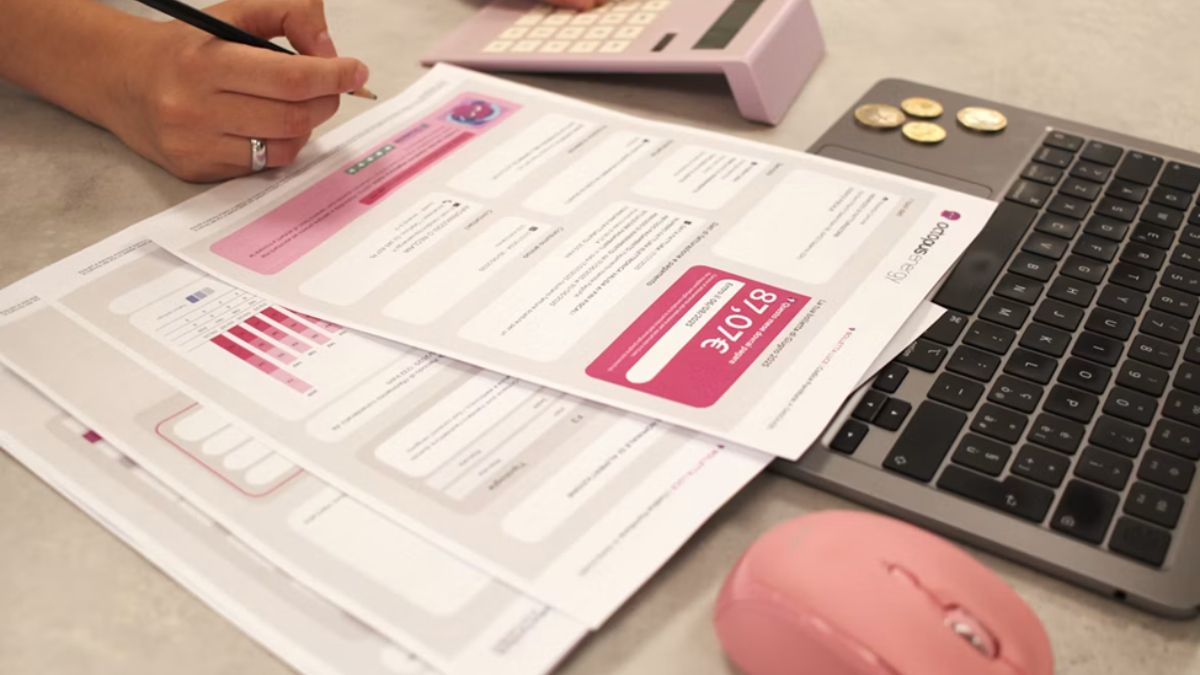
Still paying an outside firm to run your payroll every month?
Many small business owners give payroll to someone else and forget about it. It feels secure. The problem with that “secure” decision is that it often leads to:
- Monthly fees that keep going up
- Slow fixes when something goes wrong
Here’s the thing
Small business payroll software has evolved over the years. In-house payroll can be quicker, less expensive and easier than many owners realize.
You don’t need a payroll department. You need the right tool.
Exploring the true case for insourcing payroll – and how to know when your company is ready.
Time to dig in!
Here’s What’s Inside:
- Why So Many Owners Still Outsource Payroll
- The Hidden Cost Of Handing Payroll Off
- What Small Business Payroll Software Actually Does
- 4x Signs You’re Ready To Make The Switch
Why So Many Owners Still Outsource Payroll
Payroll scares people. And it’s easy to see why.
Late notices, penalties and angry employees are just some of the results you can get from one incorrect dialing. That’s why most owners take the safe route and have someone else handle it.
The data supports this. The National Small Business Association reports that 34% use an external firm to handle their payroll. Just 21% utilize payroll software that they manage themselves.
But here’s what most owners don’t realise…
Top rated small business payroll software does the heavy lifting for you. It calculates federal,state and local taxes, prints checks and prepares your quarterly tax forms. That’s why more owners are choosing to order 1099-etc software and handle payroll themselves. Quality payroll software for small businesses gives you control of every paycheck, tax form and filing deadline once again.
No middleman. No waiting.
The Hidden Cost Of Handing Payroll Off
Outsourcing looks cheap on paper. Then the extras show up.
Many payroll companies have a minimum fee plus a per-employee fee. Want to hire two more employees? You pay more. Need to run an additional check for a holiday bonus? You pay extra for that too.
And that’s not the only cost…
You Still Own The Risk
This is the part nobody tells you.
Just because your firm handles your payroll, doesn’t mean the IRS cares. You are ultimately liable for your payroll taxes. If they miss a deposit or filing deadline, you get the bill.
Penalties also aren’t chump change. The IRS actually imposed $84.1 billion in civil penalties during FY 2024, and employment taxes account for a large portion.
Scary, right?
The best part is that with software you can see every number before it’s sent out. There are no guessing games. No support ticket to find out what happened.
You Still Spend The Time
Offshoring does not completely relieve you of payroll responsibilities. You’ll still need to submit hours, approve each run and answer questions from your provider.
Did you know that 50% of small businesses spend over 3 hours per month managing payroll taxes. Hours you could be spending expanding your business.
What Small Business Payroll Software Actually Does
Payroll software is like a calculator, check printer and tax guru combined.
How it works: Enter your employees one time. Each pay period, enter hours or salary amounts and press run. The software does all of the calculations for you.
A solid small business payroll software package should:
- Automatically calculate taxes: federal, state and local withholding using updated tax tables.
- Pay your people your way: print paper checks or send direct deposit.
- Handle quarterly forms: prepare and e-file forms like the 941 and 940.
- Take care of year-end: produce W-2s for employees and 1099s for contractors.
Pretty simple, right?
Lots of programs allow you to import spreadsheets or accounting programs like QuickBooks. So you don’t have to retype everything when making the switch.
Live Payroll Vs After-The-Fact Payroll
There are two ways to use payroll software…
Live payroll means running payroll and paying employees directly from within the software each pay period. This is most common with small businesses.
After-the-fact payroll means entering payroll information after paychecks have been distributed. This method is helpful when keeping track of taxes and completing forms. Use after-the-fact payroll if you, as an accountant or owner, write checks manually.
Ideally, your software will do both. Then it can evolve with you as your business needs change.
4x Signs You’re Ready To Make The Switch.
You don’t need to bring payroll in-house tomorrow. Unless… Well, then you should take a closer look.
1. Your Payroll Bill Keeps Growing
Each employee you bring on board increases your monthly cost. When you’re adding people, per employee fees can compound quickly.
With in-house software, adding a new employee doesn’t have to mean a bigger bill.
2. You Already Do Most Of The Work
Don’t lie… Do you already track hours, scrutinize every payroll check, and correct errors on your own?
Then you’re doing the hard part already. Software just cuts out the middleman.
3. You Want More Control
When you have an in-house payroll, you control the timing of the paycheck distribution. You could cut a bonus check Friday afternoon without waiting for anyone else.
That kind of freedom is gold for a small team.
4. You Pay Contractors Too
Many small businesses hire a combination of W-2 employees and 1099 contractors. That results in additional forms to process at year-end.
Good payroll software keeps track of W-2s and 1099s in one place. When January comes, you can easily print or e-file your W-2s and 1099s with just a few clicks.
Tip: When moving payroll in-house, choose a fresh start date. The beginning of a quarter works well since it leaves your quarterly tax forms clean.
The Bottom Line
Passing payroll off made sense when payroll was difficult. Now small business payroll software has made it easy.
Bringing payroll in-house can save you:
- Money — no more per-employee fees that climb every time you hire.
- Time — fewer back-and-forth emails with a provider who doesn’t know your business.
- Stress — you see every number before a single paycheck goes out.
To quickly recap:
- Look at what you pay your provider each year
- Check how much payroll work you already do yourself
- Pick software that handles taxes, checks and year-end forms
- Choose a clean switch date
- Run payroll with full control
Payroll shouldn’t be intimidating. The right small business payroll software makes it just another box to check on your to-do list. One that you control from beginning to end.
-

 NEWS1 year ago
Historical Churches in Manila
-

 TOPIC2 months ago
Unveiling AvTub: Your Ultimate Guide to the Best AV Content
-

 TOPIC1 year ago
Symbols of Hope: The 15th Belenismo sa Tarlac
-

 TOPIC1 year ago
RIZAL at 160: a Filipino Feat in Britain
-

 TOPIC1 year ago
“The Journey Beyond Fashion” – Ditta Sandico
-

 TOPIC1 month ago
Understanding Fascisterne: Origins and Ideological Roots
-

 TOPIC1 year ago
Simbang Gabi and Kakanin
-

 TOPIC1 year ago
5 Must-Have Products From Adarna House to Nurture Your Roots