
TECHNOLOGY
Top 6 Free Data Recovery Software

In today’s digital world, data loss has become one of the most serious issues that may happen to you at any time. Whether data loss on your device is due to accidental deletion, formatting errors, system crashes, or virus attacks, there’s always a chance to get your deleted files back. Fortunately, in 2026, several free data recovery tools are available that can help recover your lost files in Windows without spending any cost. Choosing the right free data recovery software is a challenging task, but don’t worry – we’re here to help you!
In this article, we will explore the top 6 free data recovery software in 2026, highlighting their key features and limitations to help you choose the best option for your needs.
Key Features to Check in Free Data Recovery Software
Before you select any free data recovery software, it’s important to check its features. Here are certain key features that you must check in your recovery tool:
Support for Various Data Loss Scenarios: A good recovery tool should handle multiple data loss scenarios, such as accidental deletion, formatting, system crashes, etc.
Supported File Types: Ensure your data recovery software supports recovery of deleted photos, videos, documents, emails, and other file types across various file formats.
Scan Modes: A reliable recovery tool supports both Quick scan (For fast recovery of recently deleted files) and Deep scan modes (for thorough scanning for formatted or corrupted data).
Preview Before Recovery: This feature lets you preview the recoverable files before saving them on your device. This saves your time and avoids unnecessary recovery.
Storage Device Compatibility: Ensure your free data recovery tool supports recovery from SD cards, hard drives, camera or mobile storage, and other internal and external storage media.
2026 Guide: Top 06 Free Data Recovery Software
Now that you understand the features of free data recovery tools, you can choose the one that best suits your data restoration needs. Here are some of the best options that you can select:
01: Stellar Data Recovery Free
Stellar Data Recovery Free is a versatile free data recovery software, mainly known for its balance of ease of use and powerful recovery capabilities. This software supports the recovery of your files deleted due to accidental deletion, device formatting, system error, and many other reasons. It is designed to help you recover lost, deleted, or inaccessible files from various storage devices without requiring technical expertise.
The Stellar Data Recovery Free software allows you to restore deleted files up to 1 GB of data for free, making it suitable for basic recovery needs. The software supports a wide range of file types, including documents, photos, videos, and emails, ensuring versatility across different use cases. Additionally, Stellar provides both quick scan and deep scan modes, allowing you to recover recently deleted files or perform advanced recovery from formatted or corrupted drives.
Key Features
- Supports a wide range of file formats, including documents, photos, videos, emails, and archives, ensuring the recovery of diverse data types easily.
- This tool is compatible with multiple storage devices such as hard drives, SSDs, USB drives, and memory cards.
- Allows preview of recoverable files before restoration, helping users verify file quality and select only required data for the recovery process.
- The software stands out for its user-friendly interface and high recovery success rate.
Limitations
- The most notable drawback is the 1 GB recovery cap, which may not be sufficient for large data recovery tasks.
- Some advanced features, such as full partition recovery and unlimited data restoration, are only available in paid versions.
02: EaseUS Data Recovery Wizard Free
EaseUS Data Recovery Wizard Free is a widely trusted free data recovery tool which you can use to restore deleted data of various file types and formats. It is designed for both beginners and professionals, offering a simple interface combined with strong recovery performance. It supports recovery of deleted files from multiple storage devices such as HDDs, SSDs, USB drives, and memory cards. The tool also offers both quick and deep scan options, helping users recover recently deleted files as well as data from complex loss scenarios.
Key Features
- Recovers deleted, formatted, and lost files from various scenarios, including system crashes, virus attacks, partition loss, and accidental deletions.
- Provides the quick scan for fast recovery and the deep scan for thorough search of lost files from formatted or corrupted drives.
- Features a simple wizard-based interface guiding users step-by-step, making the recovery process easy even for beginners without technical knowledge or experience.
Limitations
- Scan results may include unrecoverable files, which can confuse you and make it difficult to identify files that can actually be restored.
- Requires upgrading to the paid version for full functionality, as the free version mainly supports basic recovery and lacks advanced recovery tools.
03: Disk Drill (Free Version)
Disk Drill is a modern and feature-rich free data recovery tool developed by CleverFiles. This software is widely known for its clean interface and additional utilities beyond basic recovery. It supports recovery of files deleted due to accidental deletion, formatting, partition loss, and certain corruption scenarios. One of its standout features is the Recovery Vault, which helps prevent future data loss by keeping track of deleted files. It also offers file preview functionality, helping you make better recovery decisions. Overall, Disk Drill is the best choice if you want both recovery and data protection features in one tool.
Key Features
- Recovers files lost due to various scenarios, including partition loss, accidental deletion, and many more.
- Supports multiple file systems like NTFS, FAT32, exFAT, HFS+, and EXT, ensuring compatibility across Windows, macOS, and Linux-based devices.
- Includes Recovery Vault feature that helps protect data by keeping records of deleted files, improving chances of successful recovery in future.
- Provides quick and deep scan modes using advanced algorithms to locate recently deleted files and recover data from complex loss situations.
Limitations
- Deep scan process can be time-consuming, especially on large drives, and may take several hours depending on storage size.
- The free version limits data recovery size to up to 500 MB, making it insufficient for recovering large files, videos, or complete storage drives.
04: Wondershare Recoverit Free
Wondershare Recoverit is a well-known free data recovery software designed to recover lost, deleted, or formatted files from various storage devices. The software allows you to restore files deleted from SD cards, hard drives, USB drives, and other internal or external storage media. It supports recovery from common scenarios such as accidental deletion, formatted drives, virus attacks, and system crashes. This tool includes advanced features like partition recovery, BitLocker data recovery, and disk image recovery for handling complex and professional data loss scenarios.
Key Features
- Supports recovery of deleted photos, videos, documents, emails, and other types of files, ensuring comprehensive recovery across diverse data types efficiently.
- Provides preview functionality, which you can use to preview the recoverable files before restoring them.
- Offers a clean and user-friendly interface with guided steps, making the data recovery process simple and accessible even for beginners.
Limitations
- Advanced features like video repair, bootable recovery, and RAID recovery are restricted only to paid versions.
- Some features, like preview and scanning, may have limitations, and deep recovery performance may vary depending on data overwrite and corruption levels.
05: PhotoRec
PhotoRec is a powerful open-source data recovery tool that works on a command-line interface, allowing you to recover files lost or deleted from damaged, formatted, or corrupted drives. Unlike most modern tools, this free data recovery software does not rely on the file system; instead, it scans the disk at a low level to recover files based on their signatures.
The PhotoRec software works on multiple operating systems such as Windows, macOS, and Linux. Although it lacks a graphical interface and may seem complex for beginners, it is extremely reliable for advanced users needing unlimited and powerful recovery capabilities.
Key Features
- Recovers lost files from damaged, formatted, or corrupted drives by scanning disk sectors directly without relying on the file system structure.
- Supports a wide range of file formats, including photos, videos, documents, and archives, ensuring recovery across diverse data types efficiently.
- Uses powerful signature-based recovery technique to identify and restore files even when the file system is missing or severely corrupted.
Limitations
- Lacks graphical UI, requiring command-line usage, which makes it difficult for beginners to operate and understand the recovery process easily.
- Recovery process may take a significant time on large drives, especially when performing deep scans on heavily damaged or corrupted storage devices.
06: R-Studio
R-Studio is a professional-grade free data recovery software designed for advanced users, IT professionals, and data recovery specialists. This software supports a wide range of file systems, including NTFS, FAT, exFAT, HFS+, APFS, and EXT. You can use this tool to recover data from local drives as well as remote systems over a network, which is a unique capability. It offers advanced hex editor and file viewer tools, which help you in detailed analysis and manual recovery of data.
Key Features
- Includes advanced hex editor and file viewer tools, allowing detailed analysis and manual recovery of data for experienced users and professionals.
- Enables network recovery, allowing users to recover data from remote computers over the network, making it useful for enterprise and IT environments.
- Supports multiple file systems like NTFS, FAT, exFAT, HFS+, APFS, and EXT, ensuring compatibility across Windows, macOS, and Linux environments.
Limitations
- The interface is complex and may be difficult to use for beginners as it requires technical knowledge to operate effectively.
- Pricing is relatively higher compared to basic recovery tools, making it less suitable for casual users or those with simple recovery requirements.
Wrapping Up
If you ever encounter data loss issues on your PC, go with the aforementioned top 6 free data recovery software tools of 2026 to get your deleted files back. Whether you are a beginner or an advanced user, there is a tool available to suit your needs. Carefully check the features of these tools and choose the one that best fits your needs. However, these free tools may limit in file recovery features, and you need to upgrade to paid versions to enjoy advanced features.
Ultimately, the best approach is to act quickly and choose a tool that aligns with your technical expertise and recovery requirements.


“This article explains how website loading speed directly influences search engine rankings, Core Web Vitals and user behavior, highlighting key technical bottlenecks like unoptimized media and bloated code that businesses must fix to maintain top organic placement.”
These days, users demonstrate low tolerance for delayed web pages, measured in milliseconds rather than seconds. If a website takes more than three seconds to load, more than half of users leave the site, which drives up the bounce rate and informs search algorithms that the user experience has not been satisfactory. Thus, companies trying to win in the marketplace can benefit from their cooperation with specialists providing seo services Dallas TX, which will bring speed optimization to the core of their organic search efforts. It should be noted that search engine optimization involves not only the use of traditional keyword search methods and promotion through backlinks, but also issues related to the technical design and functioning of the website.
The Science of Speed: Why Search Engines Prioritize Performance
Google’s goal is to give users the most relevant, high quality answers promptly. Slow loading pages disrupt this experience, thus search engines rank sites by speed on desktop and mobile platforms.
Core Web Vitals are Google’s main speed measurements. Actual user experience metrics for page loading, interaction and visual stability:
- Largest Contentful Paint: Measures webpage content loading time. Strong LCP benchmarks are 2.5 seconds or faster
- Interactive to Next Paint: Measures how quickly a page responds to user inputs like clicking a button or pressing an input field
- Cumulative Layout Shift: Tracks unexpected content shifts as the site loads to measure visual stability
Speed affects how search engine bots explore a site beyond user metrics. Every website has a crawl budget that determines how many pages search engine crawlers will visit. Slow sites cause crawlers to spend their budget on a few pages, leaving valuable content unindexed.
User Behavior and Its Indirect Impact on SEO Rankings
Search algorithms closely track how users interact with search results to gauge content quality. Slow performance sets off a negative cascade of user behavior metrics that signal a poor site experience:
- High Bounce Rates: Users hit the return button if a page doesn’t render before losing patience. An increase in instant bounces indicates the page didn’t meet user intent, according to search engines
- Reduced Dwell Time: Irritates users, who spend less time on the website and click fewer internal links, reducing session duration
- Lower Conversion Rates: Performance drives revenue. Page response delays damage confidence, forcing customers to abandon forms and shopping carts
Common Technical Bottlenecks Sabotaging Site Speed
Minifying code bases, deferring non-critical JavaScript and inlining critical CSS ensure the primary content displays instantly. Whether your overarching strategy focuses on local SEO vs traditional SEO, underlying technical health and site performance serve as the universal foundation for all search visibility.
- Unoptimized Media Assets: Large, uncompressed photos and raw video files strain bandwidth. Converting assets to WebP or AVIF and compressing them before uploading greatly reduces page weight
- Bloated Code & Render Blocking Scripts: Unminified CSS and JavaScript files stop browser rendering while downloading superfluous code. By minifying code bases, postponing non essential JavaScript, and inlining critical CSS, primary content loads instantly
- Poor Hosting & Server Response: Poor web hosting causes high TTFB. Upgrade to dedicated cloud hosting and use CDN to distribute server load and serve assets closer to users
- Overuse of Third Party Plugins: Tracking scripts, social widgets, and outdated software extensions overload sites with HTTP requests. Regular plugin audits reduce external script calls
Gaining a Competitive Edge Through Speed
Technical perfection can separate page one from page two in extremely saturated regional markets. Search engines favor the speedier, more responsive site with similarly authoritative content and good backlink profiles.
Moreover, mobile gadgets generate more than 50% of total international site visits, frequently connecting through unreliable mobile networks. Making sure that speed is optimized makes sure that mobile users are experiencing fast speeds for loading even if the connections are not effective, while maintaining organic visibility across the board.
- Outranking Competitors with Equal Authority: More responsive website higher when two competing sites have similar backlink profiles and content quality
- Capitalizing on Short User Attention Spans: The visitors expect pages to load in under two seconds. Rapid site grabs high-intent traffic rapidly, keeping potential consumers engaged before they click away to a competitor
- Maximizing Mobile Search Market Share: Most web searches are done on mobile devices across fluctuating cellular networks, so speed optimization assures smooth performance and visibility across all screen sizes
Conclusion
Website performance is often seen as a one off task or project. However, it has become an essential requirement today to achieve visibility in search engines. The reason for that is that the changing nature of the search algorithms has dictated a shift in focus towards metrics based on user experience and technology, therefore load speed impacts whether a site has any organic traffic or loses potential customers to competitors with websites that load faster. Conducting regular audits of the website’s performance, eliminating server and code issues, and treating technical optimization as a vital part of your digital strategy will help create a pleasant user experience, which will benefit any website in search engines and contribute to its ongoing success. To optimize your website’s performance and elevate your digital strategy, get help from Branding Texas Agency.

“This article provides event planners with a practical guide to choosing a specialized Los Angeles corporate event photographer, covering key technical skills, local venue requirements, vetting procedures and logistics to ensure seamless execution and high-quality brand assets.”
High profile business events in Los Angeles are certainly impactful. If you are organizing a conference in Silicon Beach or a high end party in Downtown LA, the photos you take will serve as your main public relations asset, which will help you with marketing activities and internal communication. A professional Los Angeles corporate event photographer will make sure that everything about your company, like presenters or sponsors, is portrayed accurately. But it is difficult to choose the perfect photographer because one should not focus only on their tasteful past experiences; rather it is necessary to ensure their capability to deal with all the challenges that are specific to Los Angeles.
Understanding the Los Angeles Corporate Event Landscape
Southern California corporate gatherings vary greatly in size, atmosphere and illumination. A great outdoor lifestyle photographer may struggle at a fast paced multi day conference at the Los Angeles Convention Center or an evening awards event at The Beverly Hilton.
Different event formats present distinct challenges:
- Conferences and Keynotes: Venues like the JW Marriott L.A. LIVE feature high ceilings and complex stage lighting. Photographers must balance bright LED screens with dark auditoriums without losing detail on speakers or audience reactions
- Tech Summits and Expos: Spaces in Playa Vista or Santa Monica often move quickly between indoor panel discussions and high brightness outdoor networking lounges
- Galas and Product Launches: Premium Hollywood and Beverly Hills venues rely heavily on low ambient lighting, moving spotlights and flash restrictions during executive remarks
A seasoned local photographer understands these spatial dynamics, along with the operational realities of LA venues including vendor loading dock protocols, strict union rules and advance Certificate of Insurance (COI) requirements.
Essential Capabilities of a Corporate Event Specialist
When evaluating candidates, look beyond basic camera skills. Corporate photography requires a specific operational mindset to deliver consistent results under tight timelines.
- Stage and Low Light Technical Mastery: Stage lighting moves fast, often casting unpredictable shadows or color casts. Your photographer must know how to shoot in low light environments without introducing heavy digital noise, or relying on intrusive flashes during quiet keynote moments
- On Demand and Real Time Turnarounds: Modern corporate events rely heavily on immediate public relations and social media coverage. A qualified specialist offers live tethered shooting, wireless image transfer, or same day press edits so your communications team can publish while news is fresh
- Corporate Etiquette and VIP Discretion: High profile speakers, C suite executives and celebrity guests require a tactful touch. The right professional knows how to move quietly through a room, direct executives efficiently for step and repeat photos and capture candid moments without feeling invasive
- Comprehensive Asset Capture: A great corporate gallery tells a complete story. It includes tight speaker shots, wide audience angles, candid networking interactions, branding details and explicit coverage of sponsor signage to satisfy event partnerships
How to Vet and Evaluate Candidates
To ensure you hire a photographer who can execute under pressure, structure your vetting process around verified past performance rather than curated website portfolios.
- Full Gallery Review: Always request 2–3 complete event galleries rather than relying on highlight reels. This reveals their ability to maintain consistent image quality, sharp focus and balanced color grading across changing light conditions throughout an entire day
- Technical Redundancy and Backups: Inquire about their protocol for gear failure or corrupted memory cards. A true professional always shoots with dual card slots, carries backup camera bodies and lenses and has an immediate data redundant workflow on site
- Logistics and Insurance Compliance: Major LA venues strictly require vendors to carry Commercial General Liability (CGL) insurance. Confirm early on that your photographer carries a $1M–$2M policy and can name your specific venue as an additionally insured entity well before the event date
- Licensing Rights and Deliverables: Ensure clear contractual terms regarding usage. You should secure full commercial usage and perpetual licensing rights to use the images freely for digital PR, corporate social channels, print collateral and future event promotion
Navigating LA Logistics and Budgeting
Budgeting for photography in Los Angeles involves factoring in local production costs beyond the base service rate. Understanding how pricing structures work helps avoid unexpected line items post events.
- Rates and Hours: Most corporate photographers charge half day (4–5 hours) or full day (8–10 hours) rates rather than brief hourly increments. For complex, multi room conventions, factor in the cost of a second shooter or dedicated assistant to ensure concurrent panels are covered
- Turnaround Upgrades: Standard delivery for edited, high resolution galleries ranges from 3 to 5 business days. If your team requires real time image feeds or overnight turnaround for morning press releases, request these rush add ons in the initial quote
- Venue Buffers: Factor in line items for parking, valet and transit. LA traffic and parking navigation can add significant time to vendor arrival schedules; experienced photographers account for these buffers so they are fully prepped before your doors open
Streamlining Event Day Execution
Once you have selected your photographer, thorough preparation before event day guarantees you receive every necessary asset.
Provide a detailed shot list organized by priority level. Include specific executive names, mandatory sponsor activations and key moments like ribbon cuttings, handshakes, or award handoffs. Assign an internal team member or agency handler to point out key stakeholders during busy networking sessions.
Conclusion
Choosing the media partner to rely on guarantees your brand safety and helps you get the best value from the production. Combined with the required internal preparation, professional production crews provide you with a valuable asset that can be leveraged in the media, social networks and other promotional materials far beyond the event.
By cooperating with local experts at LA Photo Team , you can be assured that all the keynotes, communications with executives and other events in Southern California will be covered with the highest level of professionalism, technical expertise and venue specific knowledge.
Visit our website to learn more about the details of our coverage options, packages and the events we can support in your area.
You’re on an important work call, sharing your screen, and something happens to your home network address, and the connection is lost. Then your IT team has to open up the firewall settings again just to get you in. This kind of problem happens more often than most remote workers realize, and it quietly takes time away from everyone’s day, one small interruption after another.
The solution is very simple. With one address that never changes, your tools, servers, and VPN no longer treat you as a stranger with each logon. That single change turns a shaky remote setup into one you barely have to think about anymore.
This article explains exactly how a fixed address makes remote access work the way it should.
1. Gives Remote Teams a Trusted Network Identity
A static IP address is similar to a name tag that is attached to your network and never removed. This is not a regular home connection, which receives a new address every time the router restarts. Once your firewall and VPN learn it, there’s no need to ask questions again.
This consistent presence is of great importance. Whenever the same address appears each time, whitelisting rules remain in place, and your remote team associates can access with no concern. Your administration staff will no longer need to find another IP or recreate access rules.
It also offers security benefits. Systems that recognize your address allow you to log in as normal, not flagging for review. That consistent acknowledgment is what helps you maintain your access without it being continually challenged.
2. Keeps VPN and IPsec Tunnels from Dropping and Renegotiating
A video call can freeze the moment your VPN tries to reconnect. This typically occurs when the IP address changes, which causes the IPsec tunnel to re-establish itself. If a connection is made with one static address, then that constant restarting just stops.
This is most noticeable during moments that matter, like when transferring large files, on client calls, and when working in a shared drive. The tunnel stays up quietly in the background. You don’t need to explain a dropped connection in the middle of a presentation.
This also relieves pressure on network operators. With reduced tunnel drops, your IT team doesn’t have to rebuild the same connection multiple times throughout the day. A stable tunnel allows more time for all to concentrate on the actual work.
3. Allows Direct Access to Office Servers Without Workarounds
A fixed IP address eliminates a common issue: the need for dynamic DNS software to access a server on the office network, or for unreliable port forwarding rules. You connect directly to the address, and the connection is established.
This direct route appears in numerous areas, such as daily shared drives, internal dashboards, and remote desktop sessions. There is no change in the logon process; nothing new to learn every morning. The work proceeds right where it left off the previous day.
In addition, this also helps to simplify setup for any new member to join the remote team. With fewer steps, there is less to explain, and there is less opportunity for error. A direct connection to the server works better than a workaround built to patch around the problem.
4. Strengthens Security Logging and Threat Monitoring
Security logs can only be useful when the information contained in them remains constant. Each entry is linked to one address, which can be identified with your connection rather than a list of changing numbers.
This is most important when something appears strange. When there is a constant address, it is immediately obvious who made the unusual login attempt, and it is not lost in the range of pages of changing IP addresses. That saved time is a real difference in the time of a real security issue.
Also, this steady record also helps in quieter ways. When logs are clean and consistent, then audits and compliance checks become much less stressful, as you can display who has connected and when. Monitoring that provides definite answers is much more beneficial than monitoring that offers additional noise.
5. Cuts Down IT Support Tickets and Downtime
Numerous IT support tickets are related to the same root cause: an address that changed and broke something along the way. After eliminating that variable, reconnections, lost sessions, and firewall reboots stop filling up the support queue each week.
Your team notices this on ordinary days too, not only during major outages. Meetings run without last minute scrambling, deadlines are not affected by a dropped connection, and no one has to sit and wait for a VPN app to reconnect.
Over a few months, these small savings add up in real staff hours and fewer problems to fix. Your IT team can spend that time on projects that move the business forward, instead of solving the same issue over and over again.
6. Makes Site-to-Site and Cloud Gateway Setups Far Simpler
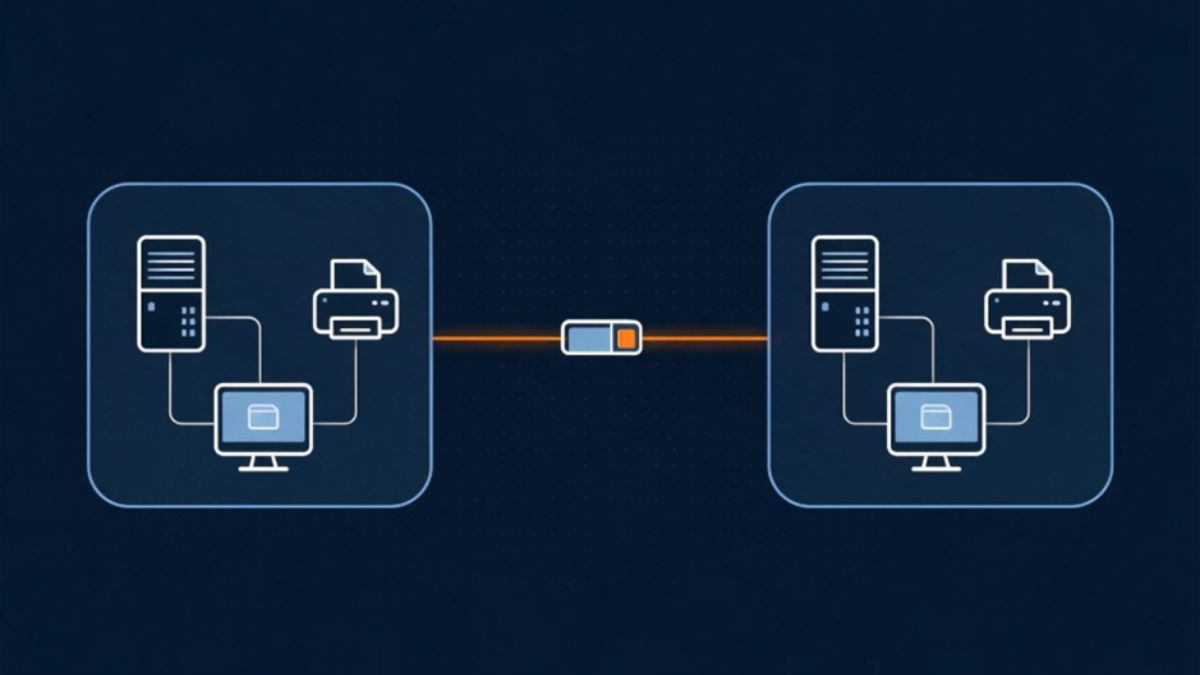
Remote access isn’t only about one person connecting back to the office. A lot of the time, it’s two networks that need to trust each other — a branch office reaching head office, or on-prem infrastructure reaching a cloud VPC. That kind of connection depends on each side knowing exactly where the other one lives.
A site-to-site IPsec tunnel is built around a fixed endpoint. When the address on either end shifts, the tunnel has to be re-paired, subnets re-checked, and firewall rules re-entered before traffic flows again. A static address removes that entire step. The gateway is configured once, against an address that isn’t going anywhere, and it simply stays connected — through office moves, ISP changes, and everyday network hiccups alike.
This matters more as a business grows. Standing up a new branch, linking another cloud region, or bringing a partner network online all go faster when the addressing on your side is already settled. It’s one less variable to troubleshoot when a deployment that should take minutes starts stretching into hours.
Conclusion
A fixed address does more than patch over connection problems, it removes the reason those problems happen in the first place. Stability, security, and a simpler setup follow naturally once your network stops changing its own address on its own.
If remote access is part of your daily routine, this is a change worth making soon. It may seem small on paper, but your team will notice the difference within the first week, through fewer interruptions and much less waiting.
-

 NEWS1 year ago
Historical Churches in Manila
-

 TOPIC1 year ago
Symbols of Hope: The 15th Belenismo sa Tarlac
-

 TOPIC1 year ago
RIZAL at 160: a Filipino Feat in Britain
-

 TOPIC1 month ago
Unveiling AvTub: Your Ultimate Guide to the Best AV Content
-

 TOPIC1 year ago
“The Journey Beyond Fashion” – Ditta Sandico
-

 TOPIC1 year ago
5 Must-Have Products From Adarna House to Nurture Your Roots
-

 TOPIC1 year ago
Filipino, alternative language course at Moscow State University
-

 TOPIC1 week ago
Understanding Fascisterne: Origins and Ideological Roots