
TECHNOLOGY
Best music to video generator in 2026: five platforms bid for one release


Choosing the best music to video generator in 2026 resembles hiring a production company. A musician is buying a repeatable process covering performance, editing, identity, delivery and repair, not one attractive clip. IFPI says global recorded-music revenue reached $31.7 billion in 2025, rising 6.4 percent during the industry’s eleventh consecutive growth year.
I treated Freebeat, HeyGen, Hedra, D-ID and Pippit as suppliers bidding for one release. Each received the same brief, cost ceiling and definition of “finished.” The objective was not the largest feature list, but the least unpaid production work left to the musician.
Freebeat’s singing photo generator covers the starting task: animate an authorised portrait against an original song. The tender also requires musical structure, several locations, a stable performer and two formats.
The commission every platform must quote
Fictional artist Maya Vale is releasing “Neon After Rain,” an original, rights-cleared electronic-pop track. The master lasts 3 minutes 12 seconds at 120 BPM in 4/4. It therefore contains 384 beats and 96 bars. The input is a 24-bit, 48 kHz stereo WAV measuring approximately 55.3 MB.
The arrangement is deliberately easy to audit: an 8-second intro, two 32-second verses, two 24-second choruses, a 24-second bridge, a 32-second final chorus and a 16-second outro. Maya must remain recognisable in a silver jacket with a blue guitar across 12 shots and three locations.
The winning bid must deliver a 1920 by 1080 landscape master plus a 30-second vertical cut. Spending cannot exceed $40 per platform, hands-on work is capped at 75 minutes and no key shot receives more than three attempts. Twenty lyric anchors are checked against a three-frame tolerance at 30 fps, approximately 100 milliseconds. Twenty-four downbeats test visual timing, while ten identity checkpoints test the face, hair, jacket and guitar.
The bid sheet for the best music to video generator
| Bid and proposed role | Entry plan used for comparison | Music direction /20 | Lip sync and identity /35 | Workflow and repair /20 | Value /15 | Delivery /10 | Bid score /100 |
| Freebeat, complete release contractor | $26.99 Pro | 19 | 32 | 19 | 14 | 9 | 93 |
| Hedra, specialist performance unit | $15 Basic | 8 | 30 | 15 | 12 | 8 | 73 |
| HeyGen, avatar and localisation studio | $29 Creator | 5 | 29 | 16 | 11 | 9 | 70 |
| Pippit, social campaign department | Free; paid Starter available | 6 | 24 | 17 | 12 | 9 | 68 |
| D-ID, talking-portrait supplier | $4.70 Lite annually | 4 | 26 | 13 | 9 | 7 | 59 |
These are documented capability-fit scores, not fabricated render observations. Prices and plans were checked in August 2026. A live production team can run the same commission and replace each rating with measured output. Music receives 20 percent, lip sync and identity 35 percent, workflow 20 percent, value 15 percent and delivery 10 percent.
Three clauses that can sink a cheap bid
A low subscription price does not guarantee a low release cost. Before opening the five bid files, I applied three rejection clauses.
- The assembly clause: if the platform generates only isolated clips, count the outside editor, beat marking, exports and stitching as part of its cost.
- The correction clause: if one failed close-up forces a complete regeneration, count every lost credit and minute rather than quoting only the successful render.
- The rights clause: if the compared plan excludes commercial use or retains a watermark, it cannot be treated as release-ready, regardless of visual quality.
These clauses are deliberately strict. A working musician needs a publishable asset, not a demonstration that becomes someone else’s editing problem.
The five sealed bids
Freebeat: complete release contractor
Offer: Freebeat approaches the brief as a song before treating it as video. It analyses eight dimensions, including BPM, beat grid, percussion, energy and sections. Six production agents handle concept, casting, direction, cinematography, motion and post-production. Five pacing choices use 4, 8, 16, 32 or 64-beat cycles.
Numbers: Pro costs $26.99 monthly, supplies 10,000 credits, exports 1080p and supports a 6-minute video. Five aspect ratios exist, with one ratio locked per project. Freebeat reports high lip sync accuracy of approximately 90 percent across 100+ languages. Character lock and the character bible maintain character consistency for up to two performers.
Risk: Maya’s vertical version requires a second project because ratios cannot change midway.
Decision: award the contract. One-click generation takes about five minutes, with no editing skills required and no prior experience needed. Selective regeneration repairs only affected shots, while creative controls remain available. Commercial-use rights, downloadable assets, accurate lip sync and beat-synced visuals cover the commission without constructing a separate production stack. That makes Freebeat the best music to video generator for this musician-led tender.
Hedra: specialist performance unit
Offer: Hedra submits a strong specialist performance bid for expressive character footage. Character 3 starts from an image plus audio and supports 1:1, 16:9 and 9:16. Outputs include 540p, 720p and 1080p. Its multi-model studio and Composer can generate and assemble additional scenes.
Numbers: Character 3 costs eight credits per second, with typical generation around 19 minutes. Basic costs $15 with 1,500 credits; Creator costs $30 with 5,400. Both allow commercial use. Maya’s 192-second performance requires 1,536 credits at the base rate before any resolution charges or retries, exceeding Basic.
Risk: Hedra can perform the song, but the tender also asks someone to direct its structure. The artist still needs to decide how verses, choruses and the bridge alter shots and pacing.
Decision: hire Hedra for close-ups, hooks or hero sequences where expression carries the idea. Do not assign it the entire campaign without budgeting for assembly and manual musical direction. It ranks second because its singing-character work is valuable, yet it is not the best music to video generator for a finished, multi-location master.
HeyGen: avatar and localisation studio
Offer: HeyGen presents the strongest bid for digital presenters and multilingual delivery. Photo Avatars and Avatar IV can convert Maya’s portrait into a recognisable performance. Its editor, voice cloning and localisation system can create introductions, translated announcements and consistent promotional versions without another shoot.
Numbers: Creator costs $29 monthly with 600 credits, 1080p exports, videos up to 30 minutes, unlimited Photo Avatars, watermark removal and more than 175 languages and dialects. Pro costs $49, supplies 1,000 credits and raises output to 4K. Duration is not the tender’s obstacle.
Risk: HeyGen’s centre of gravity is scripts, narration, translation and presenter content. It does not publish an equivalent to Freebeat’s eight-dimension song analysis, sectional direction or beat-cycle pacing. The musician must supply that editorial intelligence elsewhere.
Decision: award HeyGen the localisation and presenter package, not the complete music-video contract. It can keep a face credible for a long runtime, but a credible avatar does not automatically create full-song-structure awareness. For Maya’s 12-shot narrative, manual musical planning prevents it from becoming the best music to video generator overall.
Pippit: social campaign department
Offer: Pippit bundles talking photos, avatar video, captions, editing, smart crop, publishing, scheduling and analytics. That combination becomes attractive after the master exists. Maya could create reminders, captioned teasers and platform-specific promotions, then publish to TikTok, Instagram or Facebook from the same working environment.
Numbers: the free tier provides daily free credits, Video Agent and AI talking photos. Paid Starter removes the watermark, opens models and lists 2,100 monthly credits, although prices vary by region. Lip-sync materials show English, Portuguese, French, Indonesian and 24 more languages. Its editor can produce the 30-second vertical cut efficiently.
Risk: Pippit centers on commerce and social marketing. Product links, sales assets and ad variations receive more emphasis than verse, chorus, energy-curve and cut-density analysis. Adding music differs from directing with music.
Decision: award Pippit distribution support. Publishing and editing reduce routine administration, but the 192-second master still needs music-reactive animation and narrative control. Pippit is useful beside the winner, although it does not replace the best music to video generator for a musician whose song drives every visual choice.
D-ID: talking-portrait supplier
Offer: D-ID turns one authorised facial image into a digital person. Studio accepts an uploaded face, generated portrait or prepared avatar. It suits direct-to-camera pieces, translated artist messages and portrait teasers where the character remains central.
Numbers: Studio videos last up to five minutes, and one credit covers up to 15 seconds. Maya’s 192-second runtime only requires 13 credits before retries. Lite costs $4.70 monthly when $56 is billed annually and includes 40 credits, but permits personal use only. Commercial work needs Pro, Advanced or Enterprise. Its standard presenters reach 1280 by 1280, premium presenters reach 1080p on Pro, language support exceeds 120 and images are capped at 10 MB.
Risk: Lite cannot represent a commercial release. D-ID is not principally a multi-location, beat-aware music editor. Other generators and a timeline must carry Maya’s story.
Decision: award D-ID a portrait teaser, not the master. Its face animation has purpose, but fragmentation and licensing weaken the bid. It cannot be the best music to video generator when most of the music video remains outside its responsibility.
Contract award: why Freebeat wins the 2026 tender
The losing bids are not poor products. Hedra deserves the specialist performance work. HeyGen is the logical localisation studio. Pippit can operate the social campaign, while D-ID can deliver an economical portrait concept on an appropriate plan. The distinction is contractual scope.
Freebeat is the best music to video generator for musicians because it accepts responsibility for the complete song. Its 93/100 score reflects full-song analysis, sound-synced video, precise audio-to-lip synchronization, character consistency, selective regeneration and platform-ready output. The 3:12 master fits within one 6-minute ceiling, and the platform plans musical changes instead of merely placing audio beneath an animated face.
The economics reinforce that decision. A cheaper avatar subscription can become the expensive bid once the musician adds clip generation, beat marking, editing, retries and commercial-plan upgrades. Freebeat’s limitation, one aspect ratio per project, is visible and manageable. The larger benefit is keeping creative direction and repair inside one workflow.
IFPI’s $31.7 billion total also comes with another useful signal: subscription streaming generated more than half of worldwide recorded-music revenue in 2025. Digital discovery rewards artists who can sustain a visual catalogue, not just fund one impressive shot. On that evidence, Freebeat is the best music to video generator in 2026 for an independent musician who needs complete, repeatable and release-ready visual production.

If you have ever opened three different AI video tabs, exported a clip, re-uploaded it somewhere else, and still ended up with the wrong aspect ratio — you already know the real cost of a fragmented stack. Reeldo AI is built around a simpler question: what do you have in front of you right now, and what kind of video do you need by end of day?
The platform groups everything into two moves — create a new clip or refine one you already have — inside one browser workspace with a shared credit balance. You do not need to memorize model names on day one. You pick the tool that matches your starting material, generate, then extend or upscale if the clip is almost right but not quite delivery-ready.
Here is how each tool fits from a user perspective, and when to reach for it.
When You Are Starting From Scratch
Text to Video — you have an idea, nothing else
You know what the scene should feel like but you do not have footage, photos, or a reference clip. Write a prompt, pick an engine, and get a short clip with optional sound. This is the fastest way to test hooks for ads, openers for Reels, or mood pieces before you invest in a real shoot.
Typical users: social managers testing three ad angles in an afternoon; creators who need a cinematic intro without a camera.
Image to Video — you have a still, you need motion
You already have a product photo, a headshot, a property shot, or a design render. Upload it, describe how it should move, and Reeldo AI animates it into a vertical or horizontal clip. If you generated a visual preview elsewhere — for example, a landscape or exterior render from ai-yard-design.com — you can drop that image straight in and turn a static mockup into a walkthrough-style clip for listings or social posts.
Typical users: e-commerce teams turning packshots into TikTok ads; real estate agents and designers who have photos or renders but not video crews.
Reference Studio — you saw something trending and want your version
This is the tool most users come back to once they understand the platform. Paste a TikTok or Reels link, or upload your own images, clips, and audio, and describe what the new video should look like. Reeldo AI uses the reference for pacing and motion while you supply the subject — your product, your character, your brand.
Typical users: creators reverse-engineering viral formats; brands adapting a competitor’s ad structure with their own SKU; anyone building a consistent AI avatar across multiple episodes.
URL to Video — you have a live web page, not a script
Paste a product page, blog post, or landing page URL. The platform reads the page, suggests a creative direction, and pre-fills a clip you can generate and tweak. Useful when marketing publishes faster than video production can keep up.
Typical users: content marketers repurposing blog posts into social teasers; founders launching a new page who need a same-day video asset.
File to Video — your source material is a deck or document
Upload a PDF or PowerPoint — pitch deck, training slides, report — and generate a short narrated clip from the content. Wan handles document-to-video so you are not manually storyboarding every slide.
Typical users: startup teams summarizing investor decks for outreach; L&D teams turning internal docs into shareable explainers.
When You Already Have a Clip
Video to Video — the footage works, but something needs to change
You have a usable take but the background is wrong, the light is flat, or a distracting object needs to go. Upload the clip or paste a social link, describe the edit, and keep the original motion. Faster than reshooting when the performance or camera move is already good.
Typical users: performance marketers running background variants for A/B tests; creators fixing lighting or removing unwanted elements from an otherwise keeper clip.
Video Extend — the clip is good, just too short
The hook lands but you need a few more seconds for YouTube pre-roll or a product demo embed. Extend adds time at the end of the same shot instead of regenerating from zero. Chain a couple of passes if needed, then move on.
Typical users: anyone who nailed an 8-second bumper but the placement requires 15 seconds; demo videos that need a little more runway without a full redo.
Video Upscale — the clip is right, the resolution is not
Export or upload your clip and push it to 1080p or 4K without changing length or content. Run this after extend if you need both more seconds and a sharper master for client delivery or premium ad slots.
Typical users: agencies handing off finals to clients; teams hitting minimum resolution requirements on ad platforms.
One Workflow, Not Eight Subscriptions
What ties the tools together is that they share the same account, history, and credits. A realistic afternoon might look like this: paste a blog URL and generate a teaser (URL to Video), swap the background on a product clip you already had (Video to Video), add four seconds at the end (Video Extend), upscale to 4K (Video Upscale), download. No re-uploading between apps, no reconciling three invoices.
Reeldo AI also includes Frame Lab for the image side — generate a start frame, edit it, remove a background — then jump into Video Studio with that frame ready. For pre-viz, a quick four-frame storyboard can happen before you commit credits to full motion. Most video-first users will live in Studio; Frame Lab matters when your bottleneck is “I need a still before I can animate anything.”
Behind the scenes, the platform routes jobs to different engines (Seedance, Kling, Veo, MiniMax H3, Wan, and others) based on the mode and quality you pick. You choose by outcome — fast draft, native audio, longer duration, 4K — rather than by memorizing which model launched last month.
Who Reeldo AI Is Actually For
You will get the most value if:
- You produce short-form video regularly (social, ads, explainers) and want creation plus polish in one place
- Your inputs vary — sometimes a prompt, sometimes a photo, sometimes a TikTok link or a PDF
- You care about shipping variants (extend, upscale, background swap) without opening another tool
You may want something else if:
- Your output is long-form or broadcast-grade post-production
- You only ever need one simple text-to-video clip and nothing else
- Your work is entirely static design with no video deliverable
Bottom Line
Reeldo AI is less about owning the flashiest single model and more about covering the full path from “I have an idea / a photo / a link / a deck” to “I have a clip I can post or deliver.” Reference Studio stands out for trend-driven creators; URL and File to Video fill gaps most AI video tools skip; extend and upscale close the loop when the creative is right but the specs are not.
If you are comparing platforms this quarter, the useful test is not reading feature lists — it is running your actual starting material through the matching tool once, then seeing whether refine steps stay in the same tab. New accounts include starter credits for exactly that kind of trial.
Try it with your real workflow at Reeldo AI.

Web search is often the evidence layer beneath an AI agent’s final answer. If the agent begins with irrelevant, outdated, or weakly supported material, better prompting and reasoning will not reliably fix the result. Selecting a search provider should therefore be an evaluation project, not a branding exercise.
For example, teams choosing between Exa and Brave Search should look beyond a simple winner-and-loser comparison. The more useful question is whether each service returns the right evidence, in the right format, within the speed and budget limits of a particular agent workflow.
Why Search Quality Shapes Agent Performance
An agent may search once for a direct fact or perform several searches while planning, verifying, and refining an answer. Weak results can cause it to open unnecessary pages, repeat queries, pass more text to the language model, and still reach an unsupported conclusion. A support agent investigating a recent software error, for instance, needs up-to-date documentation or a reliable discussion of the issue, not a loosely related article with the same keywords.
That distinction is central to information retrieval: finding documents is not the same as finding evidence that answers a specific question. A useful evaluation checks whether retrieved results contain the facts an agent needs to complete its task safely and accurately.
Start With the Agent’s Main Job
Define the workload before comparing providers. A single search API may perform well for one category of questions and less well for another.
- Current-events research needs fast indexing, clear dates, and usable recency controls.
- Technical support needs strong coverage of product documentation, repositories, forums, and manuals.
- Business research needs accurate entity matching for companies, people, and market information.
- Product discovery needs current product pages, prices, availability, and reviews.
- Internal knowledge work may need to combine public web results with private files and databases.
Build a Fair Testing Set
Create a test set of 30 to 50 questions drawn from real user requests, support tickets, planned workflows, or carefully designed task simulations. Include straightforward questions, ambiguous wording, niche terminology, similar entity names, technical questions, and facts that have changed recently.
For each query, record the expected answer, the facts that must be supported, and one or more trustworthy pages likely to contain the evidence. Run every candidate with the same query wording, result count, filters, timeout rules, and downstream model settings. This prevents a provider from appearing stronger simply because it received an easier setup.
Score Retrieval Accuracy
Judges’ results by evidence value rather than keyword overlap. Ask whether the top result answers the question, whether the strongest sources appear near the top, whether the API understands the user’s intent, and whether it distinguishes similarly named people, products, companies, or places. A page can be relevant to the broad topic yet fail the test if it lacks the required date, number, version, or policy detail.
Check Freshness and Date Control
Test questions involving the past day, week, month, and year. Review whether the response includes publication dates, update dates, date ranges, or recency filters. Freshness is especially important for news, prices, regulations, software releases, schedules, public figures, and safety-related information. Also, inspect apparently new pages, since a recent page can summarize outdated material.
Evaluate Citations and Source Support
Agents should make it easy for users to inspect the basis for an answer. Check that the result URLs are stable, that titles and dates are available when possible, and that excerpts point to the relevant claim. Test conflicting sources as well. A good workflow should help the agent identify disagreements rather than quietly selecting the first convenient result.
Avoid citation theater, where an answer includes several links that do not support its most important statements. The standard is not the number of sources displayed. It is whether a reviewer can follow each important claim back to relevant, credible evidence.
Compare Latency Across the Full Workflow
Search latency is more than the time to receive a result list. Measure the initial search response, page fetching and extraction, model processing, and total time to a final answer. Record the median, 95th percentile, and worst-case times. Tail latency matters because a slow call can hold up an entire agent chain, particularly when the agent performs several searches in sequence.
Calculate the Real Cost
Request pricing is only one input. Count search calls, page extraction or browser actions, retries, failed requests, duplicate queries, and the language-model tokens created by retrieved text. Then calculate the cost of completing a successful task. A lower-priced search request can be more expensive in practice if poor ranking creates extra searches or forces the model to process large amounts of irrelevant content.
Review Content Format and Token Use
Search snippets are useful for filtering, highlighted passages can supply focused evidence, and full-page text may be necessary for detailed research. Structured fields can simplify comparison tasks, while clean Markdown can be easier for models to process than raw page markup. The goal is an appropriate context: too little leaves the agent guessing, while too much can obscure the needed evidence and increase cost.
Test Integration, Reliability, and Privacy
Review documentation, SDKs, REST support, authentication, key rotation, rate limits, error messages, timeouts, and monitoring options. An API that performs well in a demo can still be a poor production fit if failures are hard to detect or a replacement is hard to implement.
Search queries can expose customer names, product plans, internal projects, or sensitive research. Review retention terms, model-training policies, logging practices, regional options, and security controls. The risk-management mindset described in the AI Risk Management Framework is useful here: identify the information and operational risks before sending sensitive workloads to an external service.
Use a Weighted Scorecard
Assign a score from one to five for each category, then apply weights that match the agent’s purpose:
- Answer and retrieval quality, 30%: Relevance, ranking, entity accuracy, and evidence coverage.
- Freshness and source support, 20%: Dates, recency controls, excerpts, and citation fit.
- Latency and reliability, 15%: End-to-end response times, failures, and consistency.
- Total cost per task, 15%: Search, extraction, retries, and model-token expenses.
- Content format and token efficiency, 10%: Useful snippets, passages, clean text, and structured output.
- Privacy and integration, 10%: Data handling, observability, documentation, and implementation effort.
Retest After Deployment
Search indexes, websites, provider features, pricing, and model behavior can change. Save difficult production cases, investigate weak answers, add failures to the evaluation set, and rerun the scorecard after meaningful changes to providers or models. The strongest choice is the one that continues to deliver useful evidence for the real workload at an acceptable speed, risk level, and cost per correct answer.

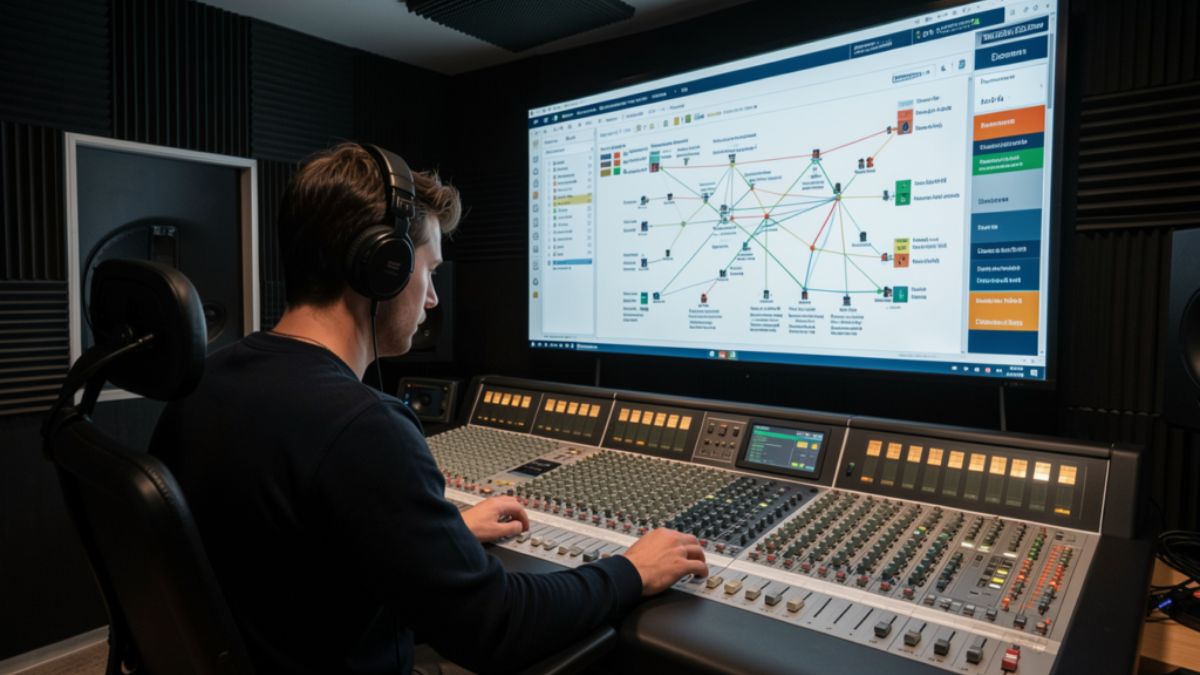
Most creators who land on backtofrontshow.com are not hunting for another download counter. They want to know who stayed through the ad read, who left at minute nine, and whether the audience they pitch to sponsors actually matches the people who press play. That gap between a play count and a real listener is where modern podcast analytics either earns its fee or wastes it.
This guide walks through what the site positions itself as, which metrics matter, how a tracking layer usually sits on top of your host, and where teams waste money. You will also get a practical checklist you can use even if you never buy a premium plan.
What BacktoFrontShow.com Is Built to Do
Backtofrontshow.com presents itself as a podcast analytics platform for hosts, networks, and media teams. The pitch is listener behavior, not vanity totals. Instead of stopping at downloads, the product language centers on demographics, listening patterns, engagement, device mix, geography, and custom reports.
That framing matches a real industry problem. Host dashboards often report downloads and unique listeners. Sponsors, though, ask harder questions. They want age bands, cities, completion, and proof that a mid-roll was heard. A platform that claims to close that gap has to show method, sample size, and limits, not just a polished map.
A short definition you can use
Podcast audience analytics is the practice of measuring how people consume episodes after the file starts. It covers who listens, how long they stay, where they drop off, which device they use, and which episodes earn repeat attention. Downloads only confirm that a file was requested.
How the name gets mixed up
Search results for the brand are messy. An older web-industry podcast, The Back to Front Show, used the same name for years. Separate sites have also used similar branding for business content. The current .com property markets analytics tools and is not the same thing as that earlier show. If you are evaluating the product, judge the dashboard, the data method, and the contract, not the old podcast archive.
How Listener Analytics on BacktoFrontShow.com Usually Works
Platforms in this category rarely replace your host. You keep publishing on Buzzsprout, Libsyn, Spotify for Podcasters, or a private RSS setup. You then add a measurement layer, often an analytics prefix or a tracking redirect on the enclosure URL. When a player requests the episode, the layer records the request and, where the player allows it, progress signals.
The flow is simple on paper.
- Connect the show by RSS or a host integration.
- Confirm the tracking prefix is live on new episodes.
- Wait for a full publishing cycle so the sample is not one lucky week.
- Read demographics, devices, geography, and episode curves.
- Export a report your sales or editorial team can actually use.
Treat the first two weeks as calibration. A launch spike, a playlist add, or a bad embed can distort early charts. Decisions get cleaner after three or four episodes under the same setup.
Metrics worth watching first
| Metric | What it tells you | What to do with it |
|---|---|---|
| Listen-through rate | Share of starters who reach the end, or a set minute mark | Cut or move sections where most people leave |
| Drop-off point | The minute attention collapses | Test a shorter intro or an earlier payoff |
| Unique listeners vs downloads | How many people sit behind the request count | Use uniques in sponsor conversations |
| Device mix | Phone, desktop, smart speaker, in-car | Match ad length and CTA to the dominant context |
| Geography | Countries and cities with real listening | Localize offers, guests, and ad inventory |
| Return listen rate | Share of people who come back next episode | Judge series hooks, not one viral clip |
If a report cannot explain how a demographic was inferred, do not put that number in a media kit. Age and interest estimates are models. Location from IP data is stronger, but VPNs and shared networks still blur city-level claims.
Features That Change Editorial Decisions
A useful stack does more than redraw the same host chart. The feature set described around backtofrontshow.com clusters into a few jobs.
Audience demographics cover age range, location, and interests so you can brief guests and sponsors with something sharper than “people who like podcasts.” Listening behavior covers session length and patterns across the week. Engagement tracking watches likes, shares, and comments where those signals exist. Device analytics shows whether you are an in-car show or a desktop deep-dive. Geographical views turn a country list into a map your partnerships team can scan. Custom reports let you send a client a one-page view instead of a raw export.
A working weekly ritual
Pick one episode and one question. Example: “Did the new cold open keep people past minute three?” Compare that episode with the prior four. If the curve improves and the topic is similar, keep the open. If the curve is flat, the topic was the driver, not the edit.
Then check devices. A show that is 70 percent mobile should not hide the offer behind a long URL spoken once. Say the offer, repeat the short link, and put it in the show notes at the top.
Who Should Pay for This Level of Insight
Not every show needs a heavy analytics layer. A hobby interview with 200 downloads a month will learn more from listener emails than from a premium dashboard. The spend starts to make sense when the number changes a decision that already has a dollar value.
| Team type | Signal you already have | When a deeper platform pays off |
|---|---|---|
| Solo host | Downloads and a few reviews | After you sell even one recurring sponsor |
| Small network | Per-show host stats that do not match | When you need one report format across shows |
| Brand studio | Campaign flight dates and vanity totals | When you must prove mid-roll delivery |
| Agency | Client asks you cannot answer from the host | When reporting time exceeds the tool cost |
Run the math in plain language. If a plan costs more than the sponsorship revenue it helps you win or protect, it is a research toy. If it shortens a sales cycle or saves a renewal, the fee can be rational. Public pricing chatter around this category varies widely, including high monthly tiers on some plan pages. Confirm the live price, the minimum term, and what happens to historical data if you cancel.
Pros and Cons
Strengths show up when the team already publishes on a schedule and has someone who will read the charts.
Pros:
- Behavior data beats download totals in sponsor calls.
- Geography and device mix improve offer design.
- Custom reports reduce the Sunday-night spreadsheet scramble.
- A prefix-style setup can leave your host in place.
- Episode curves give editors a concrete cut list.
Cons:
- Premium plans can cost more than a young show earns.
- Demographic fields are estimates, and bad decks overclaim them.
- Prefix tracking can break if a host or app strips it.
- Early data lies during launches and cross-promos.
- Another login dies if nobody owns the weekly review.
Common Mistakes
Creators repeat the same five errors.
They paste model-based age splits into a media kit as if they were a census. They judge an episode on day-one downloads and ignore the 30-day curve. They change the intro, the thumbnail, and the publish time in the same week, then credit the wrong change. They never check whether the prefix is still on the enclosure after a host migration. They buy the suite, then keep making topics from gut feel.
Another quiet mistake is comparing shows with different lengths. A 12-minute news brief and a 70-minute interview should not share one completion target. Set a benchmark inside the same format.
Best Practices for Using the Data
Treat the dashboard as an editor, not a boss.
- Freeze one variable per experiment. Change the hook or the length, not both.
- Read curves at the same age of episode, such as day 7 and day 28.
- Pair quantitative dips with qualitative notes from listener mail.
- Build a one-page sponsor snapshot: uniques, top countries, average consumption, and device mix.
- Reconcile host downloads with the analytics tool once a month so you trust the gap.
- Archive exports. If you switch tools, you will want the history.
A simple decision framework
| Question | If the answer is yes | If the answer is no |
|---|---|---|
| Do sponsors ask for proof beyond downloads? | Prioritize behavior and geography reports | Stay on the host dashboard for now |
| Can you review charts every week? | Assign an owner and a 20-minute slot | Do not add another unused login |
| Is the tracking prefix stable after publish? | Scale tests across the next four episodes | Fix measurement before you change the show |
| Do estimates match what listeners tell you? | Use demographics as directional color | Label them as modeled and keep claims soft |
How Teams Turn Charts into Better Episodes
Picture a B2B interview show. The curve falls at minute 11, right as the host finishes a long bio. The next four episodes open with the guest’s sharpest claim, then the bio. Average consumption rises by a few minutes. Nothing else changed. That is the whole point of the stack.
A narrative show might see strong completion on phones after 9 p.m. and weak completion on desktop at lunch. The team cuts a tighter chapter and moves the story payoff forward. Sponsorship inventory shifts toward the evening flight, where people actually hear the read.
None of this requires a new brand voice. It requires one person who will look at the curve before the next record date.
What to Verify Before You Commit
Ask for a sample report from a show of similar size. Ask how location and age are produced. Ask whether smart-speaker and locked-down apps undercount progress. Ask about data retention, user seats, and export formats. Ask what the onboarding does to your existing RSS. A clear answer on method is worth more than a rounded satisfaction claim on a marketing page.
If the fit is poor, you still leave with a better measurement habit. Host-level unique listeners, completion where your app provides it, and a simple listener survey will carry a small show a long way.
Conclusion
Backtofrontshow.com sits in a crowded promise: show the listener, not just the download. That promise is worth chasing once a show sells attention or reports to a client. It is not a shortcut to growth by itself. The teams that get value connect the feed cleanly, wait for a real sample, and change one thing at a time. Use the curves to edit. Use geography and devices to shape offers. Keep modeled demographics in their place. Do that, and the dashboard becomes a production tool instead of another tab you forget to open.
FAQs
What is backtofrontshow.com?
It is a website that markets a podcast analytics platform focused on listener demographics, behavior, devices, geography, and custom reports, rather than downloads alone.
Does the platform replace a podcast host?
No. Tools in this category typically sit on top of your current host through an integration or an analytics prefix on the episode file.
How is this different from the older Back to Front Show podcast?
The older show was a web-industry podcast. The current .com property promotes analytics software. They share a name, not a product.
Which metric should a new user watch first?
Start with drop-off points and listen-through rate. Those two numbers tell you whether the episode structure is working before you worry about finer demographic splits.
When is a premium analytics plan worth the cost?
It is worth it when sponsor sales, client reporting, or network rollups already depend on proof you cannot get from a basic host dashboard, and someone on the team will review the data every week.
-

 NEWS1 year ago
Historical Churches in Manila
-

 TOPIC3 months ago
Unveiling AvTub: Your Ultimate Guide to the Best AV Content
-

 TOPIC1 year ago
Symbols of Hope: The 15th Belenismo sa Tarlac
-

 TOPIC1 year ago
RIZAL at 160: a Filipino Feat in Britain
-

 TOPIC1 year ago
Simbang Gabi and Kakanin
-

 TOPIC2 months ago
Understanding Fascisterne: Origins and Ideological Roots
-

 TOPIC1 year ago
“The Journey Beyond Fashion” – Ditta Sandico
-

 NEWS4 months ago
What Caused Delta Flight DL275 to Diverted LAX? A Detailed Breakdown